

Business process transformation through AI means rebuilding how work moves through your company so that software reads, decides and acts on routine work, and people handle exceptions and judgment. It goes beyond speeding up a task. The strongest results come from custom, context-aware AI agents built around your own documents, systems and rules, with humans kept in the loop where errors are costly. That is the kind of digital workforce we design and deploy at POW IT UP, and the rest of this guide shows how to decide where it fits in your business.
TL;DR
- Traditional automation follows fixed rules. Intelligent automation adds models that read unstructured information, such as emails and documents, and adapt to it.
- Start with high-volume, repetitive, document-heavy processes. Keep people in charge of decisions where mistakes are expensive.
- Adoption is widespread, but few companies have embedded AI in core processes. Depth of integration, not tool count, separates leaders from the rest.
- Work in stages: map, pick, build, measure, then scale on shared data and reusable components.
- Measure cycle time, error rates, cost per transaction and volume handled per person, before and after.
Table of Contents
- What business process transformation through AI actually means
- How AI models and agents work inside a workflow
- Which processes AI can transform
- Deciding what to automate and what to keep human
- A step-by-step path from first process to scale
- Where companies stand, and what separates leaders
- Metrics that show whether it is working
- Risks to plan for from the start
- Working with us
- Our perspective
- FAQ
- Sources
What business process transformation through AI actually means
Business process automation uses software to run repetitive tasks and to coordinate work across tools, teams and systems. AI-powered automation adds intelligence on top: systems that learn from data, interpret information and adapt as conditions change, according to Harvard Business School Online.
The practical difference is easiest to see in a single example. A rules-based workflow can move an invoice from one folder to another when a field contains a specific value. It fails when a vendor changes its layout, sends a scan at an angle or puts the total in a different place. An intelligent workflow reads the document the way a clerk would, checks it against the purchase order, flags what does not match and routes only the exception to a person.
It helps to think in three levels:
- Scripted automation. Predefined instructions for stable, rule-based tasks. Fast and cheap, but brittle.
- Orchestrated workflows. Several systems connected so a process runs end to end, often including software bots that click through screens.
- Agentic automation. AI agents that plan a sequence of steps, use your data and applications, and pursue a defined business goal, escalating when they reach their limits.
Transformation happens when a process moves up these levels and the way the team works changes with it. If you automate a bad process, you get a faster bad process. We go deeper on the distinctions in our explainer on intelligent process automation for business.
How AI models and agents work inside a workflow
A modern automated process has four layers, and each one is a place where projects succeed or stall.
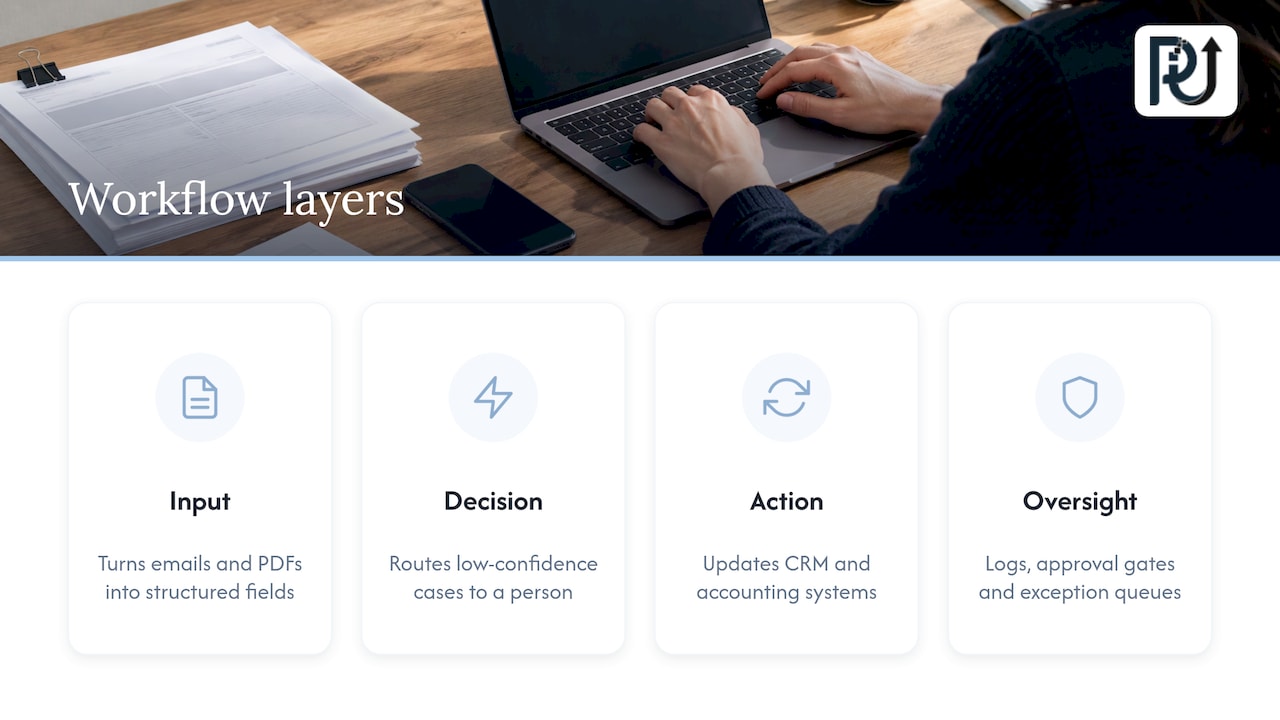
Input. Work arrives as emails, PDFs, forms, chat messages, spreadsheets and database records. Most of it is unstructured. Models that read language and documents turn it into structured fields.
Decision. The model classifies, extracts, scores or drafts. A loan file is checked for completeness. A support ticket is tagged by urgency. A contract clause is compared with your standard terms. Each decision should carry a confidence level, so low-confidence cases go to a person.
Action. An agent takes the next step in your systems: updates the CRM, posts the entry to the accounting system, sends the confirmation, opens the task. This is where integration quality matters most, because an agent is only as useful as the systems it can safely reach.
Oversight. Logs, approval gates and exception queues let a manager see what the system did and why, and step in when needed.
When these layers are built around your own rules and data rather than a generic template, the system can handle the odd cases that make up so much of real operations. That is the difference between a demo and a digital workforce that carries volume.
Which processes AI can transform
Look for work with three traits: high volume, repetition and documents or messages that someone has to read. Typical candidates by function:
- Finance and accounting. Invoice capture, reconciliation, expense review, month-end close preparation, client onboarding checks.
- Lending and insurance. Application intake, document validation, income and identity verification, claims triage.
- Healthcare practices. Intake forms, referral processing, prior-authorization paperwork, scheduling follow-up.
- Logistics. Bills of lading, shipment status updates, exception handling, carrier communication.
- Marketing agencies and consulting firms. Reporting, client status updates, time and project costing, proposal drafts.
- E-commerce. Order exceptions, returns, catalog updates, customer service replies.
Usage data supports the starting points. Intuit’s 2026 AI Impact Report, built on payment records from 5.3 million businesses and more than 34,000 survey responses, found that regular AI use among US businesses rose from 48% in July 2024 to 77% by January 2026. The most common US uses were marketing at 45%, admin at 42% and customer service at 36%. The same report found only 12% of US businesses paid for a standalone third-party AI subscription between 2021 and 2025, which suggests most use is light, tool-by-tool experimentation rather than redesigned processes. That gap is the opportunity.
If your documents are the bottleneck, our DocuPOW product reads and validates documents, and we offer live demos.
Deciding what to automate and what to keep human
Not every task should be handed to a machine. Harvard Business School’s Gen AI Playbook gives a useful screen built on two questions: what does an error cost, and what kind of knowledge does the task need?
- Where errors could cause serious harm, financial loss or reputational damage, keep human oversight.
- Where the task relies on explicit data, AI is a strong fit.
- Where the task depends on tacit knowledge, such as empathy, ethical reasoning, intuition or contextual judgment, AI is fundamentally harder to apply.
Harvard Business School professors Karim Lakhani and Iavor Bojinov add a frequency lens in the same HBS Online piece: high-frequency, low-value tasks are strong candidates for full automation, while lower-frequency or higher-value work involving risk, ethics or customer relationships benefits from augmentation, with humans keeping decision authority.
A simple scoring grid follows from this. Rate each candidate process from 1 to 5 on volume, repetitiveness, data availability and cost of error (reversed). Start with processes that score high on the first three and low on the last. A weekly volume of several hundred identical-looking documents beats a once-a-quarter strategic report every time.
A step-by-step path from first process to scale
1. Map the work as it really happens
Walk through a process with the people who do it, not the people who manage it. Record each handoff, each re-keying of data, each wait for an approval. The aim is to find the “time leaks”: places where hours disappear without anyone deciding they should. Where it goes wrong: documenting the official process rather than the real one, which means the system is built for a workflow nobody follows. We hunt down these time leaks as part of designing a digital workforce, so the map comes from your operation, not from a template.
2. Pick one process and define success in numbers
Choose from your scoring grid. Write down the baseline: average handling time, error rate, cost per transaction, backlog size. Without a baseline you cannot prove anything later. Where it goes wrong: choosing the most visible process instead of the most suitable one.
3. Check the data and system access
Agents need clean, reachable data. Consolidate silos, fix inconsistent fields and decide which systems the agent may read and write. MIT’s Center for Information Systems Research notes that enterprises at the pilot stage need to consolidate data silos and invest in APIs that safely serve data to AI before scaling. Reusable data foundations and architecture are what let a second and third process go live far faster than the first. Our AI integration service connects AI to the systems you already run.
4. Build with humans in the loop
Launch with approval gates: the agent proposes, a person confirms. Review the exceptions weekly. As confidence data shows the agent is reliable on a category of cases, widen its authority. Where it goes wrong: switching to full autonomy on day one, or never loosening the gates, so that the saving never appears. Building context-aware agents for your rules and systems is the work of our AI agents development service.
5. Measure against the baseline
Compare the same metrics after four to eight weeks. Look at speed, accuracy, cost and the share of work completed without human touch. Include exception rates, because a falling exception rate shows the system is learning your business.
6. Scale on shared components
Turn the pieces that worked, such as document reading, validation rules, connectors and logging, into reusable building blocks. Then add the next process. Our guide to scaling AI operations past the pilot covers the engineering steps for this stage.
Where companies stand, and what separates leaders
Adoption numbers can mislead. A Wharton Human-AI Research and GBK Collective study of about 1,400 people at US companies with 1,000 or more employees found that 73% of managers say their department’s workflows changed significantly because of AI, and 67% use AI agents in some form. Yet only 28% describe AI as fully embedded in core business processes, and only 20% of departments meet all three conditions: embedded, agents in use and workflows changed.
MIT CISR’s enterprise AI maturity model shows why this matters financially. Based on a survey of 721 enterprises, 28% sat at Stage 1 (experiment and prepare), 34% at Stage 2 (build pilots), 31% at Stage 3 (develop AI ways of working) and 7% at Stage 4 (AI future ready). Stage 3 firms grew 11.3 percentage points above their industry average and Stage 4 firms 17.1 points above, while Stage 1 firms lagged by 12.6 points (MIT CISR). The pattern is consistent: the payoff comes from moving beyond isolated pilots to new ways of working. For a view on how the pilot-to-enterprise gap plays out in hiring and skills, see this look at AI adoption maturity and cognitive skills.
Metrics that show whether it is working
Pick a small set and track them monthly:
| Metric | What it tells you | Example |
|---|---|---|
| Cycle time | How fast work moves from arrival to completion | Loan file from application to decision |
| Cost per transaction | Whether volume is getting cheaper to process | Cost to process one invoice |
| Error and rework rate | Quality of output and the need for correction | Share of entries corrected downstream |
| Straight-through rate | Share of cases finished with no human touch | Documents validated without review |
| Volume per person | Whether you can grow without adding headcount | Transactions handled per operations employee |
| Exception queue size | Whether the system is learning | Weekly count of escalated cases |
The last two connect to the main business case: processing more volume without a matching increase in headcount. Report them next to revenue growth, so leadership sees capacity rising while staffing stays flat.
Risks to plan for from the start
Good transformation is as much about control as speed. Address these before launch:
- Data quality. Models inherit the flaws of the data they read. Clean the sources that feed the first process.
- Security and privacy. Limit what each agent can access to what its task needs. In healthcare and financial services, confirm how patient or customer data is stored, logged and retained, and involve your compliance officer or legal counsel for the rules that apply to you.
- Reliability. Use confidence thresholds and exception queues so uncertain cases go to people.
- Human oversight. Follow the cost-of-error test above. Keep named owners for every automated process, with authority to pause it.
- Change management. People adopt tools that remove the dull part of their job. Involve the team in mapping and review, and tell them early what changes.
Maintainability belongs on this list too. A system that only its builder can modify becomes a liability. Insist on documented engineering, clear ownership of what is built and a design your team can extend.
Working with us
We build custom AI agents and digital workforces that automate high-volume transactional operations, along with the integrations, analytics and maintainable automation systems around them. Our AI automation service is the starting point for operations leaders in fintech, healthcare, service businesses, logistics, e-commerce and agencies. For document-heavy work, DocuPOW offers document reading and validation with live demos, and AuraPOW supports portfolio monitoring and client health analytics.
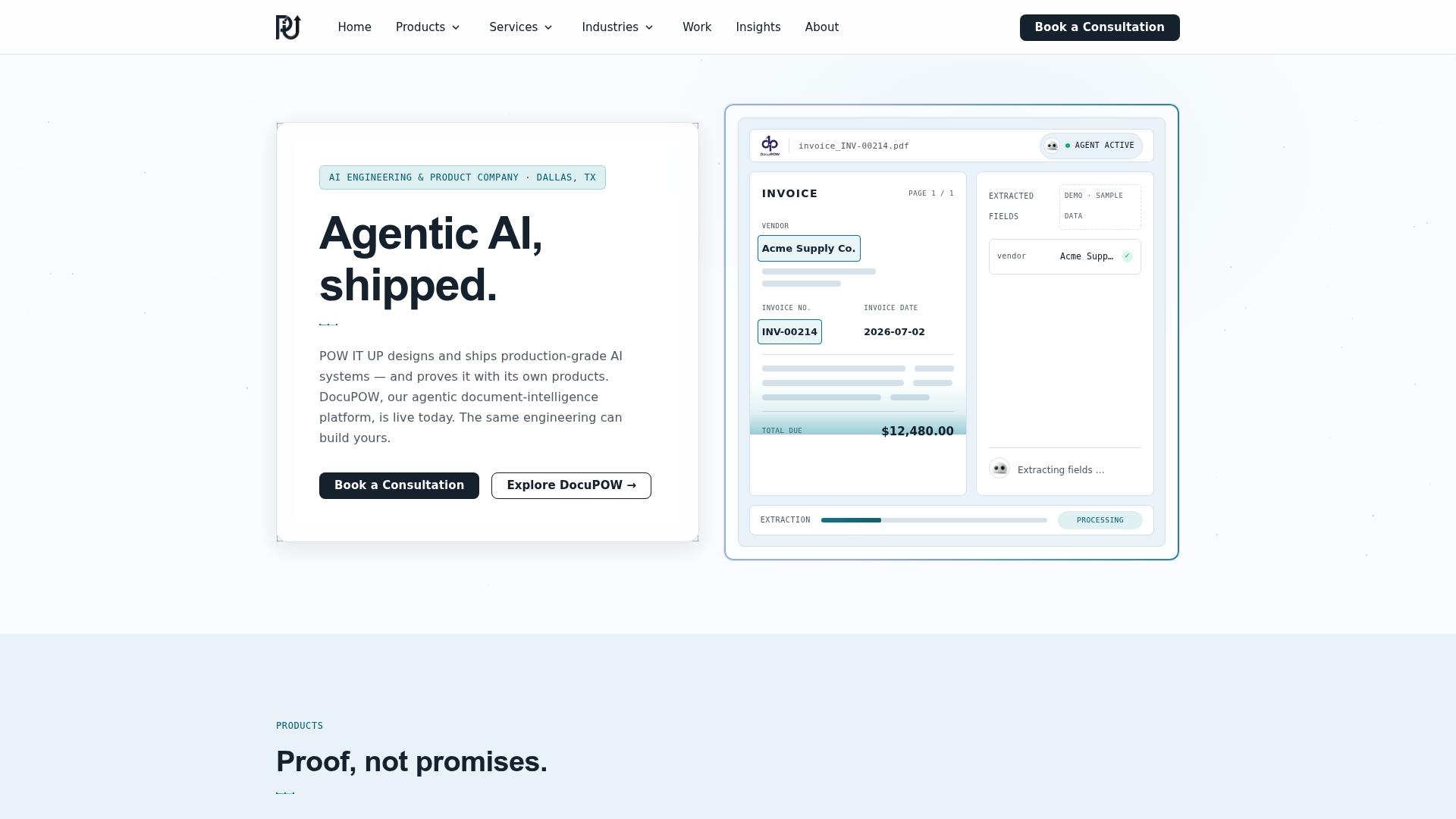
If you have a process in mind, talk to us at POW IT UP about mapping it and scoping a first build.
Our perspective
Most companies we talk to have tried AI somewhere. A chatbot here, a writing assistant there. What they have not done is change how a core process runs, and that is where the compounding value sits.
We build custom, context-aware agents because your operation is not generic. Your documents, approval rules and system quirks are what make a process yours, and an agent has to be engineered around them. Our approach is to treat the work as systems engineering: document what is built, make it maintainable and keep ownership with the client.
The business case we care about is capacity. When a digital workforce takes on the repetitive, high-volume transactions, the same team can handle far more volume, and people move to the work that needs judgment. Start with one process, measure it honestly, and build the next on the same foundation.
Syed Naveed Abbas
FAQ
What is the difference between intelligent automation and traditional automation?
Traditional automation follows fixed rules and works best with structured, predictable inputs. Intelligent automation adds AI models that interpret emails, documents and other variable information, decide the next step and coordinate work across systems. The two usually run together inside the same process.
Which process should we automate first?
Choose a high-volume, repetitive process with plenty of documents or messages and a low cost of error, such as invoice intake or document validation. Record its baseline handling time and error rate first so you can show the change.
Will AI replace the people who run these processes?
The aim is to let the same team handle more volume. Harvard Business School’s guidance is that AI creates the most value when it augments human judgment, with full automation reserved for high-frequency, low-value tasks and people retaining authority over risky or relationship-heavy decisions.
How do we know whether the transformation is working?
Compare cycle time, cost per transaction, error rate, straight-through rate and volume per person against your baseline after the first build. A shrinking exception queue is a good sign that the system is adapting to your work.
Do small businesses need this too?
Yes, when volume and repetition are present. Smaller teams often feel the benefit sooner, because each hour recovered is a larger share of capacity. Our guide to AI agents for small businesses explains where to begin.
Sources
- AI-Powered Business Process Automation: When to Automate, Harvard Business School Online
- The Gen AI Playbook for Organizations, Harvard Business School
- Building Enterprise AI Maturity, MIT CISR
- 2026 AI Impact Report, Intuit
- The Adaptive Advantage: Who’s Winning with AI and How, Wharton