

Workflow excellence through AI means redesigning how work moves through your business so that software handles the high-volume, repeatable steps and people handle judgment, exceptions and relationships. It does not come from buying a tool and pointing it at a messy process. It comes from choosing a few workflows that matter, fixing them, putting AI agents inside them with clear limits, and measuring the result against a baseline. This guide walks through that sequence in the order you would actually do it.
TL;DR
- Start with a short list of workflows that are high-volume, rule-heavy and tied to revenue or risk. MIT Sloan researchers advise prioritizing a limited number of strategically important workflows, not automating everywhere at once.
- Fix the process before you automate it. AI amplifies whatever it is placed on, good or bad.
- Give each agent one job, keep exact logic in ordinary code, and put a human approval step in front of high-consequence actions.
- Govern from day one: the U.S. has no AI exception to existing privacy and consumer-protection law, and NIST publishes a voluntary risk framework you can adopt.
- Baseline every workflow before launch, then track time saved, error rates and exceptions so you can scale without adding headcount.
Table of Contents
- What workflow excellence through AI actually means
- Why the process comes before the model
- Which workflows to automate first
- Designing the AI-enabled workflow
- Governance, privacy and human oversight
- How to measure the gains
- Scaling without adding headcount
- Our perspective
- Where POW IT UP fits
- FAQ
- Sources
What workflow excellence through AI actually means
A workflow is the chain of steps, handoffs and decisions that turns an input (an invoice, a loan application, a patient intake form, a customer email) into an outcome. Excellence means that chain is fast, consistent, auditable and cheap to run at higher volume.
Traditional automation handles the part of that chain that never changes: if field A equals X, move the file to folder B. It breaks the moment an input looks different. AI-driven automation adds the ability to read unstructured material such as PDFs, emails and scanned forms, interpret context, and choose among actions. That is why document-heavy and exception-heavy work, the kind that used to need a person at every step, is now automatable.
Three layers are worth keeping separate in your head:
| Layer | What it does | Typical example |
|---|---|---|
| Rule-based automation | Repeats fixed steps exactly | Copy a value from one system to another |
| AI components | Classify, extract or summarize in a single step | Read an invoice and pull out the totals |
| AI agents | Plan, pick tools, adapt and ask for help when unsure | Reconcile an invoice against a purchase order, chase a missing approval, flag a mismatch |
Most real workflows need all three. The skill is deciding which layer belongs at which step. If you want a plain-language primer on the category, our overview of intelligent workflow automation for business covers the building blocks.
Why the process comes before the model
The most common reason AI automation underdelivers is not model quality. It is that the underlying process was never defined. If three people handle the same request three different ways, an agent has nothing consistent to learn from, and it will faithfully reproduce the inconsistency at machine speed.
Before any build, write down for each candidate workflow:
- The trigger. What starts the work, and in which system?
- The inputs. Which documents, fields and data sources are involved, and how clean are they?
- The decisions. Where does a person currently apply judgment, and what rules do they follow, spoken or unspoken?
- The exceptions. What percentage of cases fall outside the normal path, and who handles them?
- The outcome. What does “done correctly” look like, and how would you prove it?
This exercise often reveals “time leaks”: approvals that sit in an inbox for two days, data rekeyed between systems, reports assembled by hand every week. Some of these are fixed by removing a step, not by adding AI. That is a good result. The goal is a better workflow, not a more complicated one.
Which workflows to automate first
Resist the urge to start with the most visible or most politically loud process. MIT Sloan’s October 2026 research on automation and augmentation suggests scoring candidates on criteria including technical fit, operational readiness, compliance risk, ROI, reuse potential and growth potential. The reasoning is practical: agentic AI needs investment in integration, process redesign, security, governance and cross-functional coordination, so spreading effort thin across many workflows tends to starve all of them.
A simple scoring approach you can run in a single working session:
- Volume: how many times a week does this run? High volume pays back build effort.
- Repeatability: can an experienced employee describe the steps in a page?
- Data availability: is the information digital, or trapped on paper and in heads?
- Risk if wrong: what does an error cost, and can it be caught before it reaches a customer?
- Reuse: will the components (document reading, validation, routing) serve other workflows later?
Score each from 1 to 5, add them up, and pick the top three to five. In practice the winners tend to be workflows like these:
- Document intake and validation: invoices, applications, claims, onboarding packets, contracts.
- Lead and request triage: classifying inbound messages, routing them, and following up so nothing is missed.
- Reconciliation and reporting: matching records across systems and assembling recurring reports.
- Client monitoring: watching portfolios or accounts for signals that need attention.
- Task assignment: routing work to the right person based on workload and skill. See how this looks in practice in our piece on automating employee task assignment.
For fintech and lending teams, the same logic applies to loan processing steps, where document reading and validation sit at the front of nearly every file.
Designing the AI-enabled workflow
Once you have a short list, redesign each workflow instead of laying AI over the existing one. A sound sequence:
Define outcomes and KPIs first
Decide what success means in numbers before you build: cycle time, cost per transaction, error rate, percentage handled without human touch, customer response time. Capture the current figures. Without a baseline you will not be able to tell your team, or your board, whether it worked.
Break the work into small, single-purpose steps
Give each agent one coherent responsibility. An agent that reads and classifies documents is easier to test, fix and improve than one asked to read, decide, negotiate and report. Narrow agents can also be reused: the same document-reading component can serve accounts payable, onboarding and claims.
Keep exact logic in code, and uncertainty with people
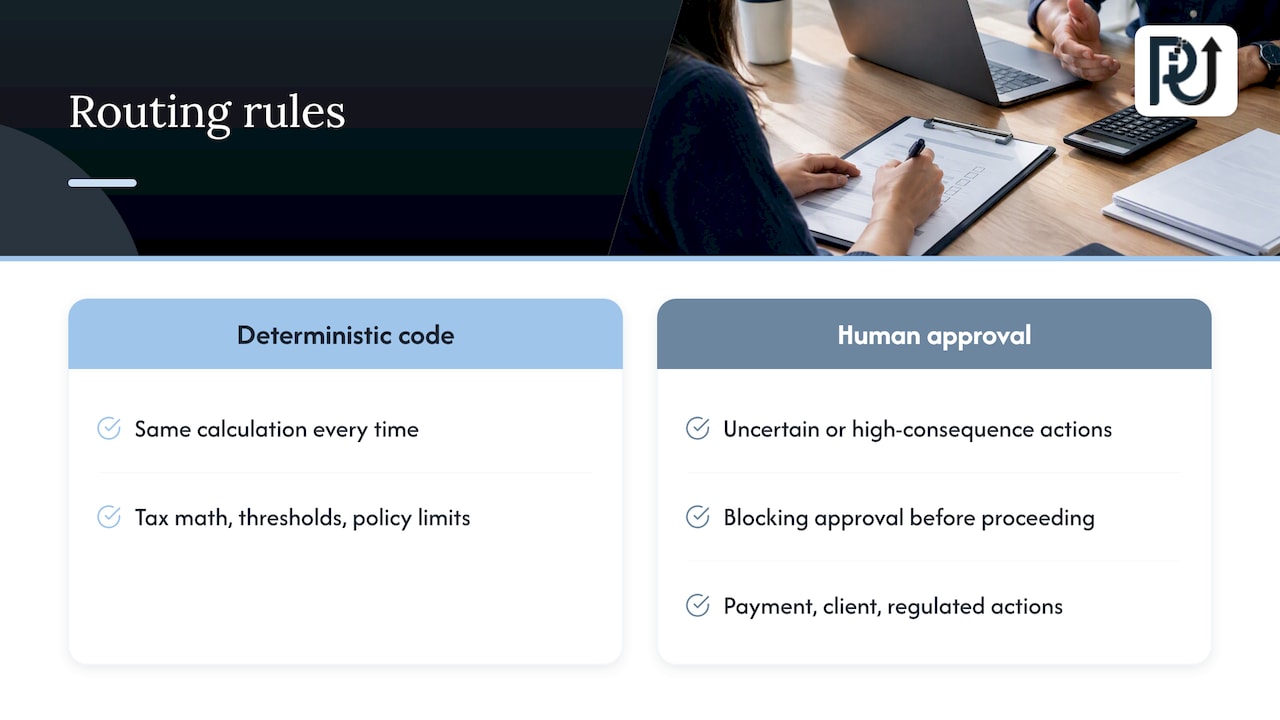
Anything that must be calculated the same way every time, such as tax math, thresholds and policy limits, belongs in deterministic code, not in a language model’s judgment. Where the agent is uncertain or the action is high-consequence, such as releasing a payment, changing a client record or sending a regulated communication, build in a blocking approval step so that a person confirms before it proceeds.
Connect to the systems you already run
An agent is only as useful as the systems it can reach and the permissions it has. Plan for connections to your CRM, ERP, case management, scheduling and core platforms through explicit APIs, with scoped permissions, validation of what comes back, logging, retries, escalation paths and a way to roll back. Integration is usually the largest share of the real work, which is why we treat it as architecture, not plumbing. Our guide to workflow integration architecture goes deeper, and the infrastructure side is covered in scalable AI infrastructure for leaders.
Pilot narrow, then widen
Run the redesigned workflow on a slice of real volume with a person reviewing outputs. Track where the agent hesitates or errs, fix those cases, and loosen human review gradually as accuracy proves out. Do not skip this stage because a demo looked impressive.
Governance, privacy and human oversight
Speed without control is how automation becomes a liability. Three points matter for U.S. businesses.
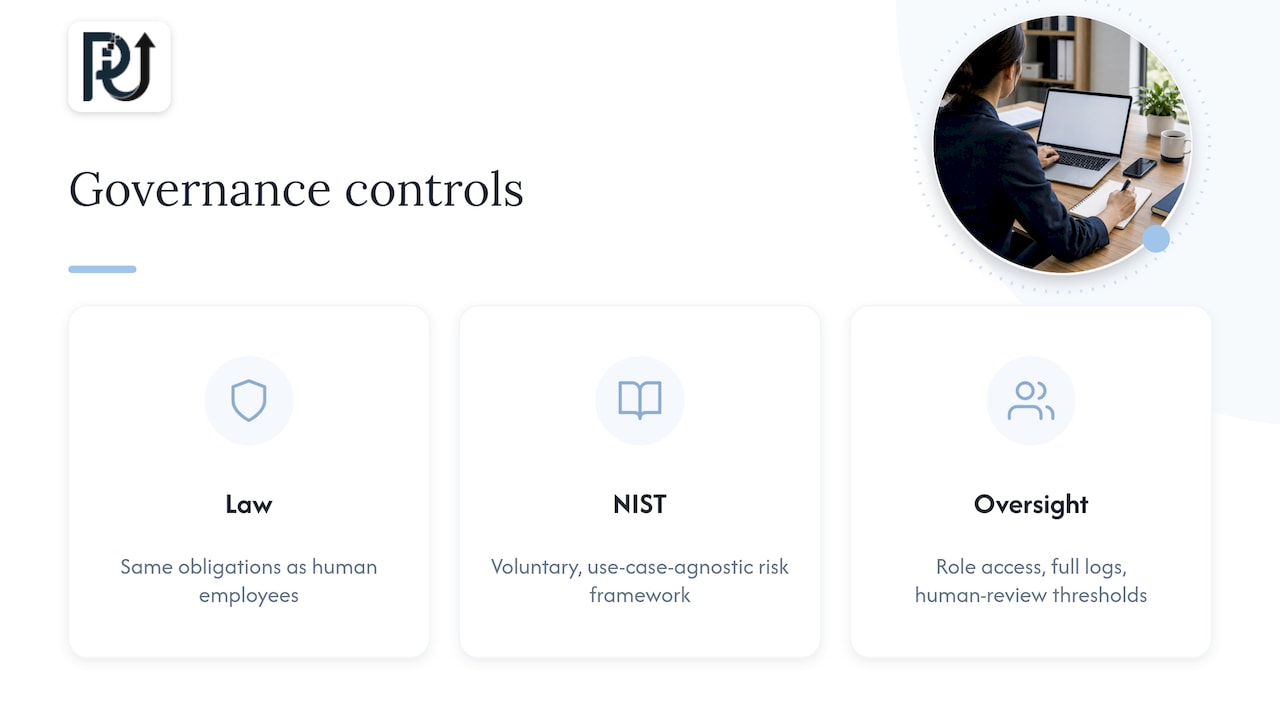
There is no AI exception to the law. The Federal Trade Commission’s 2023 privacy and data security update states that there is no AI exception to the law and describes enforcement actions involving how personal information is collected, retained and used for machine learning. If your agents touch customer data, the same obligations that apply to a human employee apply to the system: collect only what you need, keep it only as long as you need it, secure it, and do not describe what the system does in misleading ways. Healthcare and financial services teams should also confirm with counsel which sector rules (HIPAA, GLBA and state laws) apply to the specific data flowing through each workflow.
Use a recognized risk framework. NIST’s AI Risk Management Framework 1.0 is voluntary and use-case-agnostic, meant for organizations designing, deploying or using AI systems. It also describes profiles that let you map, measure and manage risks for a given business process, compare current and target practices, and prioritize fixes by your resources. NIST later published a Generative AI Profile in July 2024 as a companion for generative systems. Using these gives your leadership, auditors and clients a shared vocabulary.
Design oversight into the workflow. Practical controls include role-based access for agents, full logging of what each agent read and did, thresholds that trigger human review, and a named owner for every automated process. We go through the decision points in five governance gates for AI workforce deployment, and the business case for treating governance as a performance lever, not a brake, in AI workflow optimization for leaders.
How to measure the gains
Track a small set of numbers consistently, from the baseline you captured before launch:
- Time saved per transaction and in total hours returned to the team.
- Throughput: transactions processed per week at the same staffing level.
- Error and rework rate, measured by sampling outputs, not by assuming.
- Exception rate: the share of cases the agent hands to a person, and how fast they are resolved.
- Adoption and satisfaction among the people who work alongside the system.
For realistic expectations, look at documented cases rather than vendor promises. McKinsey’s operations research reports that an automotive supplier using gen AI for code generation, quality assurance and documentation saw 20 to 30 percent time savings while improving code quality, and that a heavy-industry maintenance copilot for technicians cut maintenance workload by 40 percent and raised overall equipment effectiveness by 3 percent. These are results from specific companies in specific settings, not guarantees for yours. Their value to you is the pattern: gains came from pointing AI at a defined task with a measurable outcome.
Review the numbers monthly at first. If accuracy drifts, the audit trail tells you which step changed. If exceptions cluster around one document type, that is your next improvement. Our analysis of early efficiency gains and what comes after them shows how that progression usually unfolds.
Scaling without adding headcount
“Scale without headcount” does not mean removing people. It means the next thousand transactions do not require the next hire. The mechanics are straightforward once the first workflows are stable:
- Reuse components. Document reading, validation, routing and notification pieces built for workflow one become building blocks for workflow two, which shortens each later build.
- Standardize the operating model. Assign an owner, a review cadence and an escalation path to every automated workflow, so the system does not depend on whoever built it.
- Move people up the work. Staff who used to key data now review exceptions, handle client relationships and improve the process. Plan that transition openly; it determines adoption.
- Add stage gates. Before extending an agent to a new volume or a new decision type, check accuracy, exception rate and business impact against the thresholds you set.
- Keep ownership clear. Make sure the logic, prompts, integrations and documentation are yours and maintainable, so you are not locked into a black box.
Our view on what to build as these systems mature is in the future of AI-powered operations.
Our perspective
We build digital workforces for a living, and the lesson we repeat most often is that the process, not the model, is the unit of value. A capable agent dropped into an undefined workflow produces confident, fast, inconsistent work. The same agent inside a well-mapped workflow, with one clear responsibility, scoped permissions and a human checkpoint on consequential actions, produces results a COO can audit and trust.
That is why we engineer for maintainability and client ownership from the first sprint. Context-aware agents should hunt down the time leaks in your operation, such as the rekeyed data, the stalled approvals and the documents nobody has time to read, and they should do it in a system your team understands and controls. Generic scripts break when an input changes. Custom, well-governed agents are built to adapt, and to say “I am not sure” when they should.
Our live products, including DocuPOW for document reading and validation, exist so you can see the engineering working before you commit to a larger build. Start with one workflow that hurts, prove it, then let the pattern spread.
Syed Naveed Abbas
Where POW IT UP fits
If you have a short list of workflows and want them designed, built and governed properly, this is the work we do. We develop custom AI agents for transaction-heavy operations, connect them to your existing platforms through AI integration, and cover the wider AI automation program around them.
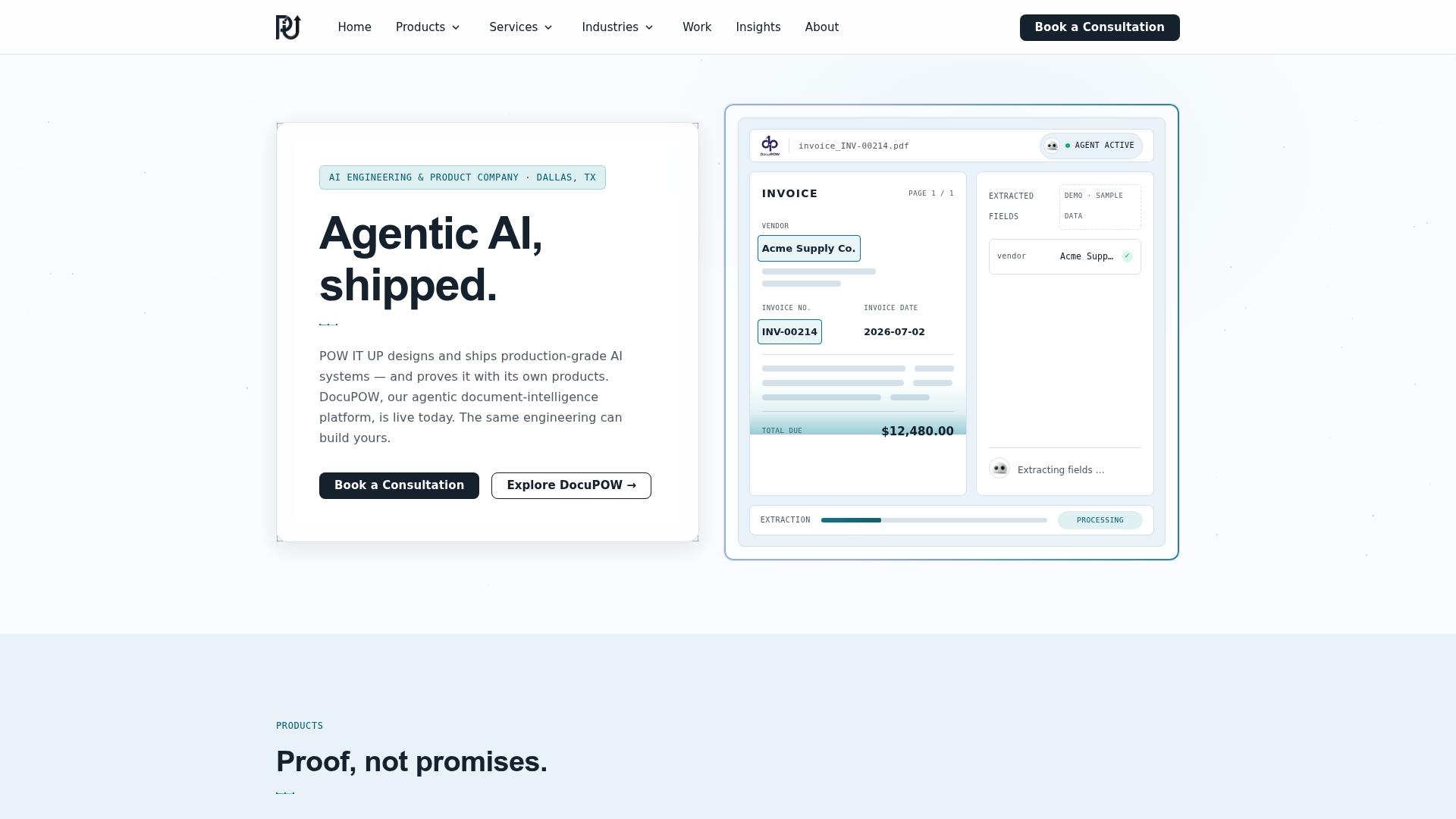
For document-heavy workflows, you can see a working product in DocuPOW, our document reading and validation system, with live demos available. If you are not sure which workflow to start with, talk to us through the POW IT UP site and bring your top three candidates.
FAQ
What is the difference between AI workflow automation and traditional automation?
Traditional automation follows fixed rules and repeats the same steps exactly, so it fails when inputs vary. AI workflow automation can interpret unstructured data such as documents and emails, use context, and adapt its actions. Most production workflows combine both, with ordinary code handling exact logic and AI handling variation.
Which workflow should we automate first?
Pick one that is high-volume, well understood, digital and tied to revenue or risk, such as document intake, lead triage or reconciliation. Score a handful of candidates on volume, repeatability, data availability, risk and reuse, then start with the highest scorer. Keep the first project narrow enough to finish and measure.
Do we still need humans in an AI-automated workflow?
Yes. People handle exceptions, relationships and high-consequence decisions, and they stay accountable for outcomes. A good design puts a human approval step in front of actions such as payments or regulated communications, and relaxes review only as measured accuracy supports it.
Are there U.S. rules we need to consider before automating with AI?
Existing law applies to AI systems. The FTC has stated there is no AI exception to privacy and consumer-protection law, and sector rules may apply to healthcare and financial data. NIST’s AI Risk Management Framework is a voluntary way to structure your controls. Confirm specifics for your data with qualified counsel.
How do we know the automation is working?
Capture baseline numbers before launch, then track time per transaction, throughput, error rate and exception rate against them. Sample outputs to check quality instead of assuming it. Review monthly and feed what you learn back into the workflow.
Sources
- Stop debating automation vs. augmentation, MIT Sloan
- The Federal Trade Commission 2023 Privacy and Data Security Update
- Artificial Intelligence Risk Management Framework (AI RMF 1.0), NIST
- AI RMF: Generative Artificial Intelligence Profile, NIST
- How COOs maximize operational impact from gen AI and agentic AI, McKinsey