

TL;DR:
- Digital operations management uses digital platforms and AI to continuously improve business workflows. Leaders should assess high-friction processes, run targeted pilots, and focus on key KPIs like MTTR and throughput. POW IT UP offers tailored AI solutions to help organizations implement scalable, results-driven digital operations.
Digital Operations Management (DOM) is the structured use of digital platforms, automation, and AI agents to run, monitor, and continuously improve the operational work that drives business outcomes. If you lead operations at any scale, the single most valuable move you can make right now is to conduct a business-first assessment of your highest-friction workflows, then launch a targeted 90-day pilot before committing to a platform or headcount.
Three KPIs tell you whether DOM is working:
-
MTTR (Mean Time to Resolve): How fast your team detects and closes operational failures
-
Throughput: Transaction or task volume processed per unit of time without adding staff
-
Uptime and availability: The percentage of time your critical digital workflows run without interruption
POW IT UP builds the custom AI agents, document intelligence tools like DocuPOW, and portfolio monitoring systems like AuraPOW that make those KPIs move in the right direction. The rest of this guide explains how to get there.
Table of Contents
-
How do you integrate DOM with legacy systems and DevOps pipelines?
-
How do you build continuous improvement into digital operations?
-
Why the “technology-first” instinct keeps failing operations leaders
What does digital operations management actually cover?
Digital operations is the integrated set of strategies, processes, and technologies used to run and optimize business operations through digital workflows, observability, automation, and analytics. That definition matters because leaders routinely confuse DOM with IT operations or DevOps, and the confusion causes misaligned budgets and misassigned accountability.
How DOM differs from IT and DevOps
| Domain | Primary Focus | Typical Owner | Success Metric |
|---|---|---|---|
| Digital Operations Management | Business workflow execution, throughput, and incident resolution | Operations / Business leaders | MTTR, throughput, cost per transaction |
| IT Operations | Infrastructure health, network, hardware, and security | CIO / IT Director | System uptime, patch compliance |
| DevOps | Software delivery pipeline, CI/CD, and release velocity | Engineering / CTO | Deployment frequency, lead time for changes |
DOM sits between the business and engineering layers. It owns the execution of operational work: the handoffs, the automations, the monitoring dashboards, and the incident queues that keep revenue-generating processes running. DevOps builds the pipes; IT keeps the lights on; DOM makes sure the right work flows through those pipes at the right speed.
The sub-domains that fall under DOM include:
-
Digital workflow design and orchestration: Mapping, automating, and governing the sequence of tasks that constitute a business process
-
Incident management and response: Detecting, triaging, and resolving operational failures before they affect customers or revenue
-
Observability and monitoring: Real-time visibility into process health, error rates, and throughput across systems
-
Point-of-work training and audits: Delivering guidance and quality checks at the moment a task is performed, not in a quarterly review
-
Autonomous agent management: Deploying, supervising, and improving AI agents that handle routine transactional decisions
What are the core components of a modern DOM stack?
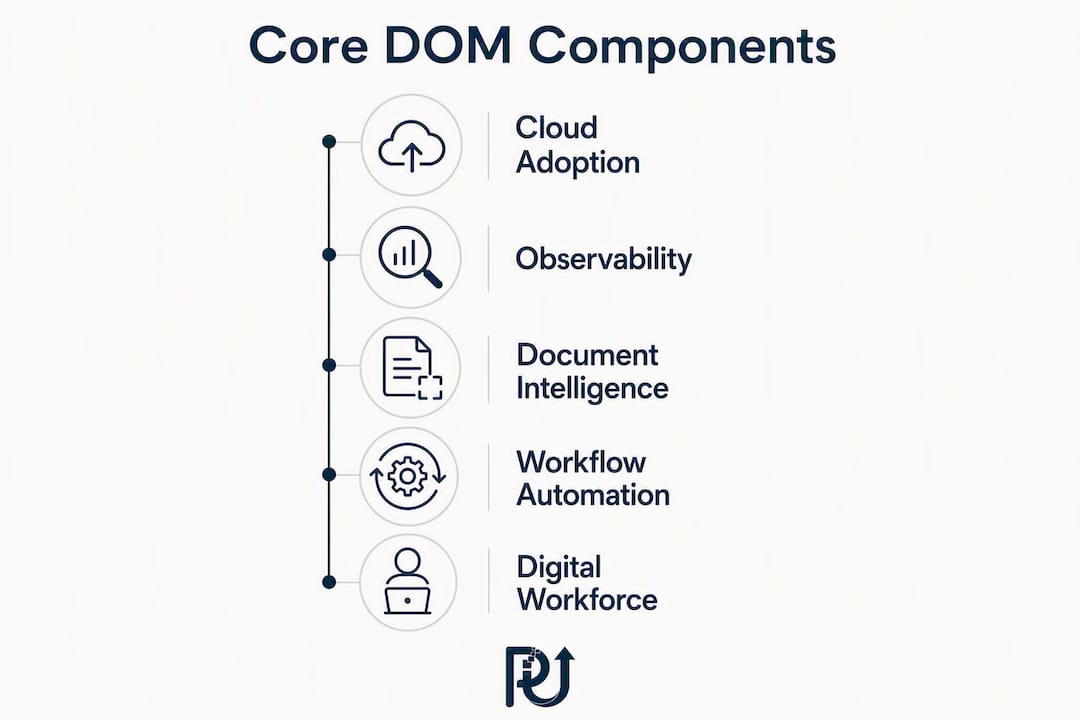
Cloud adoption is widespread among enterprises, and that density of cloud services has made operational complexity the default condition, not an edge case. A modern DOM stack addresses that complexity through eight interlocking components.

| Component | Core Capabilities | Primary Business Value |
|---|---|---|
| Observability & monitoring | Real-time dashboards, alerting, log aggregation | Faster failure detection, lower MTTR |
| Incident management | Triage workflows, escalation routing, postmortems | Revenue protection, SLA compliance |
| Workflow automation | Process orchestration, conditional logic, approvals | Reduced manual rework, audit trails |
| RPA / Hyperautomation | Bot-driven task execution, AI-augmented decision layers | Headcount-neutral volume scaling |
| Autonomous AI agents | Context-aware decision-making, exception surfacing | High-volume processing without oversight overhead |
| AIOps | Pattern detection, predictive alerting, anomaly correlation | Proactive issue resolution |
| Integration / API layer | System connectors, event buses, data pipelines | Unified data flow across legacy and cloud systems |
| Digital workforce management | Agent scheduling, performance tracking, governance | Consistent execution quality at scale |
DocuPOW occupies the document intelligence layer: it reads, validates, and routes structured and unstructured documents (contracts, invoices, intake forms) without human review for routine cases. AuraPOW sits in the observability and portfolio monitoring layer, tracking client health signals and portfolio-level metrics so operations leaders see problems before clients do.
Workflow automation also produces audit trails that reveal bottlenecks, which is why it belongs in the stack from day one rather than as a later add-on.
What measurable benefits can you expect from DOM?
The ROI case for digital operations management rests on five levers, each with a direct line to financial outcomes.
-
MTTR reduction: Faster incident detection and automated triage cuts the time between a failure and its resolution. Every hour of downtime avoided in a revenue-critical process is revenue protected.
-
Throughput increase: Autonomous agents process transactions at machine speed. A team that manually handled 500 documents per day can process multiples of that volume with the same headcount once DocuPOW-style document intelligence is in place.
-
Lower cost per transaction: When routine decisions are delegated to agents, the labor cost per processed unit drops. That margin improvement compounds as volume grows.
-
Reduced manual rework: Automating workflows eliminates the transcription errors, missed steps, and inconsistent handoffs that generate rework queues.
-
Improved customer experience: Faster processing, consistent communication, and proactive issue alerts (the kind AuraPOW surfaces) translate directly into client satisfaction scores.
A simple MTTR calculation: If a critical workflow fails for two hours and generates $15,000 in delayed revenue per hour, cutting MTTR from four hours to one hour saves $45,000 per incident. Multiply by incident frequency and the annual number becomes the floor of your DOM investment case.
Operational visibility is the multiplier across all five levers. Connected reporting converts activity data into outcomes leaders can act on, rather than activity data that sits in disconnected dashboards nobody reads.
How are 2026 trends reshaping digital operations?
The shift from scripted RPA bots to autonomous AI agents is the defining operational trend of this moment. Legacy RPA executes fixed scripts; it breaks when a screen layout changes or an exception falls outside its decision tree. Autonomous agents read context, adapt, and surface only the cases that genuinely need a human. That concept, called agency reversal, reframes how you design work: instead of humans managing a queue with bot assistance, agents manage the queue and bring humans the exceptions.
Hyperautomation extends this further by combining RPA, AI, process mining, and orchestration into a single execution layer. Businesses using autonomous systems report large reductions in administrative overhead and the ability to scale transactional volume without adding headcount.
Three trends worth piloting in 2026:
-
Autonomous AI agents for transactional operations: Document processing, invoice validation, client onboarding, and routine incident triage are all strong candidates
-
AIOps for predictive incident management: Pattern detection that flags anomalies before they become outages, rather than alerting after the fact
-
Cloud-native microservices orchestration: Breaking monolithic workflows into composable services that can be monitored, updated, and scaled independently
Pro Tip: When deploying autonomous agents, define the exception criteria before go-live. The agent’s job is to handle everything that fits the rule; the human’s job is to handle everything that does not. Blurring that boundary is what causes agency reversal to fail in practice.
What roles and org design does digital operations require?
A DOM program without clear ownership degrades into a collection of tools nobody governs. The core roles are:
-
Digital Operations Manager: Owns the DOM roadmap, KPI governance, and cross-functional coordination. Job descriptions typically require a relevant degree, cross-functional experience, and platform familiarity. This role coordinates between IT and business units, monitors performance, and runs transformation initiatives.
-
SRE / Incident Responders: Own detection, triage, and resolution of operational failures. In smaller organizations, this role is often shared with IT.
-
Automation Engineers: Design, build, and maintain automated workflows and AI agent configurations. AI literacy and integration engineering are the critical skills.
-
Data and Analytics Lead: Owns the KPI dashboards, reporting pipelines, and the feedback loops that surface improvement opportunities.
-
Change Manager: Manages adoption, training, and the cultural shifts that determine whether new systems get used or quietly ignored.
-
Frontline Champions: Embedded in business units, these are the practitioners who surface friction points and validate that automation outputs meet operational standards.
One note on titles: the label “Digital Operations Specialist” means different things in different industries. In federal law enforcement, it refers to digital forensics. In business operations, it means automation and execution specialists. Be explicit in job postings about which domain you are hiring for.
Centralized vs. embedded org models
A centralized Digital Operations Center gives you consistent governance, shared tooling, and clear escalation paths. The tradeoff is distance from the business units that generate the work. Embedded teams move faster and stay closer to operational reality, but they fragment standards and create tool sprawl. Most organizations land on a hybrid: a small central team that owns governance, tooling, and KPIs, with embedded champions in each major business unit.
How do you implement digital operations step by step?
Most DOM rollouts fail when organizations focus first on tool selection rather than process alignment and KPI definition. The sequence below inverts that mistake.
-
Months 0–3: Business-first assessment and pilot selection
-
Map your five highest-friction operational workflows by volume, error rate, and manual effort
-
Define KPIs for each: current MTTR, throughput, cost per transaction, error rate
-
Audit your technology inventory and integration debt (what systems need to talk to each other but do not)
-
Score workflows on impact vs. complexity; select the highest-impact, lowest-complexity candidate as your pilot
-
Establish a pilot team charter: sponsor, lead, automation engineer, frontline champion, and success criteria
-
-
Months 3–9: Pilot execution and measurement
-
Design the to-be process before touching any tool; map every decision point and identify which ones can be delegated to an agent
-
Build and deploy the automation in a controlled environment; run parallel processing for the first 30 days
-
Measure weekly against baseline KPIs; define rollback criteria before go-live
-
Document what worked, what broke, and what the agent could not handle
-
-
Months 9–18: Scale and governance
-
Use the pilot blueprint to replicate the approach in the next two or three workflows
-
Establish a governance council: ownership, escalation paths, SLA accountability, and change control
-
Consolidate tooling where possible; disconnected point solutions create the integration fatigue that breaks scaling
-
Pilot selection checklist:
-
High transaction volume (automation ROI scales with volume)
-
Structured, repeatable decision logic (agents handle rules well; ambiguity poorly)
-
Clear success metrics that can be measured within 60 days
-
Low regulatory complexity for the first pass
-
A frontline champion who will advocate for the change
How do you choose the right DOM technologies?
Auditing existing workflows and mapping the current state is the prerequisite for any technology evaluation. Without that map, you are selecting tools for a problem you have not fully defined.
Vendor-agnostic categories to evaluate:
| Category | What It Does | Key Evaluation Criteria |
|---|---|---|
| Orchestration platforms | Coordinates tasks across systems and agents | Integration surface, extensibility, API depth |
| AIOps / Observability | Monitors, correlates, and predicts operational events | Alert quality, ML model transparency, data retention |
| Workflow automation | Designs and executes process flows | No-code/low-code capability, audit trail, conditional logic |
| RPA / Hyperautomation suites | Executes repetitive tasks at machine speed | Bot resilience, exception handling, AI augmentation |
| Document intelligence | Reads, validates, and routes documents | Accuracy on unstructured data, integration with downstream systems |
| Digital workforce platforms | Manages agent scheduling, performance, and governance | Reporting depth, SLA tracking, human-in-the-loop controls |
For a broader view of automation tool categories across service operations, POW IT UP’s published breakdown covers the landscape without vendor bias.
Scoring template (copy and adapt):
Weight each criterion 1–5 by importance to your organization, score each vendor 1–5, and multiply. Criteria to weight: integration surface, security and compliance posture, scalability, observability depth, extensibility, vendor support quality, and roadmap transparency.
Red flags that should end a vendor conversation:
-
No native orchestration layer (you will build it yourself, expensively)
-
Weak or proprietary APIs that lock data inside the platform
-
No audit trail for automated decisions
-
Inability to demonstrate exception handling in a live environment
What pitfalls derail DOM programs most often?
The four failure patterns that consume the most budget and goodwill:
-
The automation trap: Automating a broken process causes it to fail faster and at higher volume. Redesign the process first; automate second. Map every decision point and confirm the logic is sound before a bot touches it.
-
Point-solution fatigue: Buying the best tool in each category and then discovering they do not talk to each other is the most common scaling failure. Consolidating operational work into a single orchestratable system beats a portfolio of disconnected best-of-breed tools at scale.
-
Skipping measurement: Without baseline KPIs established before the pilot, you cannot prove ROI or identify what to fix. No measurement means no governance, and no governance means the program quietly loses funding.
-
Enterprise-wide rollout before proof of concept: Rolling out across the organization before a single workflow has proven the model is how DOM programs become cautionary tales. One workflow, fully instrumented, is worth more than ten workflows half-deployed.
Pro Tip: Pick your pilot workflow the way a surgeon picks a first incision: high confidence, clear anatomy, and a defined exit. Document validation, routine incident reporting, and client onboarding are the workflows that consistently produce clean pilot wins.
How POW IT UP approaches digital operations in practice
POW IT UP’s methodology follows the same business-first sequence described in this guide: assess the operational landscape, identify the highest-leverage workflow, design the autonomous digital workforce, run a measured pilot, then scale with governance in place.
The approach is built around three capabilities:
- Custom AI agent development: — Context-aware agents that handle high-volume transactional decisions and surface only genuine exceptions to human reviewers
A representative engagement pattern: a financial services operations team processing several hundred loan documents per day manually, with a multi-day turnaround and a high error rate on data extraction. After a DocuPOW deployment with a 60-day parallel-run pilot, the team shifted from manual extraction to exception review. Throughput increased substantially, turnaround dropped from days to hours, and the error rate on extracted data fell to near zero. The operations staff moved from data entry to decision-making.
| Metric | Before | After |
|---|---|---|
| Document processing turnaround | 3–4 business days | Same-day to next-day |
| Manual review rate | ~100% of documents | Exceptions only |
| Data extraction error rate | Elevated (manual entry) | Near zero (automated validation) |
| Staff activity | Data entry and routing | Exception review and decisions |
The core principle: Autonomous agents handle what fits the rule. Humans handle what does not. That boundary, clearly defined and consistently enforced, is what separates a DOM program that scales from one that stalls.
For a portfolio monitoring dashboard approach that complements AuraPOW’s client health signals, the assurance-focused breakdown from Intelligent Assessments covers the structural logic well.
What should you do in the next 30–90 days?
Insight without a next action is just reading. Here is the 90-day checklist:
-
Week 1–2: Secure executive sponsor alignment. DOM programs without a named sponsor with budget authority stall at the first cross-functional friction point.
-
Week 2–3: Select one pilot workflow using the criteria above. Document the current state: volume, error rate, manual effort, and cost per transaction.
-
Week 3–4: Define your KPIs and baseline measurements. Set the success threshold before you build anything.
-
Week 4–6: Build your vendor shortlist by category, not by brand recognition. Score against the evaluation criteria in the tooling section.
-
Week 6–8: Charter the pilot team: sponsor, operations lead, automation engineer, frontline champion. Assign ownership of each KPI.
-
Week 8–12: Execute the pilot with a parallel-run period. Measure weekly. Define rollback criteria on day one.
When to proceed to scale: The pilot has hit its KPI targets for at least 30 consecutive days, the rollback criteria were never triggered, and the frontline champion is actively advocating for expansion. Those three conditions together are a reliable signal that the model is ready to replicate.
For tactical growth automation ideas that complement a 90-day pilot, POW IT UP’s published playbook covers service-business-specific patterns worth reviewing before you finalize your workflow selection.
How do you integrate DOM with legacy systems and DevOps pipelines?
Legacy systems are the most common reason DOM programs stall at the integration layer. Most enterprises run core processes on ERP, CRM, or industry-specific platforms that were not designed for API-first connectivity. The practical path forward is not replacement; it is a well-designed integration layer.
An API gateway or event bus sits between your legacy systems and your automation layer, translating data formats and managing event triggers without requiring the legacy system to change. For DevOps pipelines, DOM integration means connecting operational monitoring to deployment events: when a release causes an operational anomaly, the incident management layer catches it and routes it to the right team automatically.
Three integration principles that hold across every environment:
-
Prefer event-driven architecture over polling-based integrations. Polling creates latency and load; events trigger responses in real time.
-
Map your integration debt before selecting tools. Every point-to-point connection you have built over the years is a liability when you try to add a new orchestration layer on top.
-
Build the integration layer to be observable. If you cannot see data flowing through the connector, you cannot diagnose failures when they occur.
What culture shifts does digital operations require?
Technology is the easier half of DOM. The harder half is getting people to trust it, use it, and improve it.
The most common cultural failure is framing automation as a headcount reduction. When frontline staff believe their jobs are at risk, they find subtle ways to route around the system, feed it bad data, or escalate everything to human review regardless of the exception criteria. The framing that works: automation handles the volume; people handle the judgment. That is a genuine upgrade in the nature of the work, not a threat to it.
Three culture shifts that DOM programs require:
-
From activity measurement to outcome measurement. Teams accustomed to being evaluated on tasks completed resist systems that make tasks invisible. Shift performance conversations to throughput, error rate, and resolution time.
-
From tool ownership to process ownership. The automation engineer builds the agent; the operations team owns the process the agent runs. That distinction prevents the “IT owns it, not us” dynamic that kills adoption.
-
From periodic review to continuous feedback. DOM generates data constantly. Organizations that review it quarterly miss the signal. Build weekly or bi-weekly operational reviews into the governance cadence from day one.
What security risks come with digital operations?
Automated systems that handle sensitive data at scale create a concentrated attack surface. A single misconfigured agent with access to customer records, financial transactions, or health data can expose far more than a single human error would.
The security controls that matter most in a DOM context:
-
Least-privilege access for every agent and integration: Agents should have access only to the data and systems they need for their specific task, nothing broader.
-
Audit trails on every automated decision: If an agent routes a document, approves a transaction, or escalates an incident, that action must be logged with a timestamp, the input data, and the decision logic applied.
-
Human-in-the-loop checkpoints for high-risk decisions: Define the risk threshold above which no agent acts without human confirmation. This is not a limitation of the system; it is a governance feature.
-
Vendor security posture evaluation: Any platform in your DOM stack that touches sensitive data needs SOC 2 Type II certification at minimum, and ideally alignment with the NIST Cybersecurity Framework.
Risk management in DOM is not a one-time assessment. Threat surfaces change as you add agents, connect new systems, and scale volume. Build a quarterly security review of your automation layer into the governance calendar.
How do you build continuous improvement into digital operations?
DOM programs that treat deployment as the finish line degrade. The agents drift, the processes change, and the KPIs quietly worsen until someone notices the throughput numbers are wrong.
Continuous improvement in digital operations runs on three feedback loops:
-
Operational data review: Weekly review of MTTR, throughput, error rate, and cost per transaction against baseline. Any metric moving in the wrong direction triggers a root-cause investigation, not a shrug.
-
Exception pattern analysis: When agents escalate exceptions to humans, those escalations are data. Patterns in exception types reveal either a gap in the agent’s decision logic or a change in the underlying process that the agent has not been updated to handle.
-
Postmortem culture: Every significant operational failure gets a structured postmortem: what happened, why, what the system missed, and what changes prevent recurrence. The output is a process or agent update, not a blame assignment.
The organizations that get the most from DOM treat it as a living system, not a deployed product. That mindset is the difference between a program that compounds its returns over time and one that plateaus six months after launch.
How do you build and train a digital operations team?
Hiring for DOM is harder than it looks because the role sits at the intersection of business process knowledge, technical integration skills, and data literacy. Few candidates arrive with all three.
The practical approach is to hire for two of the three and train the third:
-
Operations leaders with technical curiosity can learn integration fundamentals faster than engineers can learn operational context.
-
Automation engineers with business exposure are rare but worth the search; they translate between process owners and technical systems without a translator in the middle.
-
Data analysts who understand process flow become the KPI owners who keep the program honest.
Training priorities for existing staff:
-
AI literacy: understanding what agents can and cannot do, and how to define exception criteria
-
Process mapping: current-state documentation and to-be design before any tool is selected
-
Integration fundamentals: enough API and data-flow knowledge to evaluate vendor claims and spot integration debt
-
Change facilitation: how to run adoption conversations with frontline teams who did not ask for a new system
Certification programs from vendors like ServiceNow, Microsoft, and AWS cover the technical layers. The process and change management skills are best developed through structured internal workshops tied to actual pilot work, not classroom training disconnected from real workflows.
Key Takeaways
Digital operations management succeeds when leaders define KPIs and redesign processes before selecting tools, then prove the model with a single high-impact pilot before scaling.
| Point | Details |
|---|---|
| Business-first always wins | Define KPIs and map processes before evaluating any platform or vendor. |
| Pilot one workflow completely | A single fully instrumented pilot produces more ROI evidence than ten half-deployed workflows. |
| Agency reversal is the design principle | Build systems where agents handle routine decisions and surface only exceptions to humans. |
| Security and audit trails are non-negotiable | Every automated decision must be logged; agents need least-privilege access from day one. |
| POW IT UP accelerates the pilot | DocuPOW, AuraPOW, and custom AI agents give operations leaders a proven stack to run a 90-day pilot without building from scratch. |
Why the “technology-first” instinct keeps failing operations leaders
The conventional wisdom in enterprise technology says: pick the best platform, then figure out the process. Every major analyst firm, every system integrator, and every software vendor’s sales deck reinforces this sequence. It is also the reason most DOM programs produce dashboards instead of results.
The research is consistent on this point. Automation accelerates whatever process it touches, functional or broken. An agent running a flawed approval workflow does not fix the flaw; it executes it faster and at higher volume, which means more errors, more exceptions, and more frustrated frontline staff. The technology did exactly what it was designed to do. The problem was never the technology.
What actually works is the sequence that feels slower: map the process, define the decision logic, set the KPIs, then select the tool that fits the design. That sequence feels like delay. It is actually compression, because the pilot succeeds on the first attempt instead of the third.
The other thing leaders consistently underestimate is the cultural weight of the word “automation.” Framing matters more than most technical leaders want to admit. A team that understands they are being freed from data entry to do judgment work adopts the system. A team that suspects they are being replaced routes around it. The technology is identical in both cases. The outcome is not.
DOM done well is not a technology program. It is an operational redesign that technology makes possible. That distinction is worth holding onto every time a vendor demo makes the tool look like the answer.
POW IT UP builds the digital workforce your operations need
Redesigning operations around autonomous agents is the right move. The gap between knowing that and having a working system is where most programs stall, usually in the integration layer, the process design, or the governance structure that nobody owns.
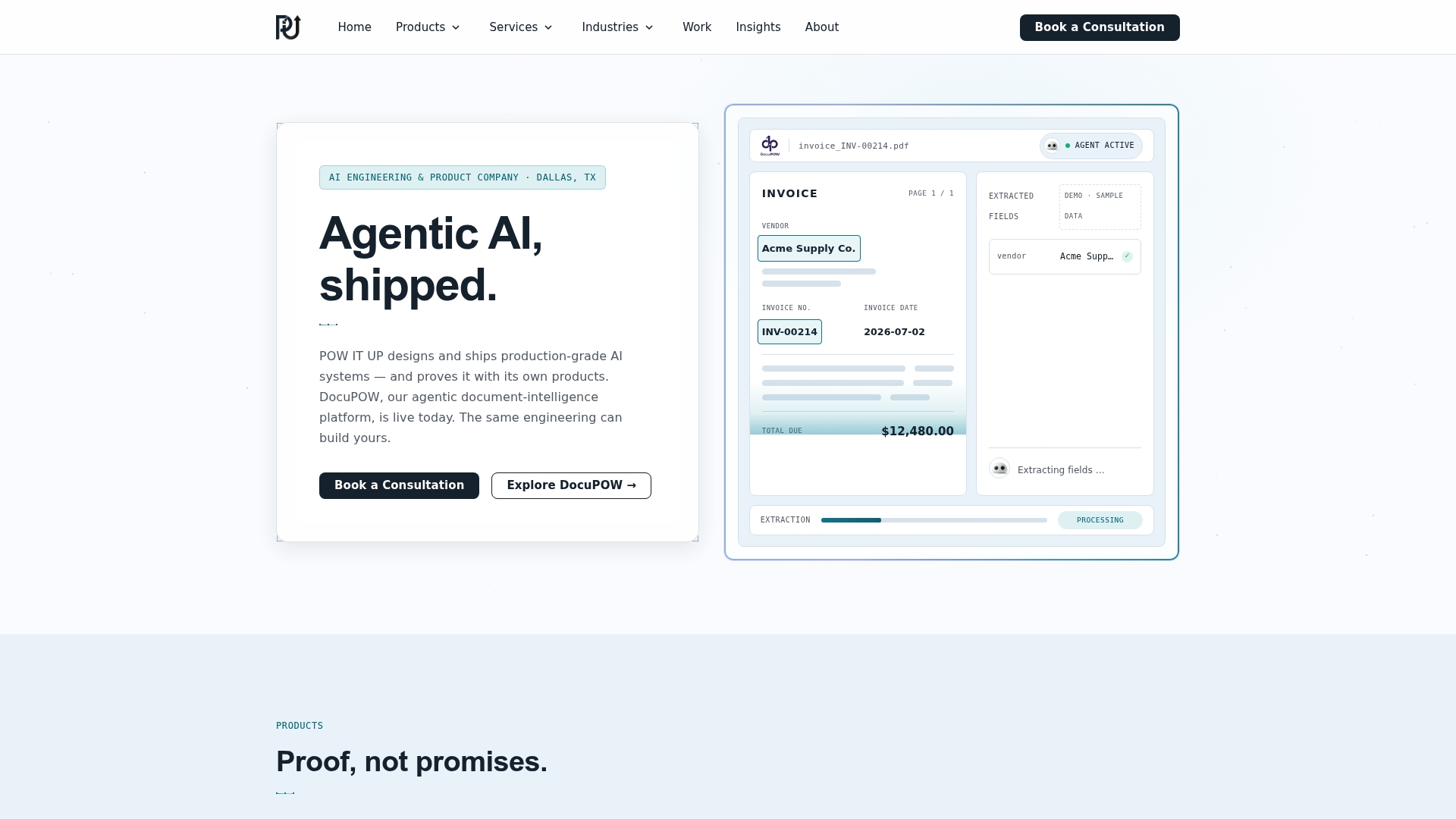
POW IT UP closes that gap. As a custom AI integration and automation firm, POW IT UP designs and deploys the full stack: custom AI agents that handle high-volume transactional decisions, DocuPOW for document intelligence and validation, and AuraPOW for real-time portfolio and client health monitoring. The engagement model is built for leaders who need a working system, not a consulting report.
The concrete next step: schedule a pilot scoping call. POW IT UP’s team will map your highest-friction workflow, define the KPIs, and scope a 90-day pilot with measurable success criteria. No long-term commitment required to start. Explore the enterprise automation services page to see how the engagement model works, or go directly to the AI automation services page to request a scoping conversation.
Useful sources
-
What Is Digital Operations? | NetWitness — Clean definitional grounding for DOM scope, sub-domains, and the distinction from IT operations. Good starting point for any leader building an internal briefing.
-
Digital Operations: Autonomous Automation and the Smart Execution of Work (SSRN) — Academic treatment of agency reversal and autonomous work execution. The theoretical foundation for designing human-in-the-loop systems correctly.
-
Digital Workflow Automation and Software | Adobe Business Blog — Practical guidance on workflow mapping, pilot testing, and audit trail design. Recommended before any tool evaluation begins.
FAQ
What is digital operations management?
Digital operations management is the structured use of digital workflows, automation, AI agents, observability tools, and analytics to run and continuously improve business operations. It focuses on execution-layer outcomes like throughput, MTTR, and cost per transaction, rather than infrastructure or software delivery.
What are the four main areas of digital transformation?
Definitions vary across frameworks, but a widely used breakdown covers process automation, data and analytics, customer experience, and organizational culture and change. DOM sits primarily in the process automation and data layers, with direct impact on customer experience outcomes.
How do you become a digital operations manager?
Most digital operations manager roles require a relevant degree in business, operations, or information systems, combined with cross-functional experience and familiarity with automation and monitoring platforms. Building skills in process mapping, AI literacy, and integration fundamentals accelerates the path significantly.
What does a digital operations specialist do?
In a business context, a digital operations specialist designs, monitors, and improves automated workflows and digital processes. The title means something different in law enforcement (digital forensics), so be specific when recruiting or applying for roles with this label.
How does POW IT UP support digital operations programs?
POW IT UP designs and deploys custom AI agents, document intelligence (DocuPOW), and portfolio monitoring (AuraPOW) that give operations teams a working automation stack. Engagements start with a business-first assessment and a scoped 90-day pilot with defined KPIs.