
A digital employee is an AI agent that takes on a defined role in your operation, such as reading documents, validating records, monitoring accounts or routing requests, and does that work continuously inside guardrails you set. Scale comes from volume: when the transactional work no longer grows with your payroll, you can take on more clients, loans, claims or orders without hiring in proportion. The businesses that get this right design the role around a real workflow, give the agent the right access, keep people at the decision points and measure the result. We build these systems at POW IT UP, including custom AI agents and DocuPOW for document reading and validation, and this guide walks through how to do it well.
TL;DR
- A digital employee is an agent that plans, decides and acts toward a goal within human-set guardrails. That is different from a chatbot that answers questions or a script that follows fixed rules.
- Scale comes from taking high-volume, repeatable work (document intake, validation, data entry, monitoring, follow-ups) off the human queue so capacity stops tracking headcount.
- Start inside one daily workflow that your team knows well, then reuse what you learn on the next one.
- Give each agent least-privilege access and defined points where a person approves or overrides.
- Track hours saved, error rates and turnaround time before and after, so the gain shows up in numbers.
Table of Contents
- What a digital employee actually is
- Where the scale comes from
- Which workflows suit a digital employee
- How to bring in your first digital employee
- Oversight, security and compliance
- Measuring whether it worked
- Designing for people and agents together
- What a digital workforce looks like with POW IT UP
- Our perspective
- FAQ
- Sources
What a digital employee actually is
The term gets used loosely, so it helps to pin it down. OpenAI’s guide for business leaders defines an agent as a system that plans, decides and acts independently to reach a goal, within guardrails set by people. It describes three building blocks:
- A model that interprets instructions and plans the steps.
- Tools, meaning connectors, APIs and functions, that let it gather data and take action in your systems.
- Guardrails that keep its decisions aligned with your intent, policy and ethics.
That structure explains how a digital employee differs from what you may already run:
| Traditional automation | Chatbot or assistant | Digital employee | |
|---|---|---|---|
| What it does | Follows fixed rules | Answers questions, drafts text | Pursues a goal across several steps |
| Handles variation | Breaks on anything unexpected | Responds, but waits for you | Reads context and chooses the next step |
| Touches your systems | Through hard-coded paths | Rarely | Through tools with permissions you define |
| Needs a person | When a rule fails | For every action | At the approval points you set |
The practical consequence: a script can move a field from a form to a CRM if the form never changes. A digital employee can read a messy PDF, decide which fields matter, check them against your records, flag what does not match and move on to the next one. That is why context-aware design matters more than the number of integrations.
Where the scale comes from
Headcount-linked growth is a familiar trap. Volume doubles, so the intake team, the processing team and the follow-up team all need to double. Much of that work is high-volume and transactional: the same decisions made thousands of times on slightly different inputs.
A digital workforce changes the shape of that curve in three ways.
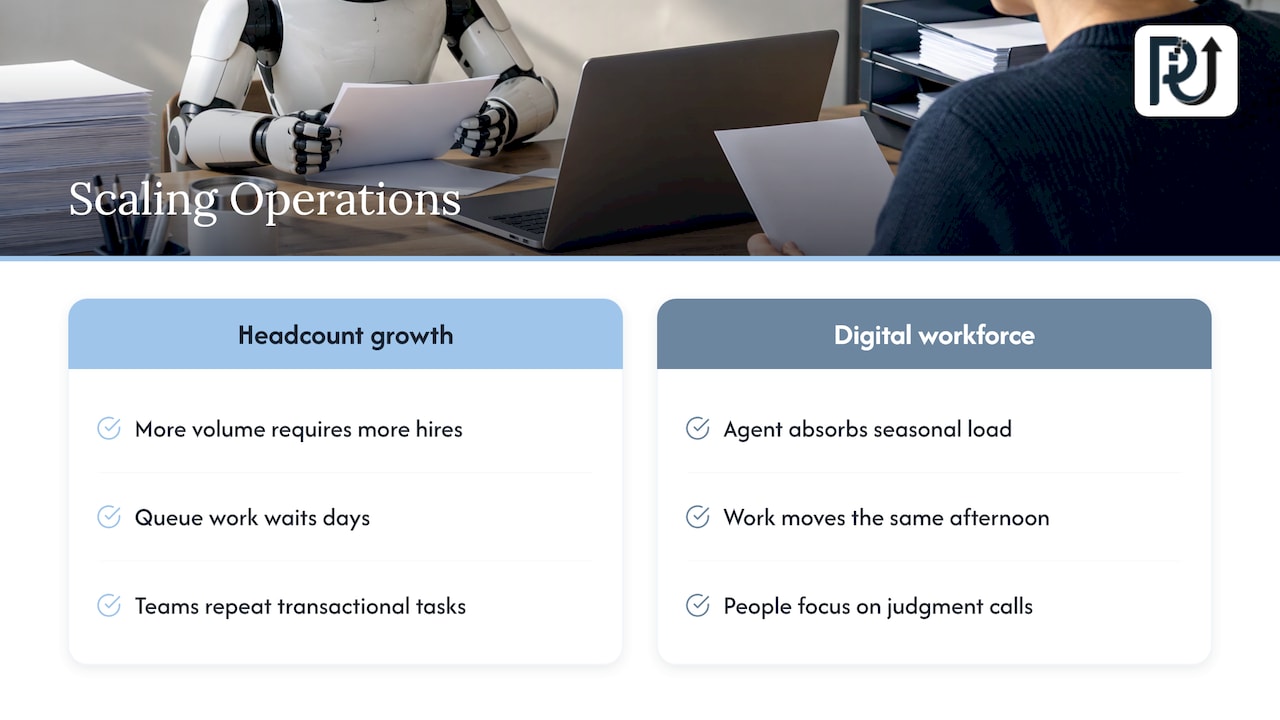
Processing volume stops being the constraint. An agent works through a queue around the clock. A seasonal spike or a new market adds load to the agent, not a hiring plan to your calendar.
Turnaround time shortens. Forbes Tech Council contributor Saket Modi describes agents that ingest and analyze thousands of vendor contracts and onboard partners in minutes, and sales agents that research prospects and prepare follow-ups. Work that waited in a queue for days moves the same afternoon.
Your people move to higher-value work. The same article frames the goal as smart offloading rather than full replacement: freeing people from repetitive tasks, like processing large volumes of onboarding forms, that contribute to burnout. Your best operators spend their hours on exceptions, relationships and judgment calls.
We call the hidden drains in an operation “time leaks”: the re-keying, the chasing, the checking, the status updates. They rarely show up as a line item, which is why finding them is the first job of any digital workforce project.
Which workflows suit a digital employee
The best candidates share four traits: high volume, clear rules for what “right” looks like, structured or semi-structured inputs, and a measurable outcome. Here is how that looks across the industries we work with.
Fintech and lending
Loan files arrive as bank statements, pay stubs, IDs and tax forms. An agent can read each document, extract the fields, validate them against the application and route exceptions to an underwriter. This is the kind of work DocuPOW is built for: document reading and validation. For portfolio-side work, AuraPOW covers portfolio monitoring and client health analytics, so account managers see which clients need attention before a problem surfaces. Our guide to AI automation in loan processing walks through the steps in detail.
Healthcare practices
Intake forms, referral paperwork, insurance documents and appointment follow-ups are repetitive and document-heavy. An agent can read and organize them so front-desk staff handle patients rather than paperwork. Because patient data is sensitive, access design and logging (covered below) come first.
Insurance and service businesses
Lead follow-up, quoting steps, policy tracking and call review are routine and constant. Insurance-focused platforms show how much of an agency’s day is repetitive; this overview of AI call coaching for insurance agents is one example of the repeatable work that can be handed off so people focus on complex conversations.
Accounting, consulting and agencies
Collecting client documents, reconciling records, drafting first-cut reports and tracking project costs all follow patterns. OpenAI’s guide gives a finance example: an agent sizes a market, factors in context, pulls internal data and drafts a first-cut report for a human to refine.
E-commerce and logistics
Order exceptions, supplier emails, status updates and catalog data are high-volume and rule-bound. Agents can keep records current and escalate only the shipments or orders that fall outside the norm.
A quick filter: if a smart new hire could learn the task in a week from a checklist and a handful of examples, an agent can probably be designed to do it.
How to bring in your first digital employee
The sequence matters more than the technology. This is the routine we follow, and where each step usually goes wrong.
1. Pick one workflow, starting with the people who do it
OpenAI’s guide notes that early progress comes from putting agents directly into daily work, because employees know the steps, decisions and data behind their tasks best. Each cycle also builds AI literacy and a library of agent-supported workflows you can scope and scale.
Where it goes wrong: choosing the most impressive workflow instead of the most repeatable one. Choose something painful, frequent and bounded.
Where we help: finding the time leaks is part of what we do at the start of an engagement, so you begin with the workflow that pays back fastest.
2. Write down what “done correctly” means
Define the inputs, the outputs, the decision rules and the exceptions. List the cases where a human always decides. If your best operator cannot explain how they decide, the agent cannot learn it from a vague brief.
Where it goes wrong: documenting the happy path only. Collect fifty real examples, including the ugly ones.
3. Connect it to your systems
An agent is only as useful as the tools it can reach: your CRM, accounting platform, document store or core system. Integration is often the longest part of the project. Our AI integration service exists for this, and we build custom, context-aware automation rather than generic scripts, so the agent works with your data as it really looks.
4. Set permissions and approval points
Give the agent the minimum access it needs and decide where a person signs off. The next section covers this in detail.
5. Run it alongside your team, then widen its scope
Let the agent handle a slice of volume while people review its output. As accuracy holds, shrink the review set and extend the agent to the next workflow.
Where it goes wrong: switching on full volume on day one with no review window.
6. Measure, then reinvest
Compare against the baseline you captured before launch. Use the results to pick the next workflow.
Oversight, security and compliance
A digital employee acts in your systems, so you manage it the way you would manage a new hire with system access: clear role, limited permissions, supervision, a record of what it did.
The Future of Privacy Forum’s 2026 best practices lay out what a sound program includes:
- Privacy and security controls covering prompt-injection defenses and protection against data leakage.
- Identity permissioning with strict access segmentation.
- Comprehensive logging of the data flows agents handle, so decisions can be audited.
- Meaningful human oversight: clear decision rights, training on automation bias, and documented escalation, override and appeal mechanisms.
- For U.S. employment screening, compliance with the Fair Credit Reporting Act when AI is used in background checks.
In practice, a useful permission ladder separates what an agent can read, recommend, draft and execute, and requires approval where an action becomes consequential: a payment, a customer-facing decision, a change to a record of authority. Start an agent at read and recommend, and promote it to execute as its record earns trust.
If you operate in healthcare or financial services, bring your compliance officer or counsel into the design at step two, not after launch. They will tell you which decisions must stay with a licensed person and which records must be retained.
Measuring whether it worked
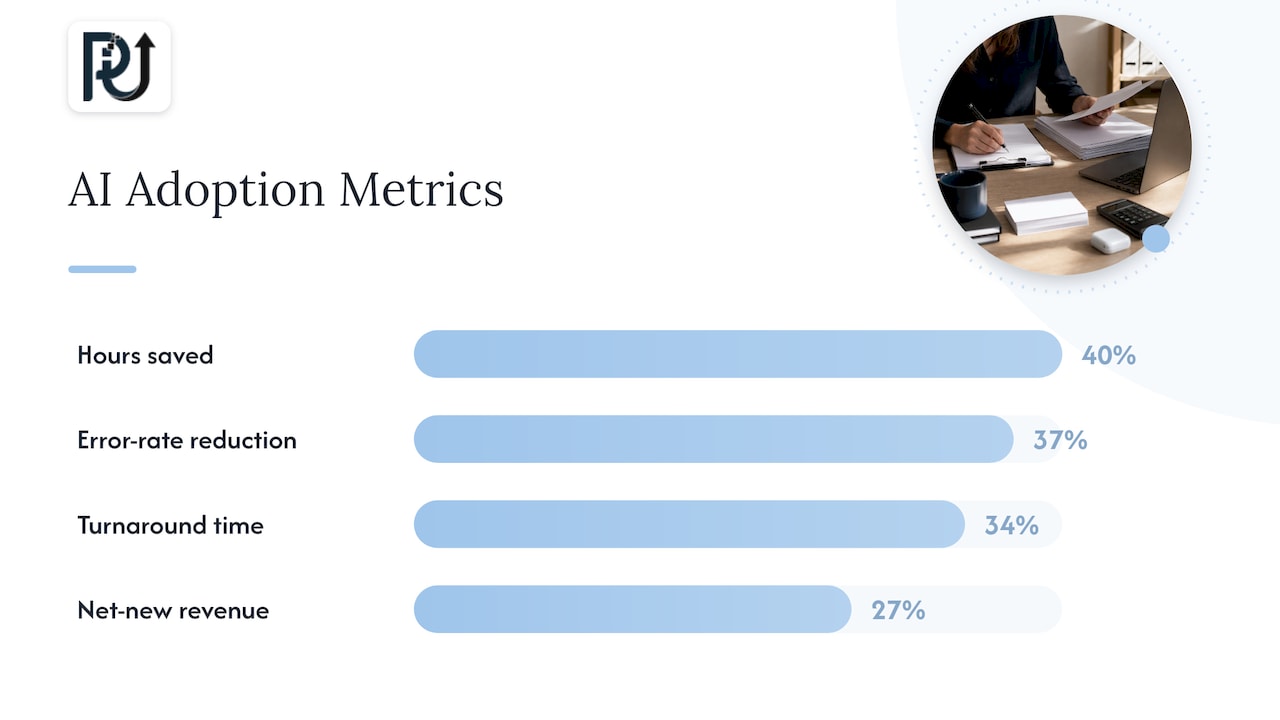
Decide your measures before you launch. Wharton’s 2026 AI adoption survey of about 1,400 U.S. respondents found the metrics departments most often use to judge AI are hours saved (40%), reduction in error rates (37%) and turnaround time (34%). Net-new revenue was the least used, at 27%.
That ordering is sensible. Operational measures move first and are easy to attribute. A simple scorecard for each digital employee:
| Measure | How to capture it | Why it matters |
|---|---|---|
| Hours saved per week | Time on the task before vs. after | Shows freed capacity |
| Error rate | Exceptions caught in review or downstream | Shows quality |
| Turnaround time | Intake to completion | Shows customer-facing speed |
| Volume per person | Items handled per full-time employee | Shows the scale effect |
| Escalation rate | Share of items sent to a human | Shows where to improve the agent |
For a practical method of tracking the first of these, this walkthrough on measuring time saved by automation is a good model for how to set a baseline. Published studies also point to real productivity gains, from 14% in customer service to 26% in software development, which we unpack in our piece on AI efficiency gains for leaders. For the cost side, see our AI automation cost and ROI breakdown.
One habit pays off: review the scorecard monthly and treat each number as a prompt for the next improvement, not a verdict.
Designing for people and agents together
The strongest operations treat the agent as a teammate with a clear job. Three design choices make that work.
Keep judgment where it belongs. Agents handle volume and consistency. People handle the exception, the unhappy client, the unusual case and the decision with consequences. That split is what keeps quality high as volume rises.
Check multi-step tasks at the joins. Errors compound across steps: if each of ten steps is right 95% of the time, the whole chain is right only about 60% of the time. The remedy is design, not hesitation: put validation checks between steps, so an early slip is caught before it travels. Our approach to document work follows this logic, with reading followed by validation rather than reading alone.
Make the system maintainable. Business rules change. Choose systems your team understands and owns, with documented logic and engineering accountability, so the digital workforce evolves with the company instead of freezing in place.
What a digital workforce looks like with POW IT UP
We design, build and deploy custom digital workforces: autonomous, context-aware AI agents that automate high-volume transactional operations so you can scale processing volume without a matching rise in headcount. For document-heavy operations, DocuPOW reads and validates documents, and there is a live demo you can see for yourself. For lenders, wealth teams and service firms that need to watch a book of clients, AuraPOW handles portfolio monitoring and client health analytics.
If you have a workflow in mind, start with our AI automation service or explore DocuPOW. Smaller teams can begin with our guide to AI agents for small businesses.
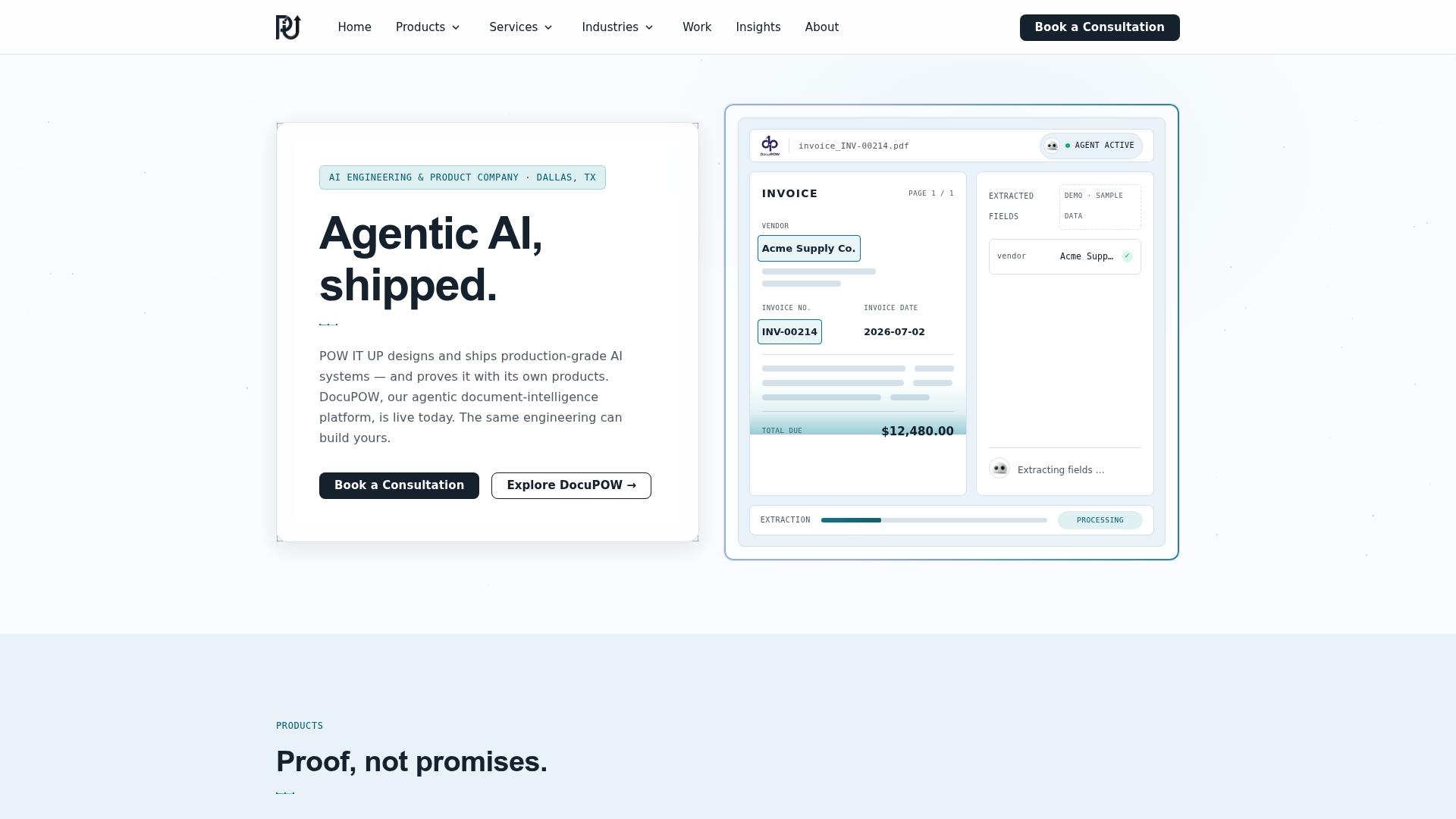
If you would rather talk through your operation first, the POW IT UP home page is the place to start a conversation.
Our perspective
Most leaders ask us whether they can replace people with agents. We think that is the wrong question. The better question is which work should never have needed a person’s afternoon in the first place.
Every operation has time leaks: the document that gets re-keyed three times, the status check nobody owns, the queue that grows every month-end. A custom digital workforce goes after those leaks. It reads, validates, routes and monitors, and it hands the genuinely hard cases to your team with the context already assembled.
We build for ownership. Our systems are designed to be maintainable, with transparent processes and engineering accountability, so what we deliver keeps working as your business changes. That is why we favor custom, context-aware automation over generic scripts, and why we show the work through live products like DocuPOW.
Scale, to us, means your processing volume can grow while your team stays focused on the parts of the business that need a human being. Start with one workflow, prove it, then build the next.
Syed Naveed Abbas
FAQ
What is the difference between a digital employee and a chatbot?
A chatbot answers questions when asked. A digital employee is given a goal, plans the steps, uses tools in your systems to act and works within guardrails you define. It carries out a role, such as validating documents or monitoring accounts, rather than waiting for the next prompt.
Can a digital employee really replace headcount growth?
It can absorb volume growth in the repeatable parts of a process, so you do not need to hire in step with that volume. Your people remain responsible for judgment, exceptions and relationships. The aim is to let the team stay the same size while the workload grows, which is the offloading approach described in the Forbes Tech Council article above.
How long does it take to see results?
It depends on the workflow and how clean your data and system access are. A single, well-scoped workflow with a clear baseline is the fastest to show results in hours saved, error rates and turnaround time. Capture those numbers before launch so the comparison is plain.
What should a digital employee never do without approval?
Anything consequential: payments, customer-facing decisions, changes to records of authority, or actions with legal or regulatory weight. Build approval points into those steps and keep logs of every action. In regulated settings such as lending or healthcare, involve your compliance officer or counsel when you define them.
Is this only for large companies?
No. Small and mid-sized teams often feel the benefit most, because each hour freed is a larger share of capacity. Starting with one workflow keeps the investment contained. Our guide to AI agents for small businesses covers where to begin.
Sources
- A business leader’s guide to working with agents (OpenAI)
- Agentic AI Teams: How To Scale Without Hiring More People (Forbes Tech Council)
- Best Practices for AI and Workforce Technology (Future of Privacy Forum, 2026)
- The Adaptive Advantage: Who’s Winning With AI and How (Wharton, 2026)
- How to measure time saved by marketing automation
- AI Call Coaching for Insurance Agents: How It Works