
The future workforce is a mix of people and digital workers, and you build it task by task, not job by job. Audit the work, hand the repetitive, high-volume tasks to AI agents, redesign roles around what people do best, train for the new mix, and measure outcomes instead of logins. At POW IT UP, we design and deploy custom digital workforces made of autonomous, context-aware AI agents, so your team can handle more volume without a matching rise in headcount.
TL;DR
- AI changes tasks inside jobs far more than it removes whole jobs, so plan at the task level.
- Time savings are real but uneven: the research shows perceived gains often run ahead of measured output.
- Sort each task as AI-only, human-and-AI, or human-only, then redesign roles to match.
- Measure readiness, capability, behavior and results, not licenses or prompt counts.
- Custom, context-aware agents on high-volume transactional work are where a small team scales fastest.
Table of Contents
- What the research says about AI and work right now
- Step 1: Audit tasks, not jobs
- Step 2: Redesign roles around the new mix
- Step 3: Put digital workers on high-volume work
- Step 4: Build skills for the new mix
- Step 5: Bring your people in and roll out responsibly
- Step 6: Measure whether it is working
- Perspective
- Start with one process
- FAQ
- Sources
What the research says about AI and work right now
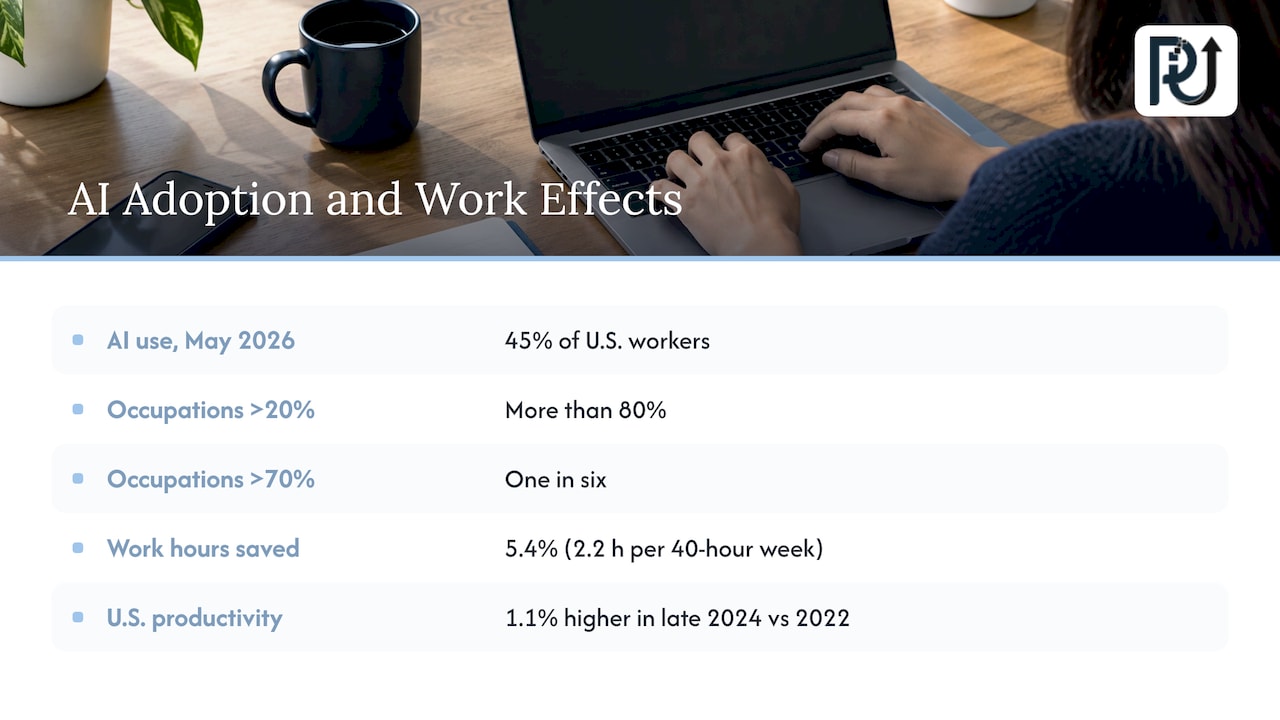
Adoption is broad. A nationally representative NBER study published in August 2026 found that 45% of U.S. workers used generative AI for work as of May 2026. The same study found adoption is shallow: more than 80% of detailed occupations had adoption above 20%, but only one in six exceeded 70%, and no detailed task passed 70%.
That gap is your opening. Most people use AI for a draft here and a summary there. Few organizations have rebuilt a process around it.
The time savings are measurable. The St. Louis Fed reported that generative-AI users said they saved an average of 5.4% of work hours, about 2.2 hours in a 40-hour week. A model built on those reports estimated potential U.S. productivity 1.1% higher in late 2024 than in 2022.
But reported time saved is not the same as output. The International Labour Organization’s June 2026 review concluded that gains from generative AI were real but uneven and often unverified, and that large-scale displacement remained limited. An NBER paper on AI, productivity and the workforce, based on a survey of nearly 750 executives, found that perceived gains exceeded measured gains, likely because revenue effects take time to show up. The largest effects appeared in high-skill services and finance.
For a leader, the lesson is practical. Small, scattered time savings rarely become output on their own. Freed hours have to be pointed somewhere, which is a design decision. For a closer look at turning reclaimed hours into billable or measurable work, see this time tracking ROI breakdown.
Step 1: Audit tasks, not jobs
AI rarely replaces an entire job. It takes on tasks inside jobs. So the audit starts with a list of tasks per role, not a list of roles.
PwC’s workforce blueprint suggests classifying each significant task as AI-only, human-and-AI, or human-only. SHRM’s workplace playbook likewise recommends starting with tasks rather than jobs.
A simple way to run it:
- List the 10 to 15 tasks that fill most of each role’s week.
- Mark volume (how often), rules (how predictable) and risk (what an error costs).
- Tag high-volume, rule-heavy tasks as AI-only candidates. Tag judgment-heavy tasks with a human at the center as human-and-AI. Keep relationship and accountability work human-only.
A worked example
Take an accounting firm’s accounts payable clerk. Reading invoices, extracting totals and matching them to purchase orders is high volume and rule-driven: AI-only, with exceptions routed to a person. Approving unusual vendor terms is human-and-AI: the agent assembles the history, the person decides. Calling a vendor about a dispute stays human-only.
The clerk’s job is not gone. It shifts from keying data to managing exceptions and vendor relationships.
Where the audit goes wrong
The usual failure is auditing at the job-title level, which produces vague conclusions such as “customer service will be automated.” Another is skipping the risk column, which leads to automating a task whose errors are expensive. Finally, many teams audit once and stop. Revisit it every quarter as tools and volumes change.
Step 2: Redesign roles around the new mix
Once tasks are sorted, roles change. PwC describes three pathways: automate-and-sunset, augment-and-elevate, and create-and-design. Roles built mostly on automatable tasks wind down, roles with a mix get elevated, and new roles appear to build and supervise the AI.
MIT Sloan’s research recommends that people from different positions experiment together to find productive role configurations. The people doing the work see where an agent helps and where it gets in the way.
Deloitte’s 2026 human-AI interaction guidance adds that effective redesign needs explicit roles, accountability, decision rights and escalation protocols, plus enough psychological safety that workers can question and escalate what the AI produces.
Write these down for every AI-assisted process:
- Who owns the outcome.
- What the agent may decide alone.
- What it must escalate, and to whom.
- How a person overrides it.
Step 3: Put digital workers on high-volume work
This is where headcount-neutral scaling happens. Transactional work with clear rules, such as document intake, validation, reconciliation, status updates and routine client communication, is where autonomous agents pay off first.
Generic scripts break when a document looks different or a field is missing. A context-aware agent reads the situation, decides within its rules and flags what it cannot resolve. We build these as custom digital workforces, and we hunt down the operational “time leaks” that quietly consume hours: re-keying, chasing approvals, copying data between systems.
Two places to start, depending on your pain:
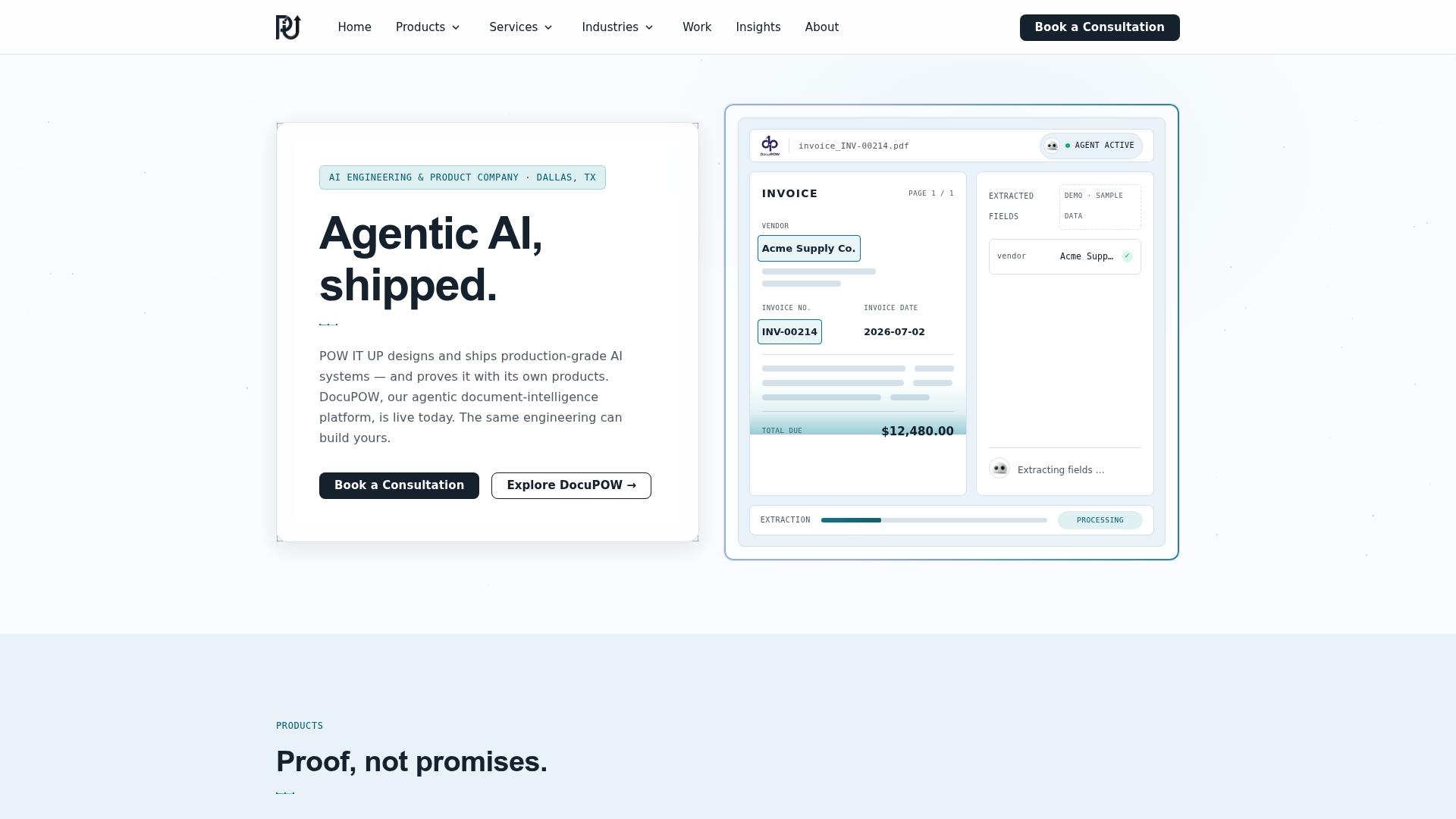
- Document-heavy operations. Our DocuPOW product reads and validates documents, and a live demo is available.
- Portfolio and client monitoring. Our AuraPOW product handles portfolio monitoring and client health analytics.
For work that fits neither, we engineer bespoke agents and connect them to your existing systems. Our pages on AI agents development and AI integration describe the approach. If you run a fintech or healthcare practice, our guide on why AI replaces repetitive tasks shows what that looks like in regulated work.
Step 4: Build skills for the new mix
People need new skills alongside the new tools. McKinsey’s 2026 analysis of U.S. work notes that workers may need ongoing skills development as occupations reinvent, and that transitions depend on skill overlap, credentials and training time. It looks at activities, skills and pathways rather than job counts alone.
Technical know-how is not enough. Jobs for the Future’s toolkit identifies critical thinking, problem solving, initiative, leadership and communication as increasingly important alongside AI skills. Its AI-Ready Workforce framework recommends four employer actions: future-proof durable skills, capitalize on skills AI complements, automate suitable tasks, and reimagine jobs and training around changing task demands.
Practical training for a business your size:
- Train by role and task, using real work, not generic courses. SHRM’s playbook favors demonstrations and hands-on workshops.
- Set a clear AI policy so people can experiment safely.
- Teach exception handling: reviewing agent output, spotting errors, escalating.
- Name an internal owner for each automated process.
On the policy side, the April 2025 White House executive order directed the Labor Department to expand AI-related Registered Apprenticeships and encouraged states to use Workforce Innovation and Opportunity Act funds for AI skills and work-based learning. Ask your state workforce board what is available locally.
Step 5: Bring your people in and roll out responsibly
Workers accept change they helped shape. McKinsey’s analysis points to giving workers advance notice, disclosing the purpose and use of AI that affects them, involving them in the rollout, providing training and human oversight, and supporting or upskilling people during transitions.
In practice: tell the team which tasks are moving to agents before it happens, say what the freed time is for, and give people a path into the supervisory and design roles that appear.
Step 6: Measure whether it is working
Licenses purchased and prompts sent tell you little. CIO’s September 2026 scorecard recommends measuring four things: readiness, capability, behavior and results. It also advises pairing efficiency measures with quality, safety or risk guardrails, and scaling only when the desired behavior and business outcome improve without breaching those guardrails.
A starter scorecard:
| Dimension | Example measure |
|---|---|
| Readiness | Share of staff trained on their role’s AI workflows |
| Capability | Accuracy of exception handling in review |
| Behavior | Share of eligible tasks actually run through the agent |
| Results | Cycle time, volume per person, error rate |
The research gap between perceived and measured gains is the reason to track results from the start. Record the baseline before launch: hours per task, volume, error rate. Then compare.
For more on this, see our guides on AI efficiency for leaders and productivity improvement for business leaders.
Perspective
Most companies we talk with don’t have a technology shortage. They have a design shortage. They bought AI seats, saw a few people save an hour here and there, and then wondered why the numbers didn’t move.
Our view is that the future workforce is a deliberate mix. Digital workers take the high-volume transactional work, such as reading documents, validating data and moving it between systems. People take the judgment, the relationships and the accountability. That only works if agents are built for your context, not bolted on as generic scripts.
This is why we engineer custom, context-aware agents and hold ourselves to documented, verifiable engineering and client ownership of what we build. A digital workforce should be something you can maintain, understand and grow, so volume can climb without headcount climbing with it.
Syed Naveed Abbas
Start with one process
Pick the single process with the most volume and the clearest rules, and make it your first digital worker. If it involves documents, DocuPOW is the place to see the approach live. For anything custom, our AI automation services team designs, builds and deploys agents around your workflow.
Bring your task list and your biggest time leaks, and we’ll map where a digital workforce fits.
FAQ
Will AI replace my employees?
The evidence so far points to task change, not mass job loss. The ILO’s June 2026 review found large-scale displacement remained limited. Most of the shift is inside jobs, which is why a task audit and role redesign matter more than a headcount forecast.
Where should a small business start with AI?
Start with one high-volume, rule-based process, such as document intake or routine client updates. Record the baseline, deploy an agent with clear escalation rules, and measure results after a set period. Expand only when quality holds.
How much time does AI actually save?
In the St. Louis Fed’s analysis, users reported saving an average of 5.4% of work hours, about 2.2 hours in a 40-hour week. Measured output gains have lagged reported savings, so track results, not just hours.
What skills should my team build?
Pair AI tool skills with durable ones: critical thinking, problem solving, initiative, leadership and communication. Add hands-on training tied to each person’s real tasks and a clear AI-use policy.
Sources
- NBER: national study of generative AI use, August 2026
- St. Louis Fed: Generative AI, Productivity and the Future of Work
- ILO: The impact of GenAI on jobs, productivity and work organization
- NBER: Artificial Intelligence, Productivity, and the Workforce
- PwC: CHRO blueprint for AI workforce transformation
- SHRM: AI in the Workplace Playbook
- MIT Sloan: Leading with AI
- Deloitte Insights: Human AI interaction design
- McKinsey: AI and the future of US jobs
- Jobs for the Future: Skills and Talent Development toolkit
- Jobs for the Future: The AI-Ready Workforce
- White House: Advancing AI Education for American Youth
- CIO: The 4 metrics CIOs need to prove AI adoption works