

Strategic automation planning is the discipline of mapping business processes to automation methods before writing a single line of code, so that technology decisions serve strategic goals instead of the reverse. The first move for any leader starting this work is not picking a vendor. It’s building a process inventory tied to your top three business objectives, then scoring what you find against real feasibility criteria.
Three signals separate a serious plan from a wish list:
-
Process mining and task mining data, not just stakeholder interviews, driving your inventory
-
A named Center of Excellence (CoE) with an owner and a charter, not a committee that meets quarterly
-
A partner like POW IT UP who can translate process reality into governed, auditable automation rather than one-off scripts
Key Takeaways
Strategic automation planning succeeds when governance, process discovery, and a phased rollout come before any tool or platform decision.
| Point | Details |
|---|---|
| Build the inventory first | Score processes on volume, cost, strategic importance, and exception rate before picking any tool. |
| Use mining tools, not just interviews | Process and task mining catch the roughly 40% gap between documented and actual workflows. |
| Run a 90-day phased pilot | Foundation, then one or two pilots, then documented scale, each with defined KPIs. |
| Match method to uncertainty | Use deterministic automation for stable steps and reserve agentic AI for cases with governance already in place. |
| Govern through a CoE | Centralize intake, review, and audit trails so automation scales without turning into silos. |
| Partner where architecture matters | POW IT UP builds process inventories, CoE frameworks, and governed pilots for leaders scaling automation deliberately. |
Table of Contents
-
How Do You Get Executive Sponsorship for an Automation Plan?
-
What Change Management Practices Actually Work for Automation?
-
Ready to Build Your Automation Plan With a Technical Partner
The Seven Pillars Every Automation Strategy Needs
Organizations with a formal automation strategy hit first-use-case ROI 40% faster and scale to five or more automated processes 60% faster than teams that improvise. That gap comes down to structure. A resilient enterprise strategy rests on seven pillars, and skipping any one of them tends to surface as a stalled pilot six months later.
-
Process discovery and assessment: knowing what actually happens, not what the org chart says happens
-
Technology architecture: the orchestration layer, APIs, and data flows that connect systems
-
Operating model and CoE: who owns automation decisions and who is accountable for outcomes
-
Process redesign: fixing broken workflows before automating them, not encoding the mess
-
Workforce and change management: preparing people for new roles, not just new tools
-
Portfolio management: treating automations as a managed investment set, not isolated projects
-
Governance and continuous improvement: audit trails, review cycles, and retirement plans for outdated bots
Each pillar solves a different failure mode. Architecture without governance produces unmonitored bots nobody can explain during an audit. Process redesign without change management produces automated versions of workflows employees quietly route around. Treat these as a checklist, not inspiration.
How Do You Find and Prioritize Automation Opportunities?
Start with a process inventory scored across four dimensions: transaction volume, cost per transaction, strategic importance, and exception rate. A process that’s high volume but low strategic value might still be worth automating for cost reasons. One with a high exception rate usually isn’t ready yet, no matter how attractive the volume looks.
Interviews alone will mislead you here. Actual business processes deviate from their documentation by an average of 40% once you run process mining and task mining against them. Employees describe the process they were trained on, not the workarounds they built last quarter to handle a system limitation nobody fixed.
Once you have real data, score candidates on value against feasibility:
| Criterion | What to check |
|---|---|
| Rule consistency | Are decision rules stable, or does every case get a judgment call? |
| Data structure | Is input data structured (forms, fields) or unstructured (free text, scanned PDFs)? |
| Transaction volume | Does the process run often enough to justify build cost? |
| System stability | Are the underlying systems changing, or stable enough to build against? |
| Exception rate | What percentage of cases fall outside the standard path? |
Pro Tip: Rank candidates on a value versus feasibility grid before you rank them by how visible they are. The most common strategic error is automating the visible process instead of the valuable one — the task everyone complains about in meetings, not the one quietly costing the business the most.
What Does a 90-Day Automation Rollout Look Like?
A realistic rollout has three distinct phases, each with its own deliverable and checkpoint.
-
Days 0 to 30: Foundation. Stand up the CoE, publish an intake form for automation requests, complete the process inventory, and record baseline KPIs (cycle time, error rate, cost per transaction) before touching anything.
-
Days 30 to 60: Pilot. Run one or two pilots chosen from the high-feasibility, high-value quadrant of your matrix; a practical example can be found in AI Customer Success: A Practical Pilot, which demonstrates effective AI pilot implementation in customer success. Define success metrics up front, not after results come in. A common choice is a document-heavy intake process, like invoice validation or claims triage, where volume is high and rules are relatively stable.
-
Days 60 to 90+: Scale. Document what worked as a repeatable playbook, expand to adjacent processes, and launch governance guardrails covering who can build citizen-development automations and how they get reviewed.
Formal planning isn’t a bureaucratic detour. It’s the difference between reaching your first ROI milestone in weeks instead of months, because the pilot’s scope was already validated against real process data before day one.
Real ROI examples from service businesses that automated deliberately show the same pattern: narrow scope, clear baseline, fast measurement.
Choosing the Right Automation Method and Architecture
Not every process needs the same tool. Deterministic, rules-based automation (fixed workflows, direct API calls) fits any step where the rules don’t change: data entry, format conversion, system-to-system handoffs. AI assistance earns its place where steps involve ambiguity, like classifying a support ticket or extracting fields from an inconsistent invoice layout. Agentic automation, where an AI agent makes sequential decisions with some autonomy, should wait until you have process state, exception handling, and governance already in place to bound it. Match the method to the task’s actual uncertainty, not to whichever approach is generating the most headlines this quarter.
When evaluating platforms, weigh:
-
Integration depth with your existing systems of record, not just headline connector counts
-
Governance and audit features built in, not bolted on later
-
Scalability beyond the pilot’s transaction volume
-
Vendor roadmap alignment with where your architecture is actually headed
Pro Tip: Keep the authoritative record of where a process stands outside the AI model itself. If the model’s context window is your only record of case status, you have no way to audit or replay a decision after the fact.
Low-code platforms work well for departmental, contained workflows. Full orchestration layers earn their complexity when automations span multiple systems and need centralized monitoring. Browse the current landscape of service business automation tools before committing to one category.
Why Does an Automation Center of Excellence Matter?
A Center of Excellence gives automation a permanent home instead of scattering it across departments with no shared standards. CoE-led programs scale materially faster than ad hoc, project-led efforts, largely because governance decisions get made once instead of renegotiated for every new bot.
A working CoE charter typically covers:
-
Intake and prioritization criteria for new automation requests
-
Tiered human-in-the-loop review, with stricter oversight on financially or legally risky workflows
-
Deterministic guardrails on any process where a mistake is expensive to reverse
-
Audit trails and replayable execution logs for every automated decision
-
A maintenance budget, since ongoing upkeep typically runs 20 to 30 percent of the initial build cost annually as connected systems change underneath your automations
Skip the budgeting line item and you’ll be back asking for emergency funding the first time an upstream API changes its schema.
Which KPIs Actually Prove Automation Is Working?
Keep the metric set small enough that someone actually looks at it weekly. Five numbers cover most of what matters: reliability (percentage of runs completing without error), lead time (elapsed time from trigger to outcome), rework or quarantine rate (cases kicked back for manual handling), human-in-loop efficiency (time reviewers spend per flagged case), and end-to-end cost per case.
-
Build one dashboard per automated process, not one dashboard for the whole portfolio
-
Set a reliability floor (many teams target above 95% for pilots) and treat any breach as an investigation trigger, not a footnote
-
Expect looser targets during a pilot phase and tighter ones once a process moves to scale
A full ROI breakdown for automation costs helps calibrate what “cost per case” should realistically look like for your industry.
What Are the Predictable Ways Automation Efforts Fail?
Most automation failures are organizational, not technical. The fixes are specific enough to plan for in advance.
-
Automating the visible instead of the valuable: solve this with the inventory and value versus feasibility matrix, not gut instinct about what’s annoying
-
Automation silos and vendor sprawl: prevent this with centralized CoE governance and a shared vendor-evaluation framework instead of letting every department buy its own tool
-
Change resistance: frame automation as freeing capacity for higher-value work, not as headcount reduction, and pair the message with an actual reskilling plan
-
Data-quality gaps: build exception-handling architecture and data governance in from the start rather than discovering bad data mid-pilot
None of these fixes are expensive. They just require deciding on them before the pilot launches, not after it stalls.
How POW IT UP Approaches Strategic Automation Engagements
POW IT UP works as a technical architecture partner, not a script vendor. That distinction shows up in how engagements are scoped: process architecture, method selection, exception engineering, and agent governance get evaluated before any build begins.
The highest-leverage decisions in an automation engagement happen before a single workflow gets built: which method fits which process, where exceptions get caught, and who governs an agent’s actions once it’s live.
A typical engagement produces:
-
A scored process inventory tied to your business goals
-
CoE setup guidance, including intake and governance templates
-
One or two pilot builds with defined KPIs
-
A documented playbook for scaling beyond the pilot
-
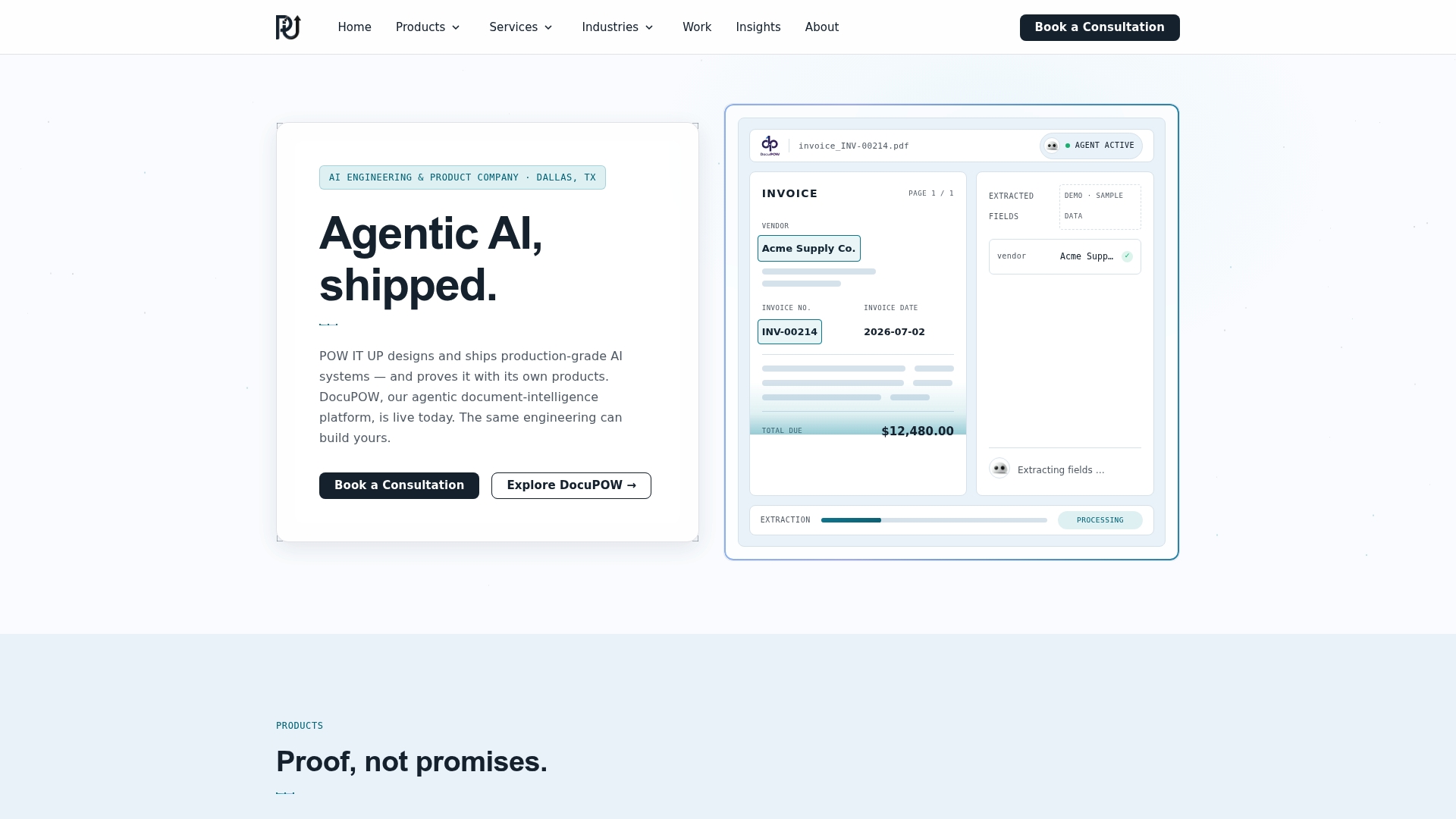
Tools like DocuPOW for document reading and validation, or AuraPOW for portfolio monitoring, where document-heavy or oversight-heavy processes justify a dedicated system
For leaders exploring what an engagement includes, the AI integration services overview walks through delivery details.
How Do You Get Executive Sponsorship for an Automation Plan?
Executive sponsors back initiatives with a measurable business case, not a technology pitch. If your ask to leadership is “let’s implement AI,” expect a polite deferral.
Build the business case around the process inventory, not the technology stack. Executives fund outcomes tied to revenue, cost, or risk, and they fund pilots with a defined end date and a clear kill criterion far more readily than open-ended transformation programs. Name the specific KPI you’ll report back on before you ask for the budget.
Stakeholder alignment runs wider than the C-suite. Automation touches the teams whose daily work changes, and those teams need a voice in scoping before launch, not after. A department head who finds out about an automated workflow replacing part of their team’s job from a company-wide email will resist it regardless of how well it performs. A department head who helped define the pilot’s success criteria becomes an advocate.
Practically, this means:
-
Identify one executive sponsor accountable for the pilot’s outcome, distinct from the technical lead building it
-
Loop in the department whose process is being automated during the discovery phase, not after the pilot is built
-
Report pilot results in the sponsor’s own terms: cost, risk, or capacity freed up, not technical milestones
-
Revisit sponsorship at the 60-day mark, before the scale decision, so momentum doesn’t quietly stall between pilot and portfolio
Sponsorship that only exists at kickoff tends to evaporate exactly when scaling decisions need it most.
What Change Management Practices Actually Work for Automation?
Automation-specific change management differs from generic change programs in one key way: the fear is usually about role displacement, and vague reassurance makes it worse, not better. Organizational factors, especially framing and change management, are the primary determinants of automation success, ahead of the technical build quality.
Frame automation from day one as a capacity enabler rather than a headcount reduction tool, and back that framing with specifics: which tasks are moving, what the affected employees will do instead, and what reskilling looks like. Vague language (“this will free you up for more strategic work”) reads as corporate deflection unless you name the actual next role.
A workable change plan includes:
-
A named communication owner for each affected team, not a single company-wide announcement
-
A reskilling timeline that starts before the automation goes live, not after
-
A feedback channel for employees to flag process exceptions the automation missed, since frontline staff spot edge cases faster than dashboards do
-
Recognition that some resistance is legitimate signal about a broken process design, not just fear of change
Teams that build in a formal feedback loop from day one catch far more edge cases in the first month than teams relying purely on error logs, because the people doing adjacent work notice patterns dashboards don’t surface for weeks.
How Do You Assess and Mitigate Automation Risk?
Automation risk splits into three categories: technical risk (the system fails or produces wrong outputs), operational risk (the process changes underneath the automation and nobody updates it), and compliance risk (a decision gets made with no audit trail to justify it later).
Technical risk gets addressed through the tiered human-in-the-loop review already built into your CoE governance model: low-stakes decisions run autonomously, high-stakes ones get flagged for review before execution. Operational risk needs a defined owner who monitors for upstream system changes, since a vendor updating an API or a form field is enough to silently break an automation nobody’s watching.
Compliance risk is where organizations most often get caught flat-footed. If a regulator or auditor asks why an automated system approved or denied a transaction, “the AI decided” is not an answer that holds up. Every automated decision path affecting money, eligibility, or legal outcomes needs a replayable execution trace showing exactly what data the system saw and what rule or model output drove the outcome.
Build a simple risk register alongside your process inventory: for each candidate process, note the failure mode, its business impact if it happens, and the specific control that catches it. Processes touching regulated data or financial transactions need the same supervision-level caution regardless of whether they’re automated with deterministic rules or an AI agent.
How Do You Handle Legacy System Integration?
Legacy systems are usually the actual blocker, not the automation logic itself. A 15-year-old ERP with no modern API, a mainframe billing system, or a database schema nobody fully documented anymore will slow down even a well-planned rollout.
Three integration patterns cover most legacy scenarios. Screen scraping and RPA connectors work when a system genuinely has no API, though they’re brittle against UI changes. Middleware and integration platforms sit between old and new systems, translating formats without touching either directly. Database-level integration works when you have safe, sanctioned access to the underlying data layer, though it requires tighter data governance since you’re bypassing the application’s own business logic.
Before committing to any pattern, confirm three things: whether the legacy system has any API at all (even an outdated one), how stable that system’s data schema is expected to remain, and whether IT has documented what’s actually running underneath the interface. Skipping that discovery step is how pilots quietly stall in month two, once the team discovers the “simple” integration requires rebuilding a decade-old data mapping first.
What the Data Actually Supports, and What It Doesn’t
The conventional advice on automation planning spends too much time on tool selection and not nearly enough on organizational readiness. That’s backwards.
Where I’d push back on standard playbooks is the rush toward agentic AI. Every vendor demo makes autonomous agents look inevitable, but an agent making sequential decisions without preserved process state and bounded tool contracts is a liability wearing a feature list. The organizations getting real value are the ones who did the boring work first: inventory, governance, exception architecture. Agentic automation is a capability you earn through that groundwork, not a shortcut around it.
If you take one thing from this: skip straight to executive sponsorship and process discovery before you evaluate a single platform. The tool matters far less than most vendors want you to believe. The sequence matters more than almost anyone selling automation admits.
— Syed Naveed Abbas
Ready to Build Your Automation Plan With a Technical Partner
Most agencies sell you a chatbot or a single workflow and call it strategy. POW IT UP starts differently: with a scored process inventory tied to your actual business goals, then builds toward pilots that are governed from day one instead of retrofitted with oversight after something breaks.
That governance-first approach matters most for leaders in regulated or transaction-heavy environments, fintech, healthcare, insurance, logistics, where an ungoverned automation isn’t just a bug, it’s an audit finding. POW IT UP’s engineering teams build with preserved process state, tiered human review, and replayable audit trails baked into the architecture, not bolted on after a compliance review flags a gap.
Whether you need a full AI integration engagement or a narrower pilot around document processing or portfolio monitoring, the starting point is the same conversation: what’s actually costing your team time, and which of those processes are ready to automate today. Reach out to POW IT UP to scope your process inventory and 90-day pilot roadmap.
Sources
FAQ
What Are the 5 C’s of Strategic Planning?
Definitions vary across frameworks, but a common version covers company, customers, competitors, collaborators, and context, used to assess an organization’s position before setting strategic direction.
Which Skill Is Hardest to Automate?
Judgment calls involving ambiguous context, competing priorities, or relationship-based decisions remain the hardest to automate, which is why high-exception-rate processes typically stay human-led longer than stable, rules-based ones.
What Are the 5 Stages of Strategic Planning?
Most strategic planning models move through goal setting, environmental assessment, strategy formulation, implementation, and evaluation, a sequence that maps closely onto the discovery, pilot, and scale phases of an automation rollout.
What Are the Top Automation Tools Businesses Use?
Rather than a fixed list of five, businesses typically choose across categories: workflow orchestration platforms, robotic process automation tools, AI document processing systems like POW IT UP’s DocuPOW, and low-code platforms for departmental workflows, selected based on process uncertainty and scale.
How Long Does a Strategic Automation Plan Take to Show Results?
A well-scoped 90-day plan should produce measurable pilot results by day 60, with formal-strategy organizations reaching first-use-case ROI roughly 40% faster than ad hoc automation efforts.