

AI-Powered Productivity: A Playbook for Business Leaders

The AI approaches that actually move productivity numbers right now are agentic automation, orchestration layers, and knowledge grounding systems, not another chatbot. Meeting assistants and scheduling tools help around the edges, but the real gains come from agents that complete multi-step work with minimal supervision. If you run a team and want proof before you commit budget, run a 4 to 8 week pilot on one high-volume, repeatable workflow, something like invoice processing, claims intake, or client onboarding, with three or four measurable KPIs attached from day one.
The pilot should test a narrow slice of work, not your entire operation. Pick a process with clear inputs and outputs, connect it to real data, and put a human checkpoint at the one or two points where a mistake would actually hurt. Firms like POW IT UP build exactly these kinds of pilots for companies that want to see results before scaling further.
Prioritize in this order:
- Agentic automation for repeatable, multi-step transactional work
- Orchestration layers that connect multiple tools and data sources into one workflow
- Knowledge-grounding systems that tie AI outputs to your actual business data
- Targeted assistants for meetings, scheduling, and content drafting, useful but secondary
Table of Contents
- What Is AI-Powered Productivity and How Does It Work?
- Which Tool Category Solves Your Specific Problem?
- How Do You Choose the Right AI Tools for Your Team?
- How Do You Run a Pilot From First Test to Full Rollout?
- What Are the Biggest Risks When Running AI Agents in Production?
- How POW IT UP Approaches Pilot-to-Scale Automation
- How Do You Measure Whether AI Is Actually Improving Productivity?
- How Do You Train Your Team to Adopt AI Tools Successfully?
- What Causes Most AI Integration Failures and How Do You Fix Them?
- Where Is AI Productivity Technology Headed Next?
- The Real Bottleneck Isn’t the AI
- Ready to Move From Pilot to Production?
- Sources
- FAQ
What Is AI-Powered Productivity and How Does It Work?
AI-powered productivity depends on knowing which category of tool you’re actually deploying, because a chatbot, an agent, and an orchestration layer solve completely different problems. Confuse them, and you’ll either overbuy expensive infrastructure for a simple task or underbuild a system that can’t handle the complexity you need.
A chatbot is a prompt-driven interface. You ask, it answers, the interaction ends. It has no persistent memory of your business processes unless you feed it context every time, and it does not act on your behalf. Chatbots are useful for drafting an email, summarizing a document, or brainstorming, but they stall the moment a task requires multiple steps across different systems.
An agent is different in kind, not just degree. Agents operate with a goal, take a sequence of actions to reach it, and can run without a human prompting each step. Google’s overview of its Gemini Spark assistant frames this distinction well: agentic systems can act across apps and schedule checks autonomously, under a person’s initial direction, rather than waiting for a new instruction at every turn. That is the functional difference between “help me write this” and “handle this end to end.”
An orchestration layer sits above both. It coordinates multiple agents or tools, routes tasks to the right system, manages handoffs, and keeps a record of what happened at each step. Think of it as the dispatcher, not the driver. Without orchestration, you end up with a pile of disconnected point solutions that each do one thing well but don’t talk to each other.
Knowledge grounding is the layer that keeps any of this from becoming a confident-sounding guess. Microsoft’s positioning of its Work IQ layer makes the case directly: enterprise AI performs meaningfully better when it’s connected to your actual emails, files, and meeting notes instead of operating as a general-purpose assistant with no access to your business context. A grounded system can tell you what happened in last Tuesday’s client call. An ungrounded one will make something up that sounds plausible.
Finally, token and cost optimizers matter more than most teams realize once they scale past a pilot. These are tools and techniques that reduce how much data gets sent to a language model per task, cutting cost and latency without cutting accuracy.
Here’s how these map to real business tasks:
- Chatbot — drafting a first pass of a client email or summarizing a 40-page contract
- Agent — reading an invoice, matching it to a purchase order, flagging discrepancies, and routing exceptions to a human
- Orchestration layer — coordinating that invoice agent with your accounting system, your approval workflow, and your notification tool
- Grounding layer — making sure the agent’s decisions reference your actual vendor contracts, not generic assumptions
- Cost optimizer — trimming redundant context sent to the model so a high-volume agent doesn’t burn through your API budget in week two
Enterprise adoption data backs up why this distinction matters. Zapier’s tool roundup groups the market into these same functional categories, orchestration, chatbots, agent builders, knowledge search, content, and scheduling, and recommends selecting by use case and integration fit rather than by brand name. That’s the right instinct. The category determines what the tool can actually do for you; the vendor is a secondary decision.
Which Tool Category Solves Your Specific Problem?
Once you know the vocabulary, the next question is practical: which category actually fixes the bottleneck you have? Buying an orchestration platform when you need a scheduling assistant is expensive overkill. Buying a chatbot when you need an agent is underbuying and you’ll find out the hard way three weeks into the project.
Automation and orchestration platforms connect your existing software, triggering actions across systems without manual handoffs. A common use case: a new lead fills out a form, the platform enriches the record, assigns it to a sales rep, and logs it in your CRM, all without anyone touching a keyboard. These require API access to every connected system and a moderate implementation lift, usually two to four weeks for a first workflow. The tradeoff is that orchestration platforms are only as good as the connectors available for your specific software stack.
Agent builders let you construct custom autonomous workflows tailored to a specific business process. Document intelligence agents that read and validate contracts, portfolio monitoring agents that flag account health issues, transaction processing agents that handle high-volume claims, these are agent-builder territory. The implementation lift is higher than off-the-shelf automation because you’re defining the logic yourself, but the payoff is a system that fits your exact process instead of forcing your process to fit generic software.
Chat assistants remain useful for individual productivity: drafting, summarizing, answering questions against a knowledge base. Integration requirements are minimal, often just single sign-on and access to a shared document library. The catch is scope. A chat assistant helps one person work faster; it does not remove a bottleneck from a team’s workflow.
Knowledge-grounding layers connect any of the above to your actual business data: your file storage, your CRM records, your email history, your meeting transcripts. This is the difference between an agent that says “processed” and an agent that’s actually right. Grounding requires clean, accessible data as a prerequisite, which is why data quality shows up as a readiness signal below.
Meeting assistants transcribe, summarize, and extract action items automatically. Low integration lift, usually just calendar and video-conferencing access, and fast time to value. They’re a good starter pilot precisely because the stakes are low and the win is visible within days.
Scheduling tools handle calendar coordination, follow-up sequencing, and appointment logic. Similar profile to meeting assistants: quick to deploy, moderate but real time savings, low risk if something goes wrong.
Content generation tools draft marketing copy, reports, and internal documentation. Useful, but treat outputs as a first draft requiring human review, particularly for anything client-facing or regulated.
Vibe-coding tools, AI systems that generate working software from natural-language descriptions, are increasingly used to prototype internal tools without a full engineering sprint. They’re valuable for quick internal utilities; they are not yet a substitute for production-grade engineering on anything customer-facing or security-sensitive.
Token and output optimization tooling belongs in the technical layer beneath all of the above. Open-source projects like RTK aim to cut the volume of data sent to a language model through filtering and summarization, which becomes financially significant once an agent runs thousands of times a month instead of a handful.
Three readiness signals determine whether any of these categories will actually work for you:
- Data quality — if your records are inconsistent or scattered across five systems, grounding will underperform no matter how good the model is
- Single source of truth — agents need one authoritative place to check facts, not three spreadsheets that disagree with each other
- API availability — if your core systems don’t expose an API, orchestration and agent builders will need custom connectors, which adds time and cost
Pro Tip: Before evaluating any tool, spend a week just mapping where your target workflow’s data actually lives. Most pilot delays trace back to discovering, mid-build, that the “source of truth” everyone assumed existed was actually three conflicting spreadsheets.
Agentic and orchestrated approaches deserve extra weight here because they’re the only categories capable of producing a finished work product rather than a draft that still needs human assembly. A chatbot gives you a paragraph. An orchestrated, grounded agent gives you a processed invoice, a routed exception, and an updated ledger entry, done.
How Do You Choose the Right AI Tools for Your Team?
Selecting a pilot without a rubric is how most companies end up with a half-finished automation project and a skeptical finance department. Score every candidate workflow against six factors before committing budget.
Job fit asks whether the task is well-defined, repeatable, and high-volume enough to justify automation. A process you do twice a year isn’t worth agentizing. A process you do 200 times a week is.
Data grounding asks whether the workflow has access to clean, structured data the AI can reference. If the answer is “we’d need to clean up our records first,” that’s not disqualifying, but it does change your timeline.
Security asks who can see what, and whether the tool respects your existing permission structure rather than creating a new, ungoverned access point into sensitive systems.
Integration effort asks how many systems the workflow touches and whether those systems expose APIs. More touchpoints mean more build time.
Cost model asks whether pricing scales predictably with usage or whether you’re exposed to surprise bills as volume grows, particularly relevant for token-based pricing on high-volume agents.
Measurability asks whether you can define a before-and-after number. If you can’t measure it, you can’t prove the pilot worked, and you won’t get budget for phase two.
| Factor | Quick-win signal | Strategic-investment signal |
|---|---|---|
| Job fit | High-frequency, well-defined task | Complex, cross-department process |
| Data grounding | Clean data already accessible | Requires data cleanup or new pipelines |
| Integration effort | Native connectors available | Custom API work required |
| Timeline | 4 to 8 weeks | 3 to 6 months |
| Cost exposure | Fixed or predictable | Usage-based, needs monitoring |
Use that table as a filter, not a scorecard. A workflow that scores well on quick-win signals is your pilot candidate. One that scores on the strategic side belongs on a roadmap for after you’ve proven the model works.
The decision flow is simple in practice:
- List every candidate workflow that is repetitive, high-volume, and currently done manually
- Score each against the six factors above
- Pick the single highest-scoring quick win and ignore the temptation to pilot three things at once
- Set a 4 to 8 week window with a hard go/no-go decision point at the end
- Only after a successful pilot, evaluate the strategic-investment candidates for a longer build
When you’re vetting a partner or vendor for this work, ask direct questions: How does the system handle a task it wasn’t trained for? Is there an audit log of every action the agent took? Who owns the data once it’s in the system, and can you export it if you switch providers? Vague answers to any of these are a red flag. So is a vendor who can’t explain their integration approach in plain language, or one who resists showing you an audit trail. Opacity at the pilot stage becomes a much bigger problem at production scale.
How Do You Run a Pilot From First Test to Full Rollout?
A pilot succeeds or fails based on sequencing, not ambition. Skip a step here and you’ll find out during a client-facing failure instead of during testing.
- Identify the workflow. Pick one process, not three. Write down its current manual steps, current time cost, and current error rate before you touch any software.
- Map the data. Find every system the workflow touches and confirm each one either has an API or a documented workaround. This is where most timeline overruns originate, so do it before writing a line of automation logic.
- Build a small agent or orchestration flow. Start with the narrowest version of the task that still produces a real result. Resist the urge to automate every edge case in version one.
- Add human-in-the-loop checkpoints. Microsoft’s own guidance on Copilot Cowork recommends pausing for approval at defined milestones rather than requiring constant supervision, letting the agent run independently between checkpoints while a person still signs off before anything irreversible happens.
- Measure against your baseline. Track processing time, error rate, and volume handled per week against the numbers you captured in step one.
- Iterate on what breaks. Every pilot surfaces edge cases you didn’t anticipate. Fix the two or three that matter most before touching anything else.
- Scale deliberately. Once the pilot clears its KPIs for two to three consecutive weeks, expand to adjacent workflows rather than jumping straight to full department rollout.
On the technical side, three things determine whether your integration holds up under real volume. Connectors need to be stable, not just functional in a demo. API rate limits need to be understood before you hit them in production. And orchestration layers need clear routing logic so that when a workflow spans four systems, everyone, human and agent, knows which system owns which decision.
Token and cost controls deserve attention earlier than most teams give them. Model routing, sending simple tasks to a cheaper, faster model and reserving a more capable model for complex reasoning, along with input filtering, can meaningfully cut per-transaction cost once you’re running an agent thousands of times a month rather than a few dozen times in a pilot.
Pro Tip: Set your rollback plan before you launch, not after something breaks. Know in advance exactly how a task reverts to manual handling if the agent hits an error it can’t resolve, and make sure someone is actually watching for those errors in week one.
Track three ROI metrics from day one: hours saved per week, error rate compared to the manual baseline, and volume processed per dollar spent. Those three numbers, tracked consistently, are what justify (or kill) the case for scaling past the pilot.
What Are the Biggest Risks When Running AI Agents in Production?
Agents fail in predictable ways, and every one of them has a known mitigation. The mistake isn’t running into these problems, it’s not planning for them.
- Hallucination, the agent stating something false with full confidence, is reduced substantially by grounding the system in your actual business data rather than letting it reason from general training alone.
- Privacy exposure happens when an agent has broader data access than the task requires. Fix this with least-privilege permissions scoped to exactly what each workflow needs, nothing more.
- Lack of auditability turns a small error into an unsolvable mystery. Every agent action needs a timestamped log an auditor could reconstruct after the fact.
- Bias in outputs creeps in when training data or grounding sources reflect historical inequities. Regular sampling of agent decisions catches this before it becomes systemic.
- Runaway automation occurs when an agent takes an irreversible action, sending money, deleting records, without a checkpoint. This is the single most preventable failure mode on the list.
Human-in-the-loop design is the throughline connecting all five mitigations. The right approach places checkpoints at business milestones, not on every single step.
Design production agents with explicit approval gates at meaningful decision points rather than continuous human supervision. Checkpoints let an agent run autonomously between them while preserving the ability to catch and correct a mistake before it compounds.
Privacy deserves particular care when a workflow touches sensitive personal data. Coverage from the National Network to End Domestic Violence on AI data retention concerns involving vulnerable users is a useful reminder that not every dataset should flow through a general-purpose AI system without a specific privacy review first. When a workflow involves health information, financial records, or anything touching vulnerable populations, loop in a privacy specialist before the pilot, not after.
How POW IT UP Approaches Pilot-to-Scale Automation
POW IT UP builds custom digital workforces rather than shipping a one-size-fits-all product and hoping it fits your process. The firm works across document intelligence, workflow orchestration, and autonomous transaction processing, the same categories covered throughout this playbook, applied to real operational bottlenecks in fintech, healthcare, and logistics operations.

Two productized offerings illustrate the range: DocuPOW handles document reading and validation for teams drowning in manual data entry, and AuraPOW monitors portfolio health and client analytics for firms that need early warning signals, not quarterly reports. Both grew out of the same pattern this article recommends: start narrow, ground the system in real data, and scale only after the numbers prove out.
Clients running this pilot-first model typically see the same shape of result: faster processing on the target workflow, a measurable drop in manual error rates, and the ability to absorb higher transaction volume without adding headcount. The specifics vary by industry and workflow, but the pattern, small pilot, clear KPIs, then scale, holds consistently.
- Custom agent development for document-heavy and transaction-heavy workflows
- Productized tools (DocuPOW, AuraPOW) for teams that need a faster starting point
- Pilot design with built-in human-in-the-loop checkpoints and audit logging
- Engagement models suited to both a focused pilot and a longer strategic build
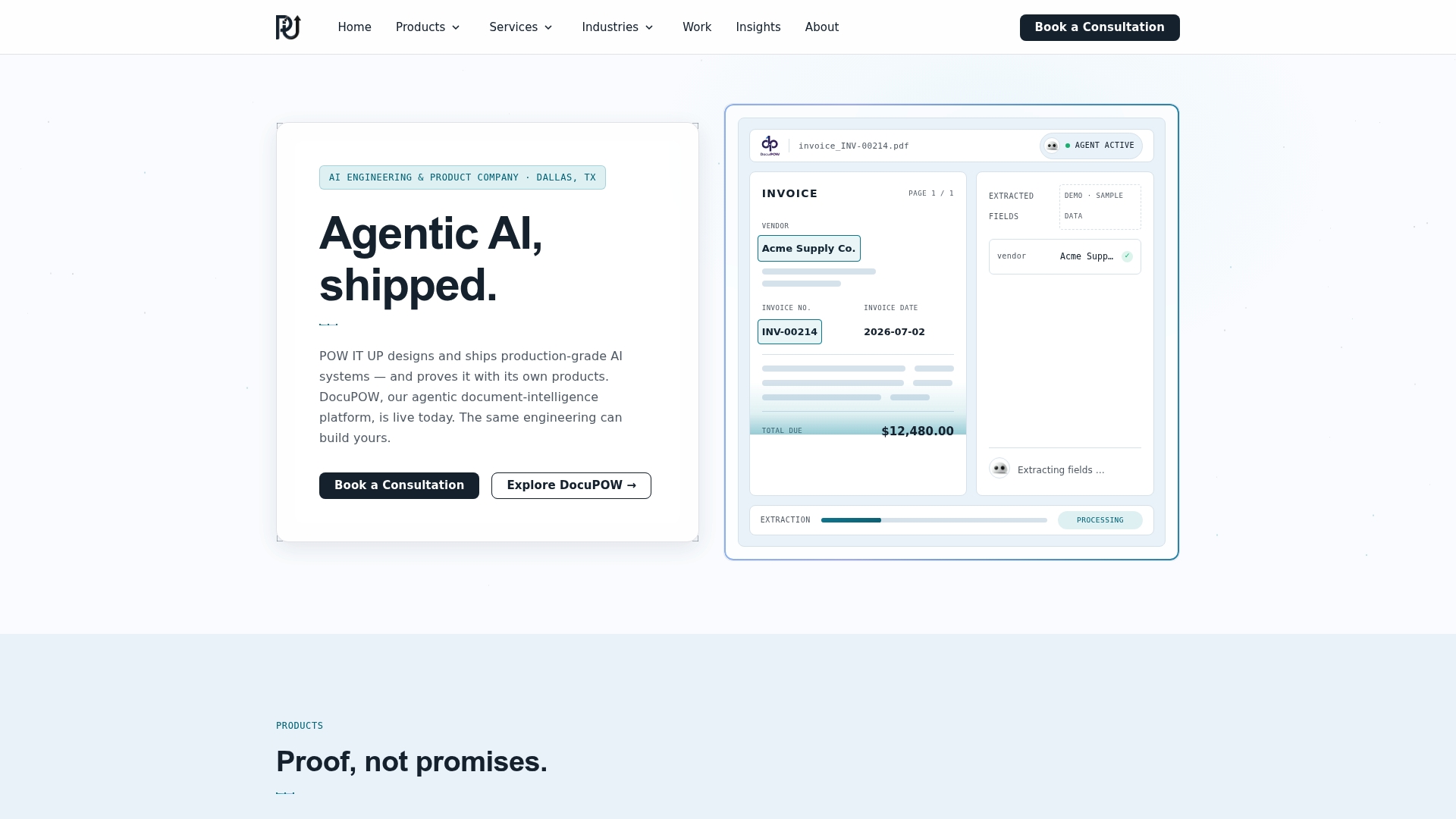
If your team has a workflow that fits this profile, the AI agent development page is the place to see what a pilot engagement looks like in practice.
How Do You Measure Whether AI Is Actually Improving Productivity?
The three numbers that matter are hours saved, error rate, and volume processed per dollar, tracked against a baseline captured before the AI system touched the workflow. Skip the baseline step and you’ll have no way to prove the pilot worked, no matter how good it feels anecdotally.
Start by timing the manual process for two to three weeks before deployment. Note how many units it processes, how many errors occur, and how many labor hours it consumes. That baseline is the only fair comparison point; comparing a new AI-assisted workflow to a vague sense of “how things used to be” invites confirmation bias.
Once the pilot runs, track the same three metrics weekly rather than waiting for a quarterly review. Weekly tracking catches problems, a spike in errors, a plateau in throughput, while they’re still small enough to fix quickly. It also gives you the data to make a clean go/no-go call at the end of your 4 to 8 week window instead of relying on gut feel.
Decision fatigue is worth factoring into your measurement, too. Research on the cognitive cost of repeated small decisions, documented by the Cleveland Clinic, supports the case for automating routine, high-frequency choices specifically because doing so frees up mental bandwidth for higher-value work elsewhere in a person’s day. That effect is real but harder to quantify than error rate or throughput, so treat it as a qualitative bonus alongside your three hard metrics, not a replacement for them.
How Do You Train Your Team to Adopt AI Tools Successfully?
Training fails most often not because employees can’t learn the tool, but because no one explains why the workflow is changing. Start every rollout with the problem the AI is solving, not a feature tour of the software itself.
Identify champions early, one or two people on the team who are naturally curious about the new workflow, and let them pilot it a week ahead of everyone else. Their feedback catches usability issues before a wider rollout, and their comfort with the tool makes them a credible internal resource when questions come up later.
Address the job-security question directly instead of dancing around it. Employees who fear an agent is quietly training their replacement will not engage honestly with a pilot, and that fear tends to surface as passive resistance rather than open objection. Frame the change accurately: automation is removing the repetitive part of the job, freeing the person for judgment calls the system still can’t make.
Build a short, task-specific training session rather than a generic AI literacy seminar. Show people exactly which button to click, what the checkpoint approval screen looks like, and what to do when the agent flags something it can’t resolve. Generic training gets forgotten; task-specific training sticks because it maps directly to something the employee will do that afternoon.
Revisit training at the 30-day mark. New workflows reveal edge cases in the first month that nobody anticipated during the pilot, and a short refresher session addressing those specific issues does more for adoption than a longer initial training ever could.
What Causes Most AI Integration Failures and How Do You Fix Them?
Most integration failures trace back to one of three causes: a missing API, inconsistent data, or unclear ownership of the workflow once it goes live.
Missing or limited APIs are the most common blocker. If a core system doesn’t expose an API, you’re stuck building a custom connector or, worse, relying on brittle workarounds like screen scraping. Before committing to a pilot timeline, confirm API access for every system in scope. If a system genuinely has no API, treat that workflow as a strategic build rather than a quick win, and budget accordingly.
Inconsistent or duplicate data across systems causes agents to make decisions based on the wrong version of the truth. The fix isn’t a bigger AI model, it’s a data cleanup pass before deployment. Establishing one authoritative record per entity, one customer record, one inventory count, solves more integration problems than any amount of clever prompting.
Unclear ownership shows up after launch, when something goes wrong and no one is sure whether IT, the business team, or the vendor is responsible for the fix. Assign a named owner for the workflow before go-live, someone who monitors the agent’s output daily during the first two weeks and has the authority to pause it if something looks wrong.
A less obvious but common issue: rate limits. An integration that works fine in testing can throttle or fail entirely once real production volume hits it. Load-test any agent-facing API connection at expected peak volume, not average volume, before calling the pilot complete. Partners focused on data integration, like the connector guidance covered on DLH.io’s blog, are a useful resource when a grounding layer needs cleaner pipelines than your current systems provide.
Where Is AI Productivity Technology Headed Next?
The clearest trend already underway is the shift from single-purpose chatbots toward multi-agent systems that coordinate with each other on complex, cross-department work. Instead of one assistant handling one task, expect orchestration layers managing several specialized agents, a document agent, a scheduling agent, a reporting agent, working in sequence on a single business process.
Grounding will get deeper, not shallower. As tools like Microsoft’s Work IQ layer mature, expect AI systems to draw on a wider slice of an organization’s actual operating history, not just recent documents, but patterns across years of transactions, giving grounded recommendations more context than they have today.
Cost efficiency will keep improving as token-optimization and model-routing techniques mature. What currently requires manual tuning, deciding which tasks need a powerful model versus a cheaper one, will increasingly happen automatically, making high-volume agentic workflows affordable for smaller teams that couldn’t justify the cost today.
Expect regulatory and governance frameworks to formalize faster than most companies are ready for. Audit logging and human-in-the-loop checkpoints, currently a best practice, are likely to become a compliance expectation in regulated industries within the next few years, particularly for financial services and healthcare.
Finally, the gap between companies running pilots and companies running production-scale agentic systems will widen. Organizations that started small, measured rigorously, and scaled deliberately will have a multi-year head start on data, process maturity, and internal trust in the technology, an advantage that gets harder to close the longer a competitor waits.
Prioritize grounded, agentic automation with human-in-the-loop checkpoints over standalone chatbots to see measurable productivity gains within a single pilot cycle.
| Point | Details |
|---|---|
| Start with agents, not chatbots | Agentic systems handle multi-step, autonomous work; chatbots only respond to single prompts. |
| Grounding is non-negotiable | Connect AI to real business data so outputs reflect actual context, not generic guesses. |
| Pilot one workflow, 4 to 8 weeks | Pick a high-volume, repeatable task and set clear KPIs before you build anything. |
| Human checkpoints prevent disasters | Place approval gates at business milestones, not on every single agent action. |
| POW IT UP builds pilot-to-scale systems | The firm designs custom agents and productized tools like DocuPOW for exactly this playbook. |
The Real Bottleneck Isn’t the AI
Most advice on this topic obsesses over which model or platform to buy, as if the technology were the constraint. It rarely is. The companies that get real productivity gains are the ones willing to fix their data and their process discipline before they touch an agent builder, not after.
The conventional wisdom, “start with a chatbot, see how it goes”, actually wastes the pilot window. A chatbot pilot proves employees can use a chat interface, which nobody doubted. It tells you nothing about whether your data is clean enough for grounding or whether your team can handle a human-in-the-loop approval workflow, and those are the two things that determine whether a real agentic deployment succeeds six months later.
Prioritize the boring work first: map your data, pick one narrow workflow, and set a hard KPI before you evaluate a single vendor. The technology is no longer the limiting factor. Organizational readiness is, and it’s the one variable leadership actually controls.
— Syed Naveed Abbas
Ready to Move From Pilot to Production?
Most companies exploring this space face a choice between hiring for an in-house AI team they don’t yet have the workload to justify, or buying a generic point solution that solves one narrow task and leaves the rest of the workflow untouched. POW IT UP offers a third path: a firm that designs the custom agent your specific workflow needs, without the overhead of a full internal build.
The firm’s engineering work spans document intelligence, workflow orchestration, and autonomous transaction processing, the exact categories this article walks through, applied directly to your operational bottleneck rather than a generic template. Whether you need a focused pilot on one workflow or a broader AI integration project across several systems, the engagement scales to match what you’re actually solving for.
If you’ve identified a workflow that fits the pilot criteria covered above, high volume, repeatable, currently manual, the next step is a conversation about scope and timeline. Reach out through POW IT UP’s AI integration services page to talk through what a pilot on your specific process would look like.
Sources
- Microsoft 365 Copilot | AI Productivity Tools for Work
- The best AI productivity tools in 2026
- Gemini Spark – Your 24/7 personal AI agent for productivity
- RTK — token optimization CLI proxy (README)
FAQ
What are examples of AI-powered productivity in practice?
Common examples include an agent that reads and validates invoices against purchase orders, a meeting assistant that transcribes calls and extracts action items automatically, and an orchestration layer that routes customer support tickets to the right team based on content and urgency.
What is the 30% rule for AI?
There’s no single, universally agreed “30% rule” for AI adoption. If you’ve seen the term used, it likely refers informally to productivity gain estimates from specific studies or vendors rather than an established industry standard, so treat any specific percentage claim skeptically unless it cites a named source.
Which jobs are least likely to be automated by AI?
Roles requiring complex interpersonal judgment, physical dexterity in unpredictable environments, and accountability for high-stakes decisions, think senior clinicians, skilled tradespeople, and roles centered on relationship-building and negotiation, tend to be more resistant to automation than repetitive, rules-based transactional work.
Is there really a $900,000 AI job?
Some highly specialized AI research and engineering roles at major technology companies have reportedly carried total compensation packages in that range, though such figures represent a small number of senior positions, not a typical outcome, and specific numbers vary widely by company and role.
How long should an AI productivity pilot run before scaling?
A focused pilot on one high-volume workflow typically runs 4 to 8 weeks, long enough to establish a baseline, deploy the system, and gather two to three weeks of stable performance data before a go/no-go decision.
Does POW IT UP help companies run these pilots?
Yes. POW IT UP designs custom agent development and orchestration projects for exactly this pilot-to-scale model, including productized tools like DocuPOW for document validation, built around the same human-in-the-loop and grounding principles covered throughout this article.