
An automated business ecosystem is a set of connected systems, data flows, AI agents and people that run your core processes together, so work moves from one step to the next without someone re-keying, forwarding or chasing it. It differs from a pile of point automations because the parts share data, follow shared rules and answer to named owners. This guide explains what the pieces are, how to build one in stages, how to govern it, and how to measure whether it pays off.
TL;DR
- An automated business ecosystem links applications, data, integrations, analytics and AI agents so entire processes run end to end, with people stepping in only where judgment is needed.
- Build it one workflow at a time: pick a high-volume process, map it, connect the data, add an agent, set autonomy limits, then expand.
- Governance is part of the design, not an add-on: assign an owner to each agent, tier risk, log decisions and require human approval for high-impact actions.
- Measure it with a baseline: cycle time, cost per transaction, error rate, exceptions and hours returned to the team.
- Automation changes tasks more than it simply removes jobs, and the public evidence is more nuanced than either side of the debate claims.
Table of Contents
- What an automated business ecosystem actually is
- The building blocks
- How AI agents, automation and connected systems work together
- How to build one, step by step
- Where to start, by industry
- Risks and governance
- Advantages, and how to measure them
- Does automation destroy jobs?
- Our perspective
- How POW IT UP can help
- FAQ
- Sources
What an automated business ecosystem actually is
The word “ecosystem” is doing real work here. Researchers at the Wharton School’s Mack Institute describe ecosystems as lacking a strict hierarchy, depending on complementary contributions, and containing technological or organizational interdependencies. A classic supply chain is typically hierarchical. An ecosystem instead expands the value of a focal offering through the participants around it.
MIT’s Center for Information Systems Research frames the digital business ecosystem as a coordinated network of enterprises, devices and consumers connected for transactions and other exchanges, where the participants who set the rules are the drivers and others adopt or improve them.
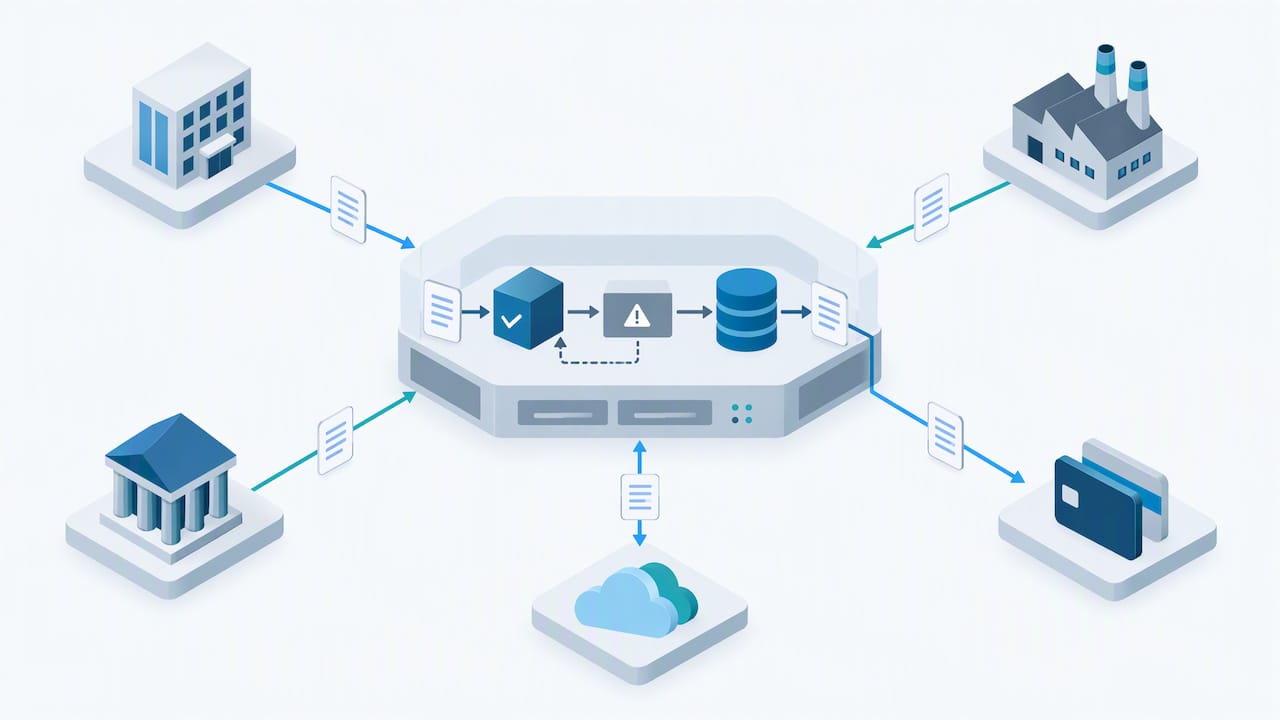
For an operating company, “automated” adds a second layer. Software does not only connect the participants. It also acts: it reads an incoming document, checks it against a record, routes an exception, updates the ledger and tells the next system. In practice, for a 50-person or a 5,000-person company, the ecosystem is usually your own stack plus the customers, vendors, banks, payers and platforms your processes touch.
How it differs from a collection of automations
Most companies already have automations: a Zap here, a scheduled script there, a rule in the CRM. They save minutes, and they also create a quiet problem. Each one knows only its own corner. When a field changes upstream, three of them break and nobody knows which. An ecosystem differs in four ways:
| Isolated automations | Automated business ecosystem | |
|---|---|---|
| Data | Each tool keeps its own copy | Shared, governed data layer |
| Scope | One task | A process from trigger to outcome |
| Decisions | Fixed if/then rules | Context-aware agents within set limits |
| Ownership | Whoever built it, often unknown | Named owner per workflow and per agent |
| Failure mode | Silent breakage | Logged, monitored, escalated to a person |
The building blocks
Oracle’s description of a connected data ecosystem is a useful checklist because it separates the layers cleanly: applications that run business processes, infrastructure that captures and stores data, integration services that connect applications and sources, and analytics, including AI and machine learning, that interpret the data. Governance, security and privacy sit across all of them.
Translated into the work of an operations team:
- Systems of record. Your CRM, ERP, accounting package, practice management or core platform. These stay the source of truth.
- Integration layer. APIs, event triggers and connectors that move data between systems reliably. This is where most projects quietly succeed or fail. If you are weighing this layer, our AI integration service page shows how we approach it.
- Document and data intelligence. Most operational work still arrives as PDFs, emails, forms and scans. Reading and validating them is often the first thing worth automating.
- Agents and workflow orchestration. Software that decides the next step, calls tools, and hands off to people when a threshold is crossed.
- Analytics. Dashboards and models that show where work is stuck, what it costs and where clients or accounts are drifting. Our data analytics services and cloud analytics services cover this layer.
- Governance and security. Access control, logs, approvals and ownership, covered in detail below.
How AI agents, automation and connected systems work together
Traditional automation follows a script. An AI agent combines a language model with tools, memory and reasoning so it can carry out a multi-step task. SAP’s reference architecture describes agents this way, and notes that its orchestration layer acts across SAP and non-SAP systems, with governance and human-AI collaboration built in. The principle applies beyond any one vendor: the agent is only as useful as the systems it can reach and the guardrails around it.
A simple example from an accounting firm shows the division of labor:
- A client emails a bundle of invoices and bank statements.
- A document step reads and validates each file and flags anything illegible or mismatched.
- An agent matches the invoices to the ledger, drafts the entries and checks them against the firm’s rules.
- Entries inside the agreed limits post automatically. Anything above a threshold or outside a pattern goes to a reviewer with the evidence attached.
- The client portal updates and the analytics layer records the cycle time.
No single piece is exotic. The value comes from the handoffs being automatic and observable. For a deeper look at the kinds of agents involved, see our overview of types of AI agents for service teams, and for the tool landscape, our guide to service business automation tools.
How to build one, step by step
BCG’s guidance on agentic platforms is to translate business objectives into a secure-by-design agent concept, with explicit ownership, least-privilege access and clear autonomy thresholds, then validate it with red-team drills and sandbox testing. That maps well onto a practical sequence.
Step 1: Find the time leaks
List the processes with the highest volume and the most manual handoffs. Good candidates: intake and onboarding, invoice and claims processing, reconciliation, scheduling, reporting, follow-ups. Interview the people who do the work, not just their managers. The real process is rarely the documented one.
Step 2: Map the process and its exceptions
Draw the happy path, then spend twice as long on the exceptions. Automation that handles 80% of cases well and routes the rest cleanly beats automation that tries to handle everything and fails unpredictably.
Step 3: Fix the data before the agent
If customer records disagree across systems, an agent will simply act on the disagreement faster. Decide which system owns each field, clean the obvious duplicates and define the identifiers that join records together.
Step 4: Connect, then automate
Build reliable integrations first. Then add document intelligence and agents on top. Our own DocuPOW product is an example of starting with the document layer: it reads and validates incoming documents so downstream steps receive structured, checked data.
Step 5: Set autonomy thresholds
Decide in advance what the agent may do alone, what it may do with approval, and what it may never do. Dollar limits, record types, customer tiers and confidence scores are the usual dials.
Step 6: Test in a sandbox, then run in parallel
Run the new workflow beside the old one on real volume and compare results. Only retire the manual path when exceptions and error rates are understood.
Step 7: Monitor and expand
Track the measures below, review logs weekly at first, and add the next workflow once the first is stable. Ecosystems grow by adjacency: each new process reuses the data and integrations of the last.
Where to start, by industry
The first workflow differs by sector, but the pattern is the same: high volume, document-heavy, rule-bound, with a clear exception path.
- Fintech and banking: onboarding checks, transaction review, reconciliation. See our guide to AI integration in core banking systems.
- Healthcare practices: intake forms, eligibility and referral paperwork, scheduling follow-ups.
- Accounting and consulting firms: document collection, coding, status reporting.
- Logistics and e-commerce: order exceptions, carrier documents, returns.
- Agencies and service businesses: task assignment, client reporting, renewals. Our piece on automating employee task assignment is a concrete starting point.
For fintech and healthcare in particular, we explain why AI replaces repetitive tasks and where people should stay in the loop.
Risks and governance
The more an ecosystem can do on its own, the more it matters who is accountable for it. BCG lists the risks plainly: cybersecurity threats such as hijacking or misrouting, bias, opaque decisions and agents going off course. Its recommended controls are risk tiering, human approvals for high-impact actions, decision logging and role-based access, with clearly assigned ownership for each agent.
Use a recognized framework
In the United States, the NIST AI Risk Management Framework 1.0, published in 2023, organizes the work into four functions: Govern, Map, Measure and Manage. It is voluntary and meant to augment risk practices aligned with applicable laws and norms. It describes trustworthy AI as accountable and transparent, explainable and interpretable, and notes that risk management may need human intervention when a system cannot detect or correct its own errors.
To see how those four functions can be applied to agents in a regulated setting, this walkthrough of AI agent governance functions is a practical companion.
Keep people in the loop where it counts
Not every decision needs a person, but high-impact ones do: large payments, changes to a patient’s record, credit or coverage decisions, anything irreversible. The design question is where review sits and what the reviewer sees. Good review screens show the source document, the agent’s proposed action, its reasoning and its confidence. For the leadership side of this, see this discussion of human in the loop leadership. We also lay out why governance is a performance topic, not just a compliance one, in our article on AI workflow optimization and governance.
A short governance checklist for each agent:
- A named human owner.
- A written list of systems and data it can access, limited to what the task requires.
- A defined autonomy threshold and an escalation path.
- A decision log that someone can read and a person can audit.
- A kill switch and a tested fallback to the manual process.
Advantages, and how to measure them
Claims about automation benefits are easy to make and hard to verify, so measure your own. Do not promise yourself a number you have not baselined.
The Census Bureau’s Center for Economic Studies analyzed the 2019 Annual Business Survey and reported that firms adopting automation technologies had higher labor productivity and lower labor shares than non-adopters, while stressing that motives and effects vary by technology and firm. That is a population-level finding, not a forecast for your company, which is why a baseline matters.
Measures that hold up
Before you automate anything, record these for the target workflow over a few normal weeks:
| Measure | How to capture it | What good looks like |
|---|---|---|
| Cycle time | Timestamp at trigger and at completion | Shorter median and a tighter spread |
| Cost per transaction | Loaded labor time plus software cost, divided by volume | Falling as volume rises |
| Error and rework rate | Corrections, reopened items, reversals | Lower, with errors caught earlier |
| Exception rate | Share of items sent to a person | Stable or falling, with reasons logged |
| Hours returned | Time previously spent on handling, by role | Redeployed to higher-value work, not just “saved” |
| Capacity | Volume handled per full-time equivalent | Growing without a matching rise in headcount |
A simple return calculation
The basic formula is (benefits minus costs) divided by costs. Benefits include labor time redirected, errors avoided and revenue from faster turnaround. Costs include build, licenses, integration, monitoring and the time of the person who owns the workflow. Count the ongoing costs, because an automation that nobody maintains stops being an asset. Review the numbers at 30, 90 and 180 days, and keep the manual baseline on record so the comparison stays honest.
Does automation destroy jobs?
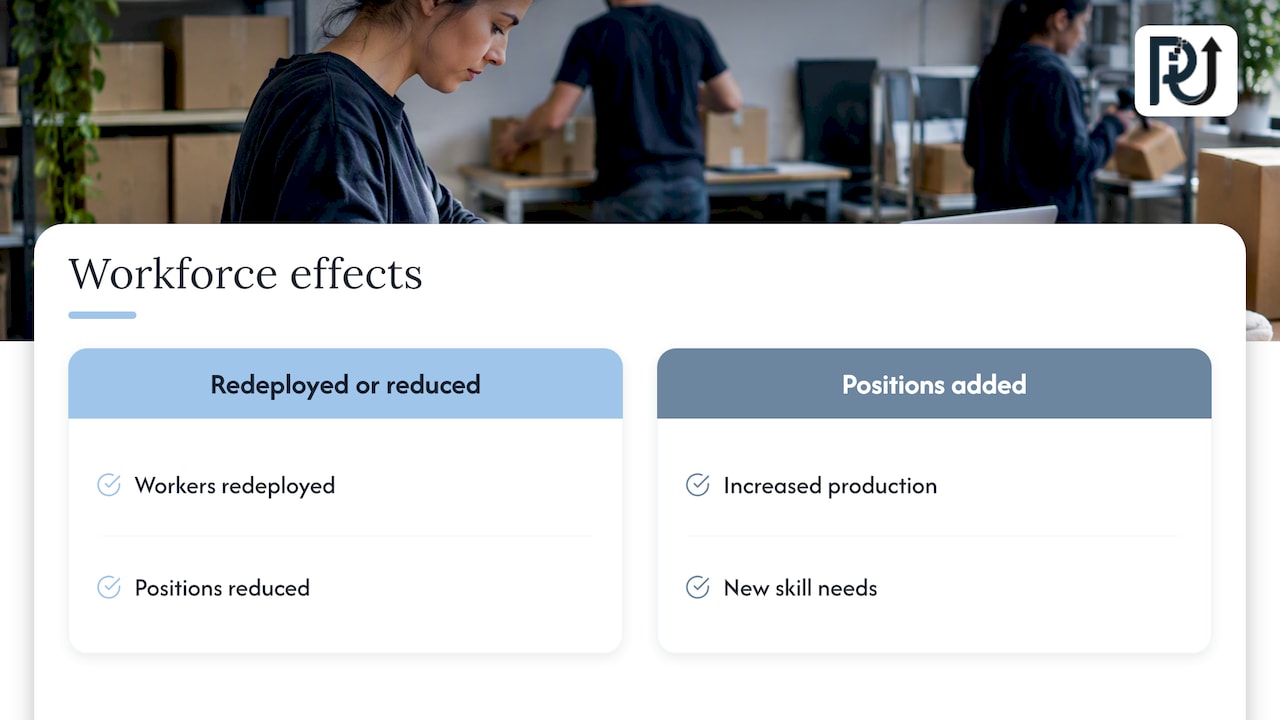
It is the question many staff will ask first, and leaders should answer it truthfully. The U.S. Government Accountability Office found that automation changed tasks: some firms redeployed workers or reduced positions, while others added positions because of increased production or new skill needs. The GAO also noted that data gaps make the workforce effects of technology hard to determine. Neither “job killer” nor “job creator” fits every firm.
The practical conclusion for a business owner: tell your team which tasks are being automated, which new tasks (reviewing exceptions, owning agents, analyzing results) are being created, and what training is available. Teams that understand the plan flag problems earlier.
Our perspective
We build digital workforces for a living, and the most common failure we see is not weak AI. It is a missing architecture. Companies buy a tool, wire it to one system, and then wonder why the gains stall when volume grows or a data field changes.
Our approach is to treat the ecosystem as engineering. That means hunting down the “time leaks” in high-volume transactional work first, building custom, context-aware agents rather than generic scripts, documenting how each one decides, and handing the client a system they own and can maintain. We think accountability is a feature: every agent has an owner, every action can be traced, and a person can always intervene.
We also think scale should not require a matching increase in headcount, but that is a design goal you earn through clean data, limited autonomy and steady monitoring, not a switch you flip. Start with one workflow, prove it on your own numbers, then extend. For the strategic case on why this role matters in service firms, see why service businesses need AI architects.
— Syed Naveed Abbas
How POW IT UP can help
If you have a workflow that eats hours every week and you are not sure how to connect it safely, we can map it with you and build the first agent. Our AI agents development and AI automation services cover design, build and deployment, and you can see document intelligence in action through a live demo of DocuPOW. To talk through your own process, start from powitup.com.
FAQ
What is an ecosystem in business?
It is a network of participants whose contributions complement one another and create value together, without a strict top-down hierarchy. Customers, suppliers, partners, platforms and technology providers can all be part of one. An automated ecosystem adds software that moves data and performs actions across those relationships.
How do you make an automated business?
Start with one high-volume process, map it with its exceptions, clean the data it depends on, then connect systems and add agents with defined limits. Test in parallel with the manual process, measure against a baseline, and expand to the next workflow. Governance and ownership should be set up from the first agent.
Is automation a job killer or a job creator?
The evidence is mixed. The GAO found firms redeploying workers, cutting some positions and adding others, and said data limitations make the overall effect hard to pin down. The outcome depends heavily on the firm, the technology and how the change is managed.
What are the main advantages of automation?
Common gains are faster cycle times, fewer manual errors, lower cost per transaction, better visibility into operations and capacity to handle more volume with the same team. Whether you capture them depends on your baseline, data quality and ongoing maintenance, so measure each one in your own workflow.
Do small businesses need an ecosystem, or just a few tools?
Small businesses usually start with a few well-chosen automations and benefit from designing them to share data from the beginning. That keeps the later move to a connected setup inexpensive. Our guide to AI agents for small businesses walks through sensible first steps.
Sources
- AI-Driven Ecosystems, Mack Institute for Innovation Management
- The Next Generation Enterprise: Digital Ecosystems, MIT CISR
- Agentic AI and AI Agents on SAP Business AI Platform
- Creating a Connected Data Ecosystem, Oracle
- How Agentic AI is Transforming Enterprise Platforms, BCG
- Artificial Intelligence Risk Management Framework (AI RMF 1.0), NIST
- Workforce Automation: Better Data Needed to Assess and Plan for Effects, GAO
- Automation and the Workforce: A Firm-Level View, U.S. Census Bureau
- AI Agent Governance for Finance: Four Functions
- Human in the Loop: The Missing Capability in AI Leadership