

Start with onboarding, reporting, and campaign ops. Those three processes carry the most repetitive, rule-based work in any agency, which makes them the fastest path to real time savings. Pick one end-to-end workflow, run a 30 to 60 day pilot with a single client, and measure hours saved before you touch anything else. POW IT UP builds custom agents and integrations for agencies that want to move past patchwork automation once that pilot proves out.
TL;DR:
- Automating onboarding and reporting processes can save agencies up to 15 to 20 hours per week per team member in common cases.
- Starting with a single, repeatable workflow and a clear KPI allows agencies to prove automation ROI within 60 days.
- Agencies should prioritize pilot, measure, validate, and then scale, rather than attempting broad automation without baseline data.
- Internal automation projects typically involve one-time setup costs, while client-facing automation can be sold as ongoing services with subscription or shared savings models.
- Custom AI development is recommended only when workflows are unique or involve complex integrations that off-the-shelf platforms cannot support effectively.
Table of Contents
- 5 Actions to Prove Automation ROI in 60 Days
- Which Agency Processes Deliver the Biggest Automation Gains?
- What Tools Do Agencies Actually Need in Their Stack?
- How Do You Prioritize Automation Opportunities?
- How Should Agencies Price Automation Work?
- What Governance Do You Need Before Automating Client Work?
- How Do You Evaluate Automation Vendors and Platforms?
- When Should an Agency Build Custom Instead of Buying a Platform?
- Real Examples of Agency Automation That Worked
- Why Most Agencies Get Automation Sequencing Wrong
- Ready to Move Past Point Solutions?
- Sources
- FAQ
5 Actions to Prove Automation ROI in 60 Days
You don’t need a platform overhaul to see results. You need one workflow, one owner, and one number you can point to in eight weeks. Here’s the sequence that actually gets tested and shipped instead of stalling in a planning doc.
- Pick one repeatable workflow with clear inputs and outputs. Client onboarding and monthly reporting are the two best starting points because both have predictable steps and a defined “done” state.
- Record your baseline before you build anything. Time how long the manual version takes today, and note who does it. Without this number, you can’t prove anything later.
- Set a single KPI. Hours saved per week or margin uplift per client works better than a vague goal like “improve efficiency.” One number, tracked weekly.
- Define scope, an owner, and an approval gate. Someone signs off before automated output reaches a client, at least for the first cycle. Assign one person to own the pilot end to end.
- Choose a lightweight build approach. A no-code platform paired with a few scripts, or a purpose-built agency operating system, both beat a six-month custom engineering project for a first pilot.
Schedule your review at day 30 and day 60. If the KPI moved and the client didn’t notice a dip in quality, you have your business case for the next automation. If it stalled, you’ll know why within two cycles instead of finding out after a year of half-measures.
Pro Tip: Run the pilot on your least risky client first, not your biggest account. You want room to fix mistakes without a nervous client watching every step.
Which Agency Processes Deliver the Biggest Automation Gains?
Five domains account for most of the time an agency loses to manual, repeatable work: onboarding, reporting, campaign operations, client communications, and back-office tasks. Agencies that automate reporting and campaign optimization can handle two to three times more clients without hiring, saving 15 to 20 hours per week per team member in common cases. That statistic alone explains why these two domains show up first in almost every agency automation rollout.
Client onboarding is where agencies bleed the most avoidable hours. A new client kicks off a chain of manual steps: intake forms sent by email, a workspace built by hand, a brief drafted from scratch. Automating this means a structured intake form that triggers workspace provisioning automatically, pulls prior conversation notes into a draft brief, and assigns the right team members without a project manager copying and pasting across five tools. Agencies that get this right can move a signed client into active work within hours instead of days. A structured approach to onboarding automation shows how far this can go when it’s built deliberately rather than bolted together.

Reporting is the second obvious target, and it’s the one clients notice directly. ETL connectors pull performance data from ad platforms, CRMs, and analytics tools automatically. White-label PDF reports generate on a schedule instead of a Friday-night scramble. Automated insights and alerts flag a budget overrun or a conversion drop before the client asks about it. This is the domain where automation pays for itself fastest, because the manual version of reporting is almost pure copy-paste labor with zero strategic value added.
Campaign operations benefit from rule-based systems that run experiments and adjustments without a human checking dashboards every hour. Think scheduled A/B tests on ad creative, automated bid adjustments within preset guardrails, and monitoring agents that flag anomalies (a sudden CPC spike, an underperforming audience segment) for a human to review rather than catch by accident three days later.
Client communications tend to get automated last, but the return is real. Templated approval requests, portal notifications when a deliverable is ready, and weekly status digests replace the constant “just checking in” emails that eat account manager time without moving any project forward.
Back-office work rounds out the list: automated invoicing tied to project milestones, resource allocation based on actual team capacity instead of guesswork, and timesheet capture that doesn’t require anyone to remember what they did three days ago. None of this is glamorous. All of it is hours you get back every single week.
- Onboarding: intake automation, workspace provisioning, brief generation
- Reporting: ETL connectors, scheduled white-label reports, automated alerts
- Campaign ops: rule-based testing, scheduled experiments, monitoring agents
- Communications: templated approvals, portal notifications, status digests
- Back-office: automated invoicing, resource allocation, timesheet capture
What Tools Do Agencies Actually Need in Their Stack?
Agencies don’t need one giant platform. They need the right category of tool for each job, and knowing the categories matters more than knowing brand names. Four categories cover almost everything: agency operating systems, workflow engines and AI agents, reporting and data layers, and the integration glue that connects them.
An agency operating system centralizes workflows, client data, and reporting into a single dashboard, replacing the spreadsheet-plus-five-apps setup most agencies default to. Products in this category, like AgencyChange, can halve operations time by consolidating multiple point tools into one system. Consolidation makes the most sense for mid-sized agencies (roughly 10 to 50 people) dealing with real tool sprawl. A five-person shop usually gets more value from a few targeted automations than from adopting a full operating system it doesn’t need yet.
AI agents and workflow engines handle the work that used to require a human clicking through the same steps for every client. The distinction matters: no-code platforms like Zapier or Make excel at simple trigger-action chains (a form submission creates a task). Autonomous AI agents handle judgment-based work: reading a client brief, drafting a first-pass report narrative, or flagging which of fifty campaigns needs human attention today. Platforms like Juma let agencies build reusable “flows” that run the same process across many clients while preserving each client’s brand voice and context, which cuts re-briefing time substantially every time a new campaign kicks off.
Reporting and data connectors are their own category for a reason. Agencies need live dashboards for internal tracking, scheduled exports for client-facing PDFs, and white-labeling so the output looks like it came from your agency, not a third-party tool. Sprites, Juma, and similar platforms all build white-label reporting and multi-client workspaces as core features, because agencies without this end up manually rebranding every report by hand every month.
SOPs as executable playbooks is the piece agencies skip most often. A written SOP that lives in a Google Doc does nothing on its own. The same SOP rebuilt as a workflow, with defined triggers and outputs, actually runs itself. That’s the real difference between “we have a process” and “we have automation.”
Integration considerations deserve real attention before you build anything. Every connected tool needs its own service account, not a shared login. Client data needs isolation so one account’s information never leaks into another’s workspace. APIs need monitoring so a silent failure doesn’t go unnoticed for two weeks. A catalog of tool categories worth evaluating can help narrow the field before you commit budget to any single platform.
- Agency OS: best for 10 to 50 person agencies with real tool sprawl
- Workflow engines and AI agents: judgment-based tasks, not just trigger-action chains
- Reporting layer: live dashboards, scheduled exports, white-labeling
- SOPs as executable playbooks, not static documents
- Integration layer: dedicated service accounts, data isolation, API monitoring
How Do You Prioritize Automation Opportunities?
Score every opportunity on impact and effort before you build anything, and let quick wins fund the bigger platform bets later. This is the single biggest gap between agencies that automate successfully and ones that stall out after one failed rollout. Practical playbooks consistently recommend mapping core processes and setting KPIs before making any large platform commitment, and that sequencing matters more than the specific tool you eventually pick.
The scoring template needs four inputs for every candidate process: time saved per week, revenue enabled (does this let you take on more clients or upsell existing ones?), repeatability (does this happen weekly or once a year?), and risk (what happens if the automation fails silently for a week?). Rank each opportunity from one to five on each axis, multiply impact by ease of implementation, and you have a defensible priority list instead of a gut-feel argument in a leadership meeting.
Client experience deserves its own line item on that scorecard. An automation that saves your team three hours but adds a day of delay to client-facing deliverables is a bad trade even if the internal numbers look good.
- Scope the pilot narrowly. One workflow, one client segment, one clear success metric. Resist the urge to automate three things at once in the first round.
- Set the success KPI before you start building, not after. Hours saved per week or margin uplift per engagement, tracked against your baseline.
- Build in an approval gate. A human reviews automated output before it reaches a client for at least the first two to three cycles.
- Write a rollback plan. If the automation breaks or produces bad output, know exactly how to revert to the manual process within the same business day.
- Measure results honestly. Hours saved, margin uplift, and client satisfaction (a quick survey or even a direct question during a check-in call) all matter equally.
Onboarding and reporting tend to top most agencies’ priority lists for good reason: they improve margins and client experience at the same time, which makes them politically easy to greenlight even in agencies that resist change generally. Platforms in this space often advertise fast time-to-value, with onboarding measured in minutes rather than weeks in some cases, which sets a realistic bar for how quickly your own pilot should show results.
Once a pilot proves out, the scale mechanics are straightforward: turn the winning workflow into a productized flow you can apply to every client on that service tier, then update your pricing to reflect the new margin the automation created.
Pro Tip: If a pilot doesn’t show measurable results by day 45, don’t wait for day 60 to kill it. A pilot that isn’t working by three quarters through rarely turns around in the final stretch.
How Should Agencies Price Automation Work?
Three pricing models cover almost every automation engagement: a one-time build with a setup fee, a setup fee plus an ongoing subscription, and outcome-based pricing tied to shared savings. Which one fits depends on whether you’re automating your own internal operations or selling automation as a service line to clients.
One-time build plus setup fee works best for internal efficiency projects, like automating your own reporting pipeline. You pay once (or bill the project internally), and the savings accrue to your margin every month afterward with no recurring cost. Setup plus monthly subscription fits automation you’re selling to clients as an ongoing service. Report automation for a client, for example, can be packaged as a setup fee plus a monthly retainer that’s smaller than what you’d charge for the equivalent hours of manual work, so the client sees savings and you capture recurring revenue. Outcome-based or shared-savings pricing works when the automation’s impact is directly measurable, such as a campaign optimization agent tied to a percentage of ad spend efficiency gained.
Calculating payback for a client pitch should use conservative assumptions, not best-case scenarios. If a manual reporting process takes an account manager six hours a month at a fully loaded rate of $50 an hour, that’s $300 a month in labor cost. An automated version with a $150 monthly subscription and a $500 one-time setup fee pays back the setup cost in about three and a half months, even before counting the account manager’s freed time for other billable work.
- One-time build: best for internal efficiency, no recurring cost after setup
- Setup plus subscription: best for automation sold as an ongoing client service
- Outcome-based: best when impact is directly measurable and attributable
- Internal automation frees capacity; client-facing automation creates a new revenue line
Package internal automation as a cost center improvement you report on in leadership meetings. Package client-facing automation as a service line with its own pricing page, its own onboarding flow, and its own success metrics separate from the rest of your retainer. Treating them as the same thing is a common mistake that leaves real revenue on the table.
What Governance Do You Need Before Automating Client Work?
Client data separation is non-negotiable the moment you connect an automated workflow to more than one client account. Every integration should run on its own service account with the minimum access it needs, never a shared admin login that touches every client’s data at once. A single compromised credential shouldn’t expose your entire client roster.
Human-in-the-loop approval gates matter just as much as the automation itself, especially in the first several cycles of any new workflow. Automated platforms in this space, including Whizo, build approval gates and audit logs directly into their workflows so a human signs off before client-facing output ships and every action leaves a traceable record. That combination, approval gates paired with logging, is what turns “we automated this” into “we automated this safely.”

Contracts need updating too. Add SLA language that specifies response times for automated versus manual processes, and clarify liability if an automated report contains an error a human would have caught. Clients generally don’t object to automation once they understand the safeguards; they object to finding out after something went wrong that no one was checking.
A basic security checklist covers most of what agencies overlook:
- Encrypt data in transit and at rest for every connected tool
- Review access permissions quarterly, not just when someone leaves
- Run periodic audits of what each integration can actually see and touch
- Isolate client workspaces so no cross-contamination is possible even by accident
- Log every automated action that touches client-facing output
How Do You Evaluate Automation Vendors and Platforms?
Four criteria separate a tool worth adopting from one that traps you in six months from now: data ownership, multi-client support, implementation time, and support quality. Run every candidate platform through this before signing anything.
Data ownership and exportability comes first because it’s the one thing agencies regret ignoring after the fact. Can you export your workflows, client data, and historical reports in a usable format if you switch platforms in two years? If the answer is unclear, that’s a red flag worth pausing on before you commit budget.
Multi-client support and white-labeling matter for any agency managing more than a handful of accounts. A platform built for single-business use will fight you at every turn once you try to scale it across a client roster with different branding needs.
Implementation time and engineering needs determine whether you can actually pilot this in 30 to 60 days or whether you’re looking at a multi-month build before anyone sees value. Ask for a realistic timeline from anyone selling you a platform, not the marketing page’s best case.
Support, SLAs, and roadmap alignment round out the checklist. A platform with no responsive support becomes a liability the first time an automated workflow breaks in front of a client.
| Evaluation criteria | What to check | Red flag |
|---|---|---|
| Data ownership | Export formats, data portability | No clear export path |
| Multi-client support | Workspace isolation, white-labeling | Single-tenant design only |
| Implementation time | Realistic pilot timeline | Vague or “it depends” answers only |
| Support and roadmap | SLA terms, update cadence | No dedicated support channel |
When Should an Agency Build Custom Instead of Buying a Platform?
The remaining 30%, the workflows unique to your service model or your specific client mix, often need custom engineering to actually work well.
POW IT UP designs and deploys custom AI agents and integrations for agencies that have outgrown what a general-purpose platform can offer. That includes DocuPOW for document reading and validation (useful for agencies processing client contracts or compliance paperwork at volume) and AuraPOW for portfolio monitoring and client health analytics across an entire book of accounts.
The honest guidance: choose an off-the-shelf platform first if your workflows are common ones (reporting, basic onboarding, standard campaign monitoring) that a category tool already handles well. Choose custom development when your process is genuinely unique, when you’re hitting the ceiling of what no-code tools can orchestrate, or when you need an integration between systems that don’t talk to each other out of the box.
- Off-the-shelf fits: standard reporting, common onboarding flows, campaign monitoring
- Custom fits: unique service models, complex multi-system integrations, high-volume document processing
- POW IT UP’s approach to business automation focuses on identifying operational time leaks before recommending a build
Real Examples of Agency Automation That Worked
The pattern across successful agency automations is consistent: they start narrow, prove the number, then expand. An agency automating monthly client reporting typically starts with one client segment, builds the connector and template, and only rolls it out agency-wide once the first few reports go out error-free and the account managers confirm the time savings are real.
Onboarding automation follows a similar arc. Agencies that automate intake forms, workspace creation, and initial brief generation often cut the time between a signed contract and active work from several days to under 24 hours, largely because the manual handoffs (someone remembering to create the folder, someone else drafting the kickoff email) disappear entirely.
Campaign operations automation tends to show up later in an agency’s automation journey, once reporting and onboarding are stable. A monitoring agent that flags underperforming ad sets before a human notices frees an account manager’s attention for strategy instead of dashboard-watching. Agencies running this kind of setup across multiple clients report handling meaningfully larger rosters without proportional headcount growth, which lines up with the two to three times capacity gains cited across agency automation platforms.
The common thread in every case that worked: someone owned the pilot, a baseline number existed before the automation went live, and the team reviewed results on a fixed schedule instead of letting the pilot drift indefinitely.
Why Most Agencies Get Automation Sequencing Wrong
The conventional advice tells agencies to automate everything at once, or worse, to buy a full platform before proving a single workflow works. Both approaches fail for the same reason: they skip the baseline measurement that tells you whether automation actually helped. Agencies that succeed do the boring thing first. They pick one process, measure it before touching anything, and only then build.
What’s overrated in most automation content is the tool itself. The platform matters less than the sequencing: pilot, measure, validate, then scale. A mediocre no-code setup run with discipline beats an impressive agency operating system rolled out without a baseline or a KPI.
What the reader should prioritize first is the pilot structure, not the vendor search. Pick one workflow, one owner, one number to track. Everything else, including whether you eventually need custom AI agents or a full agency OS, becomes clear once that first pilot gives you real data instead of a hunch.
— Syed Naveed Abbas
Ready to Move Past Point Solutions?
When your bottleneck is a unique process, a document-heavy client base, or an integration between two systems that were never built to talk to each other, that’s where a general platform hits its ceiling and custom engineering earns its cost back fast.
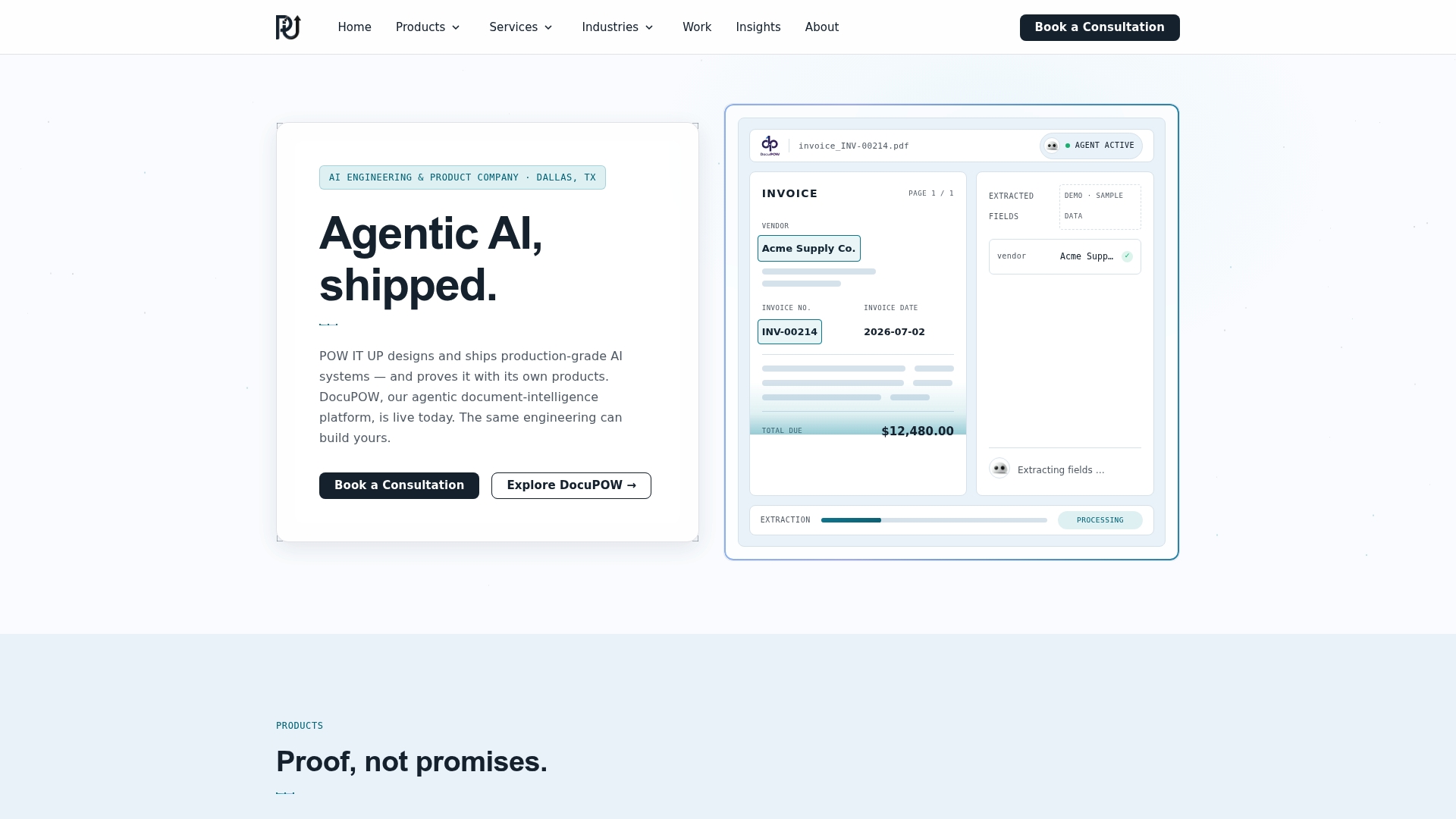
POW IT UP designs and deploys custom AI agents built specifically for agency workflows: intake automation, document validation through DocuPOW, portfolio health monitoring through AuraPOW, and integrations that connect the tools you already use into one working system. The engagement model follows the same pilot-first logic this article recommends: a scoped pilot to prove the workflow, then a build phase, then ongoing operation or a subscription arrangement depending on what you need long term. If your agency has outgrown what a no-code platform can handle, start with a consultation on custom AI automation and scope your first pilot with a team that builds this for a living.
Sources
Agency owners evaluating automation platforms should look directly at how each category positions itself: Sprites for reporting and campaign automation, AgencyChange for consolidated agency operating systems, Juma for reusable multi-client flows, and Whizo for governance and approval-gate features. Stepper’s automation playbook and DashThis’s process guide both offer additional frameworks for prioritization worth reviewing before you commit budget. For automating social content workflows specifically, Xyla covers AI-driven social management. POW IT UP’s own guide to service business automation tool types rounds out the stack-mapping conversation.
- Sprites
- AI Agency Operating System | AgencyChange
- Marketing Agencies | Juma
- Top 5 agency automation processes & ideas to help you grow | DashThis
FAQ
What Is an Automation Agency?
An automation agency designs and implements systems, workflows, and AI agents that handle repetitive business tasks (reporting, onboarding, data processing) without manual intervention, often replacing several point tools with an integrated system. POW IT UP operates in this category, building custom automation for agencies and other service businesses rather than selling a one-size-fits-all platform.
Can ChatGPT Automate Agency Tasks?
ChatGPT and similar models can draft reports, summarize client feedback, and generate first-pass content, but they need to be connected to your actual data and workflow tools to automate a task end to end. On its own, a chat interface isn’t automation; paired with integrations and triggers, it becomes one component of a larger automated workflow.
Which AI Tool Is Best for Building Custom Agents?
No single off-the-shelf tool handles every custom agent use case well, which is why agencies with unique workflows often turn to custom development instead of a generic builder. POW IT UP builds bespoke AI agents, including document intelligence tools like DocuPOW, for agencies whose processes don’t fit a standard template.
How Long Does an Agency Automation Pilot Take?
A well-scoped pilot, covering one workflow with a defined KPI, typically runs 30 to 60 days from setup to review. Platforms in this space often advertise onboarding in as little as 22 minutes, but the full pilot cycle, including measurement and a go or no-go decision, still needs the full 30 to 60 day window to produce trustworthy results.