
An autonomous AI team is a group of specialized AI agents, each with one job, that coordinate toward a shared business outcome while a small group of people sets the rules and handles exceptions. You build one by choosing a high-volume process, mapping it step by step, giving each agent a narrow role and limited permissions, rolling it out in stages, and measuring it against a baseline. This guide walks through each step in that order.
TL;DR
- Start with one painful, high-volume, data-rich process with clear start and end points. Do not start with “the whole company.”
- Give each agent a single responsibility, its own identity and least-privilege access. Keep a named human owner for the outcome and for every agent.
- Roll out in stages: sandbox, shadow mode, small canary, then gradual expansion, with a kill switch and rollback ready.
- Measure against a pre-launch baseline: time saved, cycle time, cost to serve, quality and failure rate.
- Scale by adding agents to the same governed pattern, not by adding people to every new workflow.
Table of Contents
- What an autonomous AI team actually is
- Why leaders are building them now
- Step 1: Pick the right process
- Step 2: Design roles and the shared workflow
- Step 3: Choose the stack
- Step 4: Build in safety before you launch
- Step 5: Roll out in stages
- Step 6: Measure and improve
- Perspective
- Where POW IT UP fits
- FAQ
- Sources
What an autonomous AI team actually is
A single chatbot answers questions. A team of agents completes work. GitHub’s guide to multi-agent systems describes the lifecycle as perceive, reason, act, communicate and coordinate, with each agent holding a distinct function and all of them pointed at a collective goal.
There are two common ways the agents organize themselves:
- Orchestrator-led. A central component routes tasks and aggregates results. SAP describes this as a centralized network where one server controls how agents interact.
- Peer-to-peer. Agents negotiate directly under shared rules. The same SAP page notes that a decentralized network is more robust and scalable but needs more complex coordination.
Microsoft’s WorkLab frames the practical version as two roles. Planner agents take a goal, break it into steps and assign them. Worker agents execute those steps, using deterministic tools where precision and repeatability matter. Planners then check progress and decide what happens next.
For most mid-sized businesses, an orchestrator-led design is the easier one to govern. You can see who assigned what, and you can pause one component to stop the flow.
Why leaders are building them now
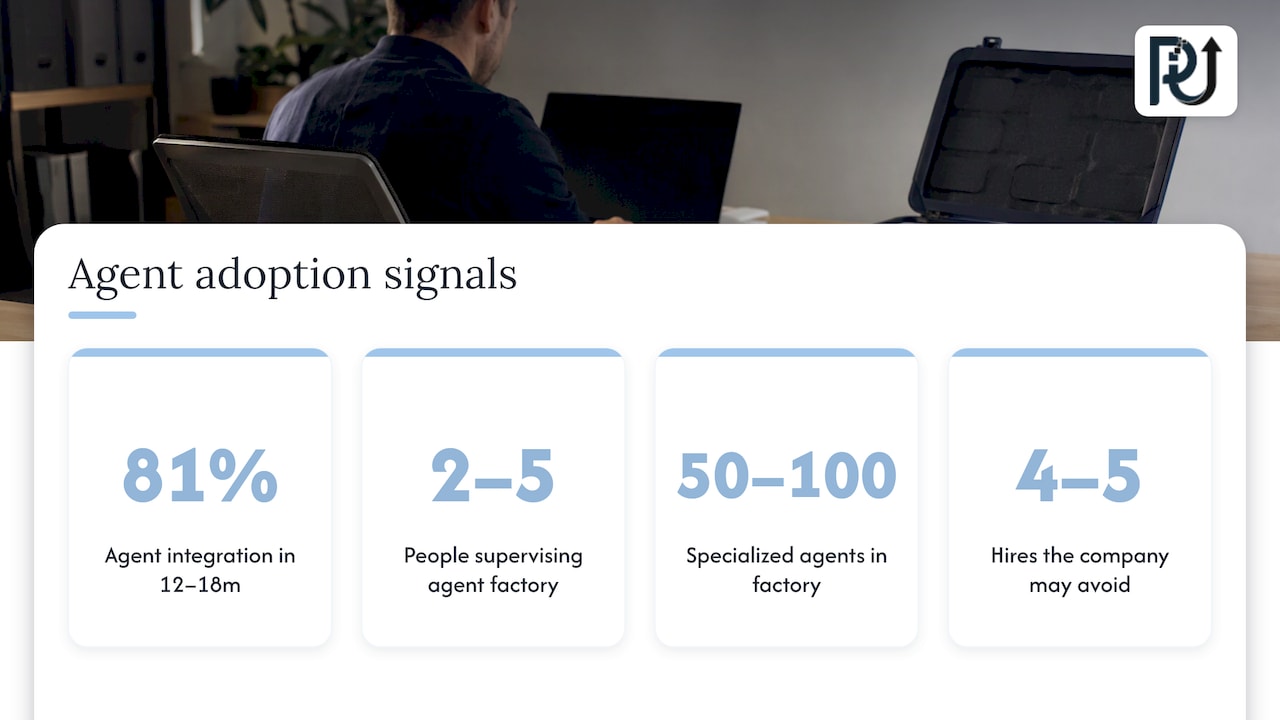
The pressure is operational. Microsoft’s 2025 Work Trend Index, based on a survey of 31,000 workers in 31 countries, describes the Frontier Firm as an organization built around on-demand intelligence and hybrid teams of humans and agents. In that survey, 81% of leaders expected agents to be moderately or extensively integrated into their company’s AI strategy within 12 to 18 months.
McKinsey’s September 2025 report goes further on structure. It says a human team of two to five people could supervise an agent factory of 50 to 100 specialized agents running an end-to-end process such as onboarding a customer or closing the books. Humans move “above the loop”: they define policy, monitor outliers and calibrate how much human involvement a process needs, instead of executing tasks line by line.
This is also showing up at small scale. Business Insider profiled an eight-person company that organizes agents around departmental playbooks to avoid hiring four to five additional people, including a support specialist and an operations coordinator.
None of this means “infinite scale for free.” It means that volume can grow faster than headcount when the work is structured well enough for agents to take it.
Step 1: Pick the right process
The best first process has four traits, which match the guidance in Australia’s National AI Centre on mapping your processes: it is high-volume, painful, data-rich and has clear start and end points.
Good candidates in the industries we work with:
- Fintech and lending: intake, document checks, status updates, exception queues.
- Healthcare practices: referral and records handling, scheduling follow-ups, claims paperwork.
- Service businesses and agencies: recurring client deliverables, reporting, onboarding.
- E-commerce: order exceptions, catalog updates, customer messages.
- Accounting and logistics: document-heavy reconciliation and tracking.
Poor candidates are processes that change weekly, have no agreed definition of “done,” or depend on judgment nobody can describe yet.
Map it before you build it
For each step, record the action, the responsible person or system, the inputs, the outputs and the typical time. Then interview the people who do the work. The National AI Centre recommends asking about workarounds, delays, missing information and the pain points that show up as bottlenecks, rework, waiting, manual data entry, inconsistency and over-processing.
This is where most projects are won or lost. A written, step-by-step process document also becomes the specification for your agents. If you want to see what well-documented operational workflows look like in a real operations setting, automation workflows for operations teams show how repeatable steps get captured before they are automated.
A simple scoring table helps you choose among candidates:
| Criterion | Question to ask | Score 1 to 5 |
|---|---|---|
| Volume | How many times a week does this run? | |
| Pain | How many hours or errors does it cost? | |
| Data | Is the input digital and reasonably structured? | |
| Boundaries | Is there a clear trigger and a clear finish? | |
| Risk | What is the damage if one run is wrong? (lower is better) |
Pick the process with high volume, high pain and low risk. That is your pilot.
Step 2: Design roles and the shared workflow
IBM’s guidance on preparing the enterprise for agents says to begin with a business process and a measurable outcome, map how work moves between people, agents and existing automation, and identify which steps need judgment and which follow fixed rules. It also says to assign a business owner for the outcome and an operational owner for each agent.
A practical role split for a document-heavy process looks like this:
| Role | Job | Example permission |
|---|---|---|
| Intake agent | Reads incoming documents and extracts fields | Read inbox, write to staging area |
| Validation agent | Checks fields against rules and source records | Read records, flag mismatches |
| Action agent | Updates the system of record for approved items | Write to one named system |
| Escalation agent | Opens a review ticket for a person | Create tickets, not close them |
| Orchestrator | Routes work, tracks status, reports | Read status, assign tasks |
Keep it simple. The production-grade workflow paper on arXiv recommends single-tool, single-responsibility agents, externalized prompts, workflow logic kept separate from tool servers, containerized deployment and the KISS principle. GitHub’s guide makes a related point: specialization makes complexity easier to manage, but shared tools, memory and protocols add coordination overhead that needs deliberate design.
Decide where judgment lives
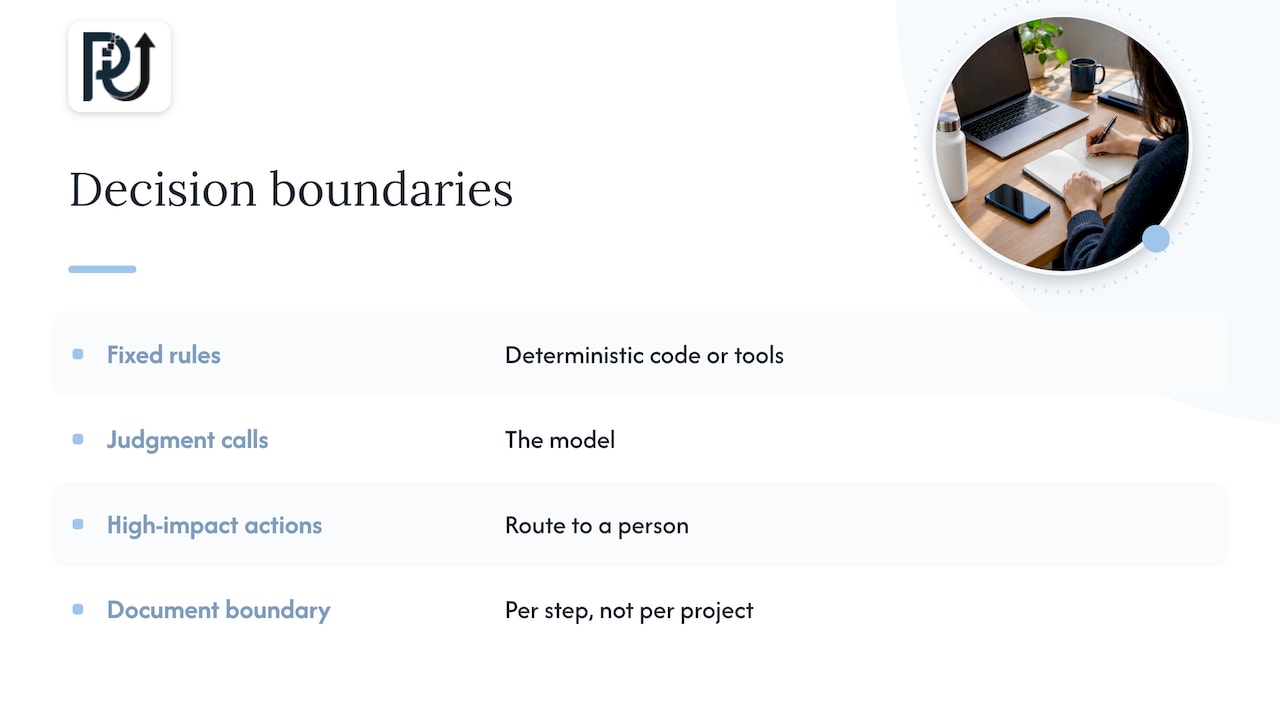
Fixed rules belong in deterministic code or tools. Judgment calls, such as reading an ambiguous document or drafting a response, belong to the model. Anything high-impact or irreversible should route to a person. Write that boundary down per step, not per project.
Step 3: Choose the stack
You do not need an exotic stack. The arXiv paper describes a production workflow that combines models of different sizes, specialized agents, tools and APIs, external context and structured memory, tied together with orchestration and deterministic execution. It also notes that the Model Context Protocol (MCP) can give agents a standard way to communicate with outside services, while recommending a tool-first design.
In practice, plan for these components:
- Models matched to the task, not one model for everything.
- Tools and APIs that agents call to read and write business data.
- Context and memory so agents work with current, permissioned information.
- Orchestration that routes work and enforces order.
- Observability that records what every agent did and why.
- Infrastructure sized for real load. Our note on scalable AI infrastructure covers planning for platform overhead.
Step 4: Build in safety before you launch
A team of agents can fail together. Anthropic’s alignment research defines AI organizations as multi-agent systems whose agents take on roles and work toward a common goal, and reports that such systems can find more effective but less ethical solutions than a single agent. It also says that whether agents stay safe when operating as an organization is largely unknown. That is a reason to design controls, not a reason to avoid the work.
The controls below come from published guidance:
- Identity and least privilege. Databricks’ AgentOps guide recommends a distinct identity and short-lived, least-privilege access for every agent. Its example: a billing agent can read spend and invoice data without writing account settings, and an escalation agent can open but not close a human-review ticket.
- Separate reading from writing. Retrieval and write actions should not share the same permissions.
- Log everything that matters. Prompts, tool calls, decisions, permissions and outputs.
- Human approval for high-impact actions. Okta’s guide to securing AI agents recommends approvals that show transaction context, time-bound authorization requests and full audit trails.
- Governance rules. Microsoft’s February 2026 white paper says governance should cover who may create or share agents, what data and tools they can reach, which policies apply, and what happens on a violation: blocking, escalation or quarantine.
- A response plan. IBM’s authors say teams should know who can restrict an agent’s access, pause its activity or restore an earlier version.
The Australian Signals Directorate’s guidance on careful adoption of agentic AI adds fail-safe defaults, graceful degradation, error handling and monitoring of internal processes, not only inputs and outputs. Although it is Australian guidance, the engineering practices apply to any US deployment. If you operate in healthcare or financial services, your compliance counsel should confirm which US rules apply to your data and your agents’ actions.
For a deeper look at approval points, read our piece on the five governance gates for AI workforce deployment.
Step 5: Roll out in stages
Do not switch an agent team on for everyone on day one. The Databricks guide describes a staged path: sandbox, shadow mode, canary, then gradual expansion. Each stage has kill switches, timeouts, retries, graceful degradation, fail-safe escalation, reversible actions and rollback. The ASD guidance likewise recommends progressively increasing access and autonomy.
A workable schedule:
- Sandbox. Run on test data. Fix obvious failures.
- Shadow mode. Agents process real inputs, but people still do the work. Compare outputs.
- Canary. Route a small slice of real work to the agents, with human review on anything high-impact.
- Expansion. Increase the share in steps while watching success rate, handoffs, cost and complaints.
- Steady state. Humans handle exceptions and policy. Review on a recurring schedule.
Move to the next stage only when the current one meets targets you wrote down in advance.
Step 6: Measure and improve
Microsoft’s white paper recommends creating a pre-launch baseline and tracking adoption, time saved, cycle time, cost to serve and quality or satisfaction. It also recommends evaluating accuracy, reliability, latency, cost and compliance across common paths, edge cases and likely failure scenarios.
PostHog’s observability guide adds agent-level measures: task success, tool correctness, hallucinations, unnecessary questions, completion, failure rate, model and prompt version, and cost per successful conversation. Its core idea is useful: traces tell you whether a failure came from the prompt, model, retrieval, tools, context or escalation logic.
Workday suggests judging agentic ROI across efficiency, revenue, risk and compliance, innovation and people outcomes, starting with a documented baseline and reviewing monthly or quarterly.
When an agent underperforms
Microsoft’s recommended order of fixes is: instructions first, then tools and data, then workflow clarity, and only then multi-agent design if one agent is overloaded. Splitting an overloaded agent is a legitimate step, and troubleshooting overloaded or unreliable agents is easier when you already have traces to read. Re-test after every change.
Perspective
Most failed agent projects we see were not failures of the model. They were failures of scoping. Someone tried to automate a fuzzy process with a generic script, nobody owned the result, and nobody could see what the system was doing.
Our approach at POW IT UP is to build custom, context-aware agents around a process that has been mapped properly. We treat a digital workforce like any other part of operations: it has defined roles, bounded permissions, a named owner and a log you can read. We think that engineering accountability and client ownership of the finished system matter as much as the agents themselves.
We also believe the right goal is not replacing your people. It is letting volume grow without every new customer, claim or invoice requiring another hire. Teams that supervise agents, handle exceptions and set policy do higher-value work than teams that retype data.
That is why we start small, with one process, and why products like DocuPOW exist as live, working proof of how we build: document reading and validation that you can see running before you commit to anything larger.
Syed Naveed Abbas
Where POW IT UP fits
If you have a process in mind and want it built properly, we design and deploy custom AI agents and digital workforces, from mapping through production. Our AI agents development service covers the roles, integrations and guardrails described above, and our AI automation work connects agents to the systems you already use.
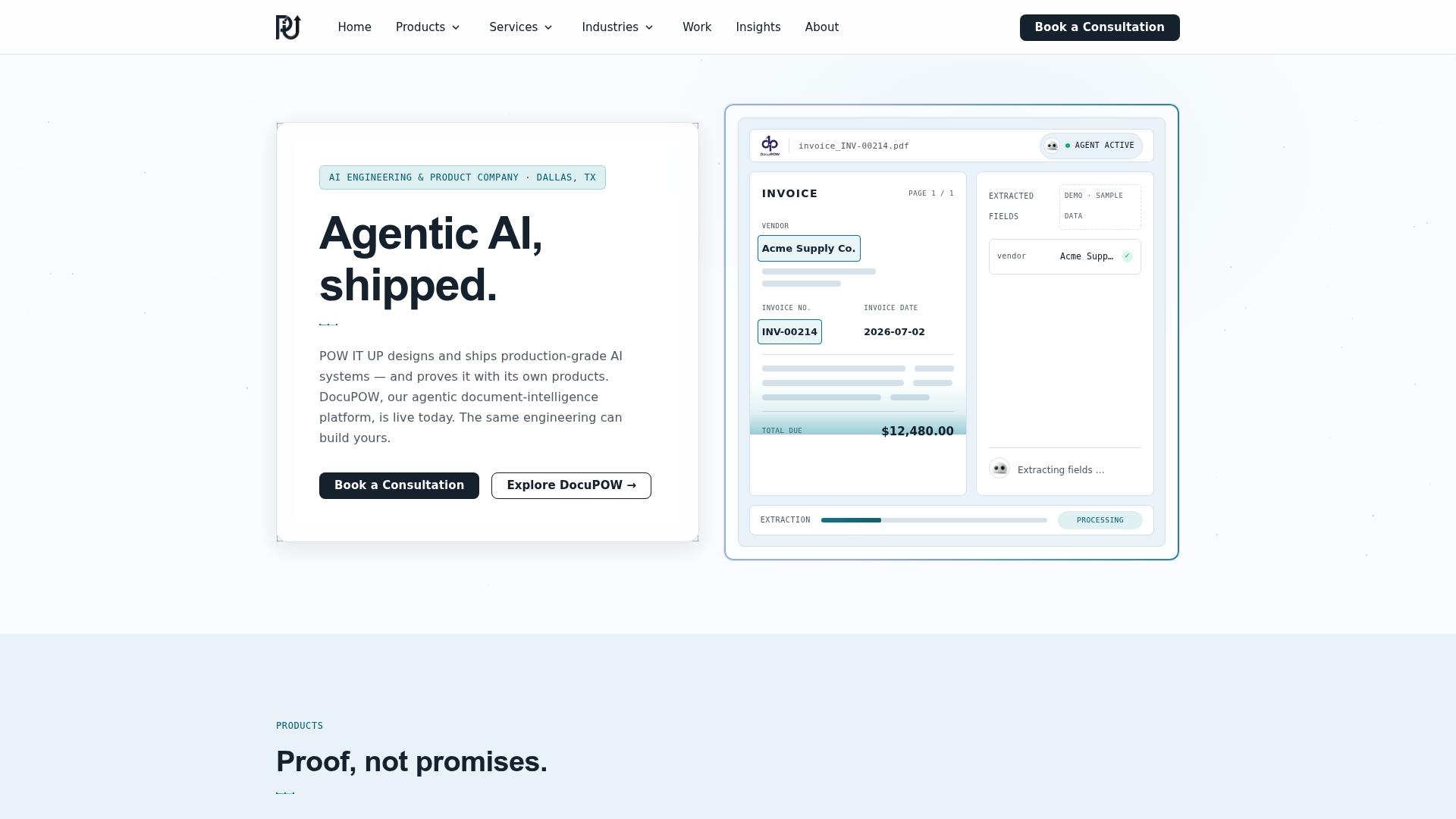
If your bottleneck is paperwork, DocuPOW reads and validates documents, and you can see DocuPOW in action with a live demo. For a custom build, start with a conversation at powitup.com. You can also read how we think about production-first custom AI agent development.
FAQ
How many agents does an autonomous AI team need?
As few as the process requires. A pilot often works with an orchestrator and three or four single-purpose agents. McKinsey’s picture of 50 to 100 agents describes a mature end-to-end process, not a starting point. Add agents only when one becomes overloaded.
Do autonomous AI teams remove the need for people?
No. People own the outcome, set policy, approve high-impact actions and handle exceptions. McKinsey describes humans moving above the loop, supervising agent teams instead of executing every task. The aim is to grow volume without a matching growth in headcount.
Which process should we automate first?
Choose one that is high-volume, painful, data-rich and has a clear start and finish. Document intake, validation and routine reporting are common first picks. Avoid processes with high consequences per error until you have run in shadow mode and trust the results.
How do we keep agents safe?
Give each agent its own identity and the minimum access it needs, log every action, require human approval for irreversible steps, and deploy in stages with a kill switch and rollback. Your legal or compliance team should review any process touching regulated data.
How long before we see results?
That depends on the process and the quality of your data, so set success targets against a baseline before launch. Track time saved, cycle time, cost to serve and quality at each rollout stage, and review them on a monthly or quarterly rhythm.
Sources
- What Are Multi-Agent Systems? (GitHub)
- What are multi-agent systems? (SAP)
- AI@Work: From better answers to real business outcomes (Microsoft WorkLab)
- 2025: The year the Frontier Firm is born (Microsoft)
- The agentic organization (McKinsey)
- How My 8-Person Company Uses AI Agents (Business Insider)
- Map your processes (National AI Centre)
- Preparing your enterprise to put AI agents into action (IBM)
- A Practical Guide for Designing, Developing, and Deploying production-grade agentic workflows (arXiv)
- AI Organizations Can Be More Effective but Less Aligned (Anthropic)
- The Big Book of AgentOps (Databricks)
- Securing AI Agents From Development to Enterprise Scale (Okta)
- How to Build Agents with Microsoft (white paper, February 2026)
- Careful adoption of agentic AI services (Australian Signals Directorate)
- How to understand AI agent performance in your product (PostHog)
- Quantifying Agentic ROI (Workday)