

Strategic AI adoption means choosing a few high-volume, well-defined business processes, proving AI can improve them against a baseline, and scaling only what works under clear ownership and oversight. It is not a tool rollout. Growth comes when AI removes the manual work that caps how much your team can process, sell, or serve. This guide walks through readiness, prioritization, integration, governance, and measurement.
TL;DR
- Start with processes, not tools: repetitive, high-volume, clearly defined work is where AI pays back first.
- Score every candidate on volume, repeatability, data availability, error tolerance, and current cost before you commit budget.
- Run a 30 to 60 day pilot with one or two metrics and human review, then scale in stages.
- Name an outcome owner, set conservative autonomy limits, and require approval for consequential actions.
- Measure hours saved, but also work quality: satisfaction tracks quality more closely than time saved.
Table of Contents
- Where U.S. adoption actually stands
- What “strategic” means in practice
- Step 1: Assess readiness before you buy anything
- Step 2: Rank use cases by value, feasibility, cost, and risk
- Step 3: Integrate AI into the workflows you already have
- Step 4: Pilot for 30 to 60 days with real metrics
- Step 5: Prepare people and govern the agents
- Step 6: Measure impact beyond “hours saved”
- What this looks like in a real operation
- Perspective
- Build your first digital workforce with us
- A 90-day adoption plan
- FAQ
- Sources
Where U.S. adoption actually stands
Most headlines suggest everyone is already using AI. The official numbers are more measured, and that is useful for planning. A Federal Reserve note from April 2026 estimates that about 18 percent of U.S. firms had adopted AI by year-end 2025. The 2026 Economic Report of the President, drawing on Census data, reports that approximately 10 percent of U.S. firms were using AI in producing goods and services as of September 2025.
The same Fed note points to a different picture when you weight by employees: the November 2025 Survey of Business Uncertainty estimated that 78 percent of the U.S. labor force worked at firms that had adopted AI, with roughly 54 percent at firms using large language models. Read together: most firms have not adopted AI in a serious way, but the largest employers have. If you run a small or mid-sized company, the window to build an operational advantage over slower peers is still open. It will not stay open indefinitely.
What “strategic” means in practice
There are two ways companies adopt AI. The first is scattered: individual employees try chat tools, a few subscriptions pile up, and nobody can say what changed on the P&L. The second is strategic: leadership picks specific workflows, assigns an owner, sets a measurable target, and funds the engineering needed to connect AI to the systems where work already happens.
The second approach is what drives growth, for three reasons.
- Capacity without headcount. When AI handles transactional volume such as document intake, data entry, reconciliation, or routine follow-up, your team’s output stops being limited by hours in the day.
- Speed to revenue. Faster quotes, onboarding, and response times convert more of the demand you already have.
- Better decisions. Clean, connected data lets leaders see client health, margins, and bottlenecks before they become problems.
We cover the leadership side of this in more depth in our guide to AI adoption for growth-oriented companies.
Step 1: Assess readiness before you buy anything
Readiness is a structured review, not a feeling. AWS’s AI-readiness checklist for smaller businesses frames it across data, technology, processes, and people, and recommends addressing privacy, model oversight, and handling of personally identifiable information before investing.
A workable readiness review has five parts.
- Data. List every data source, who owns it, which system is the system of record, how access works, and how often it updates. If two systems disagree about a customer’s status and nobody owns the answer, fix that first.
- Technology. Note which tools have APIs, which are legacy, and where staff copy and paste between screens. Those copy-and-paste points are usually the best automation targets.
- Processes. Write down how the work really happens, not how the manual says it happens.
- People. Identify who does the work today, who approves it, and who will be affected.
- Governance. Decide who can approve a new use case, what data AI may touch, and how mistakes get reported.
One trap deserves its own warning. OpenAI Academy’s workflow guidance says discovery should surface delays, rework, errors, manual workarounds, duplicated steps, and approval bottlenecks, and that process defects should be fixed before AI is introduced. Automating a broken process only makes the breakage faster. A short process cleanup often delivers a visible gain on its own and makes the later automation far more reliable.
Step 2: Rank use cases by value, feasibility, cost, and risk
Every department will have ideas. Collect them all, then score them with the same yardstick. Australia’s National AI Centre suggests scoring candidates on volume, repetitiveness, data availability, error tolerance, and current cost, which lets you compare options and rule out those that are too risky, too costly, or not ready for your data. The criteria travel well to any market.
OpenAI Academy’s evaluator adds a useful second lens: frequency, reach, friction, repeatability, and strategic relevance, along with process clarity, ownership, approvals, system dependencies, cross-functional handoffs, and the effort of changing how people work.
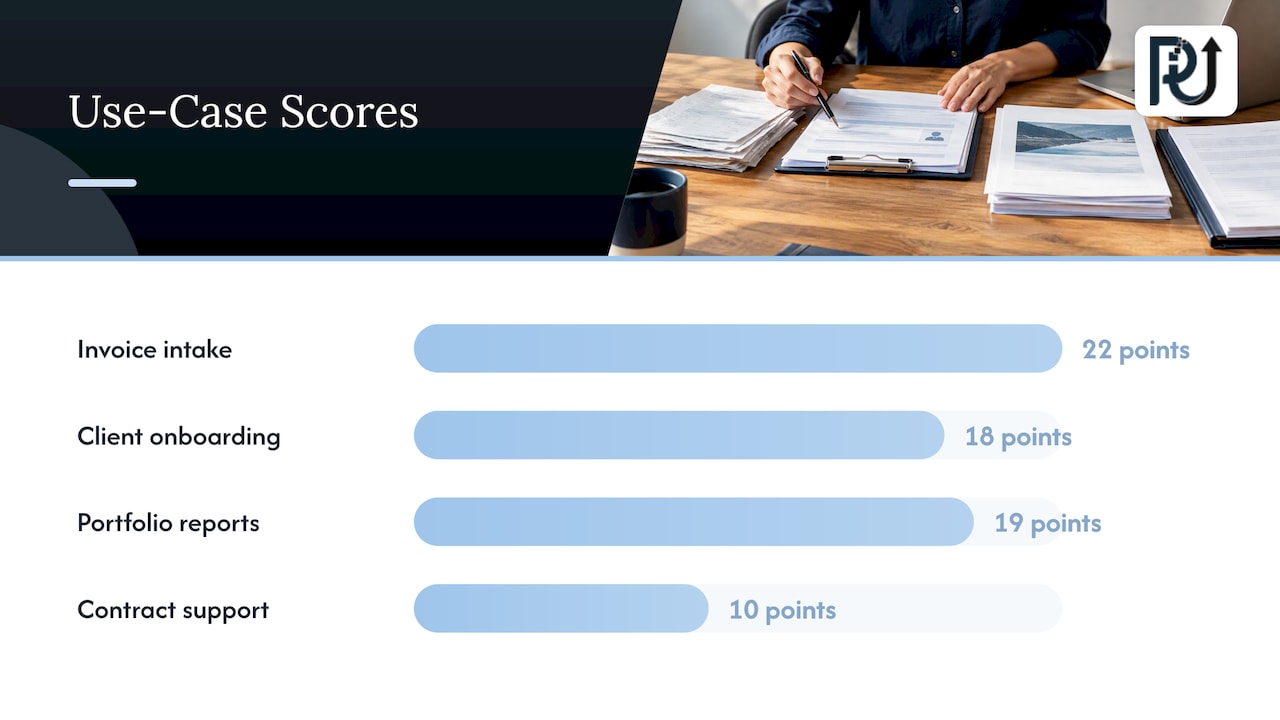
Here is a simple scoring table you can adapt. Rate each criterion from 1 (weak) to 5 (strong), with error tolerance scored high when mistakes are cheap to catch.
| Candidate process | Volume | Repeatability | Data ready | Error tolerance | Current cost | Total |
|---|---|---|---|---|---|---|
| Invoice and document intake | 5 | 5 | 4 | 4 | 4 | 22 |
| Client onboarding checks | 4 | 4 | 3 | 3 | 4 | 18 |
| Weekly portfolio or account health reports | 3 | 5 | 4 | 4 | 3 | 19 |
| Contract negotiation support | 2 | 2 | 2 | 1 | 3 | 10 |
The numbers above are an illustration of the method, not a benchmark. The pattern is typical, though: document-heavy, rule-based, high-volume work rises to the top, while judgment-heavy work with costly errors falls to the bottom, at least for now.
A few practical rules for the ranking meeting:
- Pick one “quick win” that is easy to deliver and clearly tied to money or time, and one “foundation” project that connects data your future projects will need.
- Rule out anything where you cannot name an owner.
- Cost the whole thing: engineering, integration, data cleanup, training, monitoring, and the model usage itself.
Our article on the lead, lag, exit, then scale approach to AI strategy goes deeper on deciding where to push ahead and where to wait.
Step 3: Integrate AI into the workflows you already have
The most common reason pilots stall is that the AI lives in a separate window. Staff have to leave their normal tools, paste data in, and paste results out. Adoption drops, and so does trust.
SAP’s ERP automation playbook makes the case that intelligence should be embedded in the systems and interfaces where work already happens, with controlled write-back, logging, testing, monitoring, and human approval to build trust. The same playbook recommends decomposing a workflow into decision points and mapping the tables, fields, transactions, events, and integrations involved, with data and process quality gates defined before automating.
Microsoft’s agentic automation adoption guide describes an incremental path: inventory current flows, qualify which are user-driven or variable, then convert, wrap, replace, or orchestrate them in a hybrid. It advises piloting one or two processes with a controlled user group, monitoring usage, success, performance, costs, and feedback, and scaling gradually.
Translated into an operating sequence:
- Map the flow. Draw every step, decision, handoff, and system involved.
- Separate rules from judgment. Rules-based steps can be automated with conventional integration. Variable steps, such as reading an unstructured document or deciding how to answer an odd request, are where AI agents earn their place.
- Connect through the system of record. Agents should read from and write to the same systems your team uses, with every action logged.
- Keep a human at the consequential steps. Payments, client commitments, and compliance decisions get an approval gate at first.
- Widen the scope only when the numbers hold.
For the engineering side, see our breakdown of the six engineering steps past the pilot and the seven domains of strategic AI integration.
Step 4: Pilot for 30 to 60 days with real metrics
AWS recommends a 30 to 60 day pilot with one or two business metrics and human review kept in place during the early stages. Suggested metrics include response time, deflection rate, handle time, customer satisfaction, on-time payments, and hours saved.
Before the pilot starts, capture the baseline. If you do not know how long invoice processing takes today, you cannot claim it got faster. A clean pilot has:
- one process, one owner, one small group of users;
- a written baseline for the one or two metrics;
- a weekly review of errors and exceptions;
- an agreed threshold for “scale”, “adjust”, or “stop”.
Stopping a pilot that misses its threshold is a success of the method, not a failure of the strategy. It cost you weeks instead of a year.
Step 5: Prepare people and govern the agents
The technology is usually the easier half. Employees worry about being replaced, managers worry about quality, and nobody is sure who is accountable when an automated step goes wrong.
MIT Sloan Management Review’s 2025 piece on scaling generative AI describes human-centric problems such as “AI shaming” and enthusiasm plateaus, and points to champion networks and adaptive governance as ways through. Pick respected people in each team to test early, share what works, and give honest feedback.
On training, the U.S. Office of Personnel Management’s AI strategy calls for an AI-literate workforce built on competency models and role-based training, along with risk management across the lifecycle and central oversight. A federal agency is not a small business, but the principle scales down: different roles need different training, and someone should oversee the whole portfolio.
For governance of agents specifically, Microsoft’s core business process pattern advises that you assign an outcome owner, document agent decision rights, set conservative autonomy limits, and require approval for consequential actions. It also recommends monitoring service levels, accuracy, and drift, and reviewing exception cases. The Cloud Adoption Framework adds that the more autonomy an agent has, the more rigorous the governance must be, because it can execute multi-step actions with little oversight.
A one-page governance sheet for each agent is enough to start:
| Question | Your answer |
|---|---|
| Who owns the outcome? | Named person |
| What may the agent do alone? | Specific list |
| What needs human approval? | Payments, client commitments, compliance decisions |
| What data can it access? | Named systems and fields |
| How are errors reported and reviewed? | Weekly exception review |
| Who can switch it off? | Named person |
On workforce impact, be realistic and open with your team. Treasury researchers found that AI exposure is higher among city workers and workers with bachelor’s degrees, and that the effects of exposure on workers remain unclear. Exposure is not the same as job loss. Tell people which tasks are being automated, and where the freed time goes: more client work, better analysis, faster growth.
Step 6: Measure impact beyond “hours saved”
Boards and owners want numbers, so decide early which ones count. A sensible scorecard has four groups:
- Productivity: cycle time, throughput per person, hours saved.
- Cost: cost per transaction, rework, overtime.
- Customer outcomes: response time, satisfaction, on-time delivery.
- Growth: leads handled, deals closed, clients onboarded per month, revenue per employee.
Published research gives useful context for what to expect, though your results will vary by process. A 2025 MIT study of randomized trials at Microsoft, Accenture, and a Fortune 100 company found an AI coding assistant increased developer task completion by 26.08 percent. That is one task type in one profession, so treat it as evidence that gains can be measurable, not as a promise for your back office.
The Novo Nordisk study reported by MIT Sloan is a good reminder to look at quality. Across 20,000 employees, each saved an average of 2.17 hours per week, yet satisfaction was three times more strongly correlated with perceived improvements in work quality than with time saved. If your AI project frees time but produces sloppier output, people will not keep using it. Track error rates and rework alongside speed.
Our piece on AI workflow optimization and governance covers how to tie these measures to a repeatable review cycle.
What this looks like in a real operation
Consider a services firm that processes hundreds of client documents a week: statements, invoices, applications, contracts. Staff open each file, read it, key values into a system, and check them against rules. It is slow, error-prone, and the first thing that breaks when volume rises.
A strategic approach would run like this:
- Score document intake highly because of its volume and repeatability.
- Baseline the current handling time and error rate for four weeks.
- Deploy an agent that reads documents, extracts and validates fields, and flags exceptions to a person.
- Keep human review on every flagged item and a sample of the rest.
- After the pilot, widen the document types, then connect results to downstream systems.
The same logic applies to client health monitoring, onboarding, routine reporting, and task assignment. The growth effect is simple: the business can take on more volume this quarter without hiring in proportion.
Perspective
We build these systems for a living, and the pattern we see is consistent: companies do not fail at AI because the models are weak. They fail because nobody connected the agent to the real workflow, nobody owned the outcome, and nobody measured a baseline.
Our view is that a digital workforce should be engineered, not improvised. That means context-aware agents that understand the process they sit inside, hunt down the “time leaks” in high-volume transactional work, and hand off to people at the moments that matter. Generic scripts break when a document looks different or a rule changes. Custom agents built around your actual systems and exceptions keep working, and your team can maintain them.
We also believe in ownership and accountability. You should understand how your automation works, be able to maintain it, and see what it is doing. That is why we favor transparent processes and live demonstrations, such as our DocuPOW document product, over slide decks.
The companies that grow fastest with AI are the ones that treat automation as an operating capability: pick the process, prove it, govern it, scale it, and repeat. Volume then rises without a matching rise in headcount.
Syed Naveed Abbas
Build your first digital workforce with us
If your shortlist includes document-heavy or repetitive operational work, we can help you scope it, build it, and put it into production. We design custom AI agents around your systems, handle AI integration with the tools you already use, and deliver business process automation that your team can maintain. For document reading and validation, you can look at DocuPOW, and see it work in a live demo.
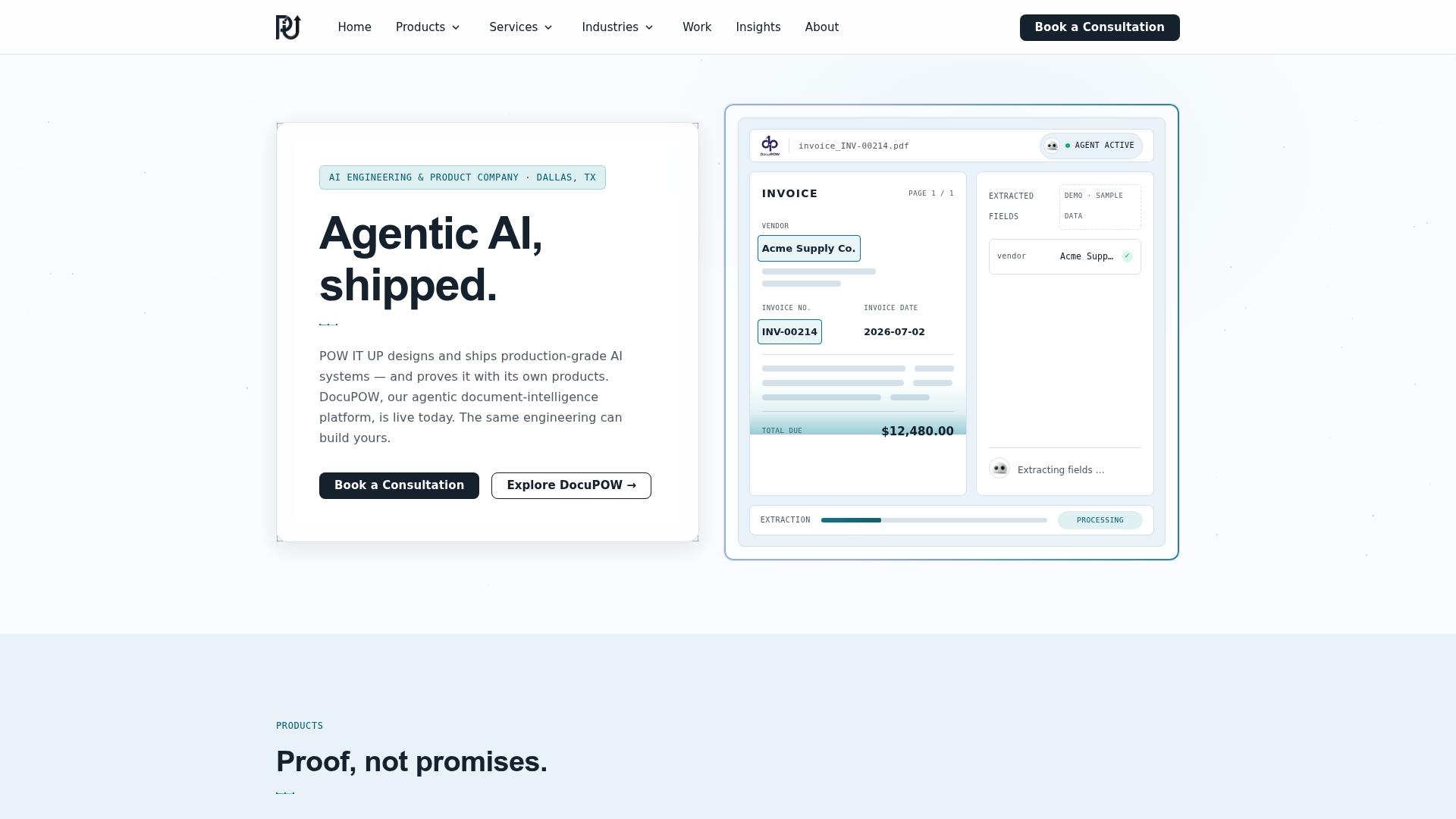
To talk through your own use cases, start at powitup.com.
A 90-day adoption plan
If you want a concrete starting rhythm, this is a reasonable shape for a first quarter.
| Window | Focus | Output |
|---|---|---|
| Days 1 to 15 | Readiness review and process mapping | Data inventory, mapped workflows, cleanup list |
| Days 16 to 30 | Use case scoring and selection | Ranked list, one quick win, one foundation project |
| Days 31 to 75 | Pilot with human review | Baseline versus pilot metrics, exception log |
| Days 76 to 90 | Decide and plan scale | Scale, adjust, or stop decision; governance sheet; next two processes |
The schedule is a guide, not a rule. A simple document workflow may move faster, and a process touching several legacy systems will need longer for integration. What matters is that every stage ends with a decision backed by data. For a wider view of how leaders sequence this over a year, read our AI transformation strategies guide.
FAQ
How do I know if my business is ready for AI?
You are ready for a pilot when you can name a specific repetitive process, identify where its data lives and who owns it, and assign one person accountable for the outcome. You do not need perfect data or a large technical team. A structured review of data, technology, processes, people, and governance will show the gaps to close first.
Which processes should I automate first?
Start with work that is high-volume, repetitive, and clearly defined, where a mistake is cheap to catch. Document intake, data entry, routine reporting, and onboarding checks are common first picks. Score each candidate on volume, repeatability, data readiness, error tolerance, and current cost, and start with the highest total.
Will AI automation mean laying people off?
The goal of a strategic program is to raise capacity so you can handle more work without adding headcount in proportion, not to cut your team by default. Research on how exposure translates into worker outcomes is still unsettled. Be open with employees about which tasks change, and plan where the freed time goes.
How long before we see results?
A well-scoped pilot runs 30 to 60 days, and you should see early movement in your chosen one or two metrics within that window. Broader results depend on how many processes you scale and how deeply they connect to your systems. Set the baseline first so any improvement is measurable.
What is the difference between AI automation and AI agents?
Traditional automation follows fixed rules and breaks when inputs vary. AI agents can interpret variable inputs, such as an unfamiliar document layout, and carry out multi-step tasks within limits you set. The more autonomy an agent has, the more governance it needs, including approval gates for consequential actions.
Sources
- The Fed: Monitoring AI Adoption in the U.S. Economy
- The Revolution of Artificial Intelligence, 2026 Economic Report of the President
- AI readiness checklist: 5 steps for SMBs, AWS
- Evaluate AI workflow readiness, OpenAI Academy
- Identify opportunities, National AI Centre
- AI Automation in ERP: A Scalable Playbook, SAP
- Agentic automation adoption guide, Microsoft
- How to Scale GenAI in the Workplace, MIT Sloan Management Review
- OPM AI Strategy
- Core business process transformation pattern, Microsoft Learn
- AI Agent Adoption Guidance for Organizations, Cloud Adoption Framework
- Occupational Exposure to Artificial Intelligence, U.S. Treasury
- The Effects of Generative AI on High-Skilled Work, MIT