

Digital efficiency solutions work when leaders treat them as an architecture decision, not a software purchase, combining automation, AI agents, and process intelligence to cut cycle time and errors while freeing staff from repetitive work. The right first move isn’t a company-wide rollout. It’s a pilot running for some weeks to a few months on one high-volume, high-variability process run with an integrator who can prove measurable gains before you scale.
TL;DR:
- Starting with a narrow, high-volume process and establishing clear KPIs ensures better chances of measurable success from digital efficiency pilots.
- Successful implementation requires a designated frontline champion to foster buy-in and gather ongoing user feedback during the pilot.
- Integration scope should be limited to relevant systems, with a focus on data privacy, access controls, and model governance to mitigate security risks.
- A well-constructed architecture, including continuous tuning and maintenance, provides long-term benefits beyond initial quick wins.
- Autonomous agents advancing toward multi-step reasoning and integrated cloud efficiency platforms will shape future digital efficiency trends.
Table of Contents
- What Are Digital Efficiency Solutions?
- What Are the Main Types of Efficiency Solutions?
- How Do You Evaluate and Choose the Right Approach?
- What Does a Realistic Implementation Roadmap Look Like?
- Why Does Frontline Buy-In Determine Success or Failure?
- What Security and Privacy Risks Should You Plan For?
- What Do Successful Deployments Actually Look Like?
- What Trends Will Shape Digital Efficiency Next?
- POWITUP’s Perspective: Why Architecture Beats Point Solutions
- How Can POWITUP Help You Run Your Pilot?
- Sources
- FAQ
What Are Digital Efficiency Solutions?
Digital efficiency solutions combine three capabilities: automation that executes repeatable steps, AI agents that make contextual decisions on unstructured input, and process intelligence that shows you where time and money actually leak. Put together, they turn a slow, error-prone manual process into something that runs faster, with fewer mistakes, and scales without adding headcount.
The business outcomes are concrete and measurable:
- Throughput — more transactions, claims, or orders processed per hour without proportional staffing increases
- Cycle time — the elapsed time from request to completion drops, often the single most visible win to executives
- Error reduction — fewer manual entry mistakes and exceptions requiring rework
- Time reclaimed — hours returned to skilled staff who were previously doing data entry or document review
Most programs need three types of inputs to get off the ground: documents (invoices, claims, contracts), transaction logs, and data pulled from existing ERP, MES, or CRM systems. Document digitization and automated document processing remain one of the highest-impact, lowest-friction starting points, because most organizations still have someone manually keying data from PDFs or scanned forms, according to Pulse Technology’s efficiency solutions overview.
Expect a first wave of usable insight within the initial pilot window, with model accuracy and rule tuning maturing over the following weeks as the system sees more real-world variation.
What Are the Main Types of Efficiency Solutions?
Not every operational problem needs the same fix. Matching the right solution class to your actual bottleneck saves months of wasted implementation effort.
- Process automation and workflow orchestration. Best suited to high-volume, rule-based work: routing approvals, moving data between systems, triggering notifications. If your bottleneck is a task that follows the same steps every time but is still done by hand, this is the entry point. A regional insurer automating claims intake routing typically sees the fastest, most predictable ROI in this category because the logic rarely changes.
- AI agents and autonomous agents. Needed when decisions require context, not just rules. Reading an invoice that doesn’t match a template, validating a contract clause against policy, or triaging a support ticket by intent all require judgment a static workflow can’t provide. This is where document intelligence tools earn their keep.
- Process intelligence, OEE, and process analytics. The right fit when visibility, not execution, is the problem. Manufacturing and logistics operations often don’t know where their bottleneck actually is until dashboards and root-cause tools expose it. Process intelligence platforms track KPI trends and flag the specific step dragging down overall equipment effectiveness, according to Camunda’s process intelligence documentation.
- Efficiency OS for cloud and AI spend. A newer category built for engineering and infrastructure teams bleeding money on unused cloud capacity or unmonitored AI compute costs. These platforms run read-only, agentless scans across cloud providers to surface waste automatically, per PointFive’s product description.
Pro Tip: Don’t start with the solution that sounds most advanced. Start with the one that matches your actual bottleneck. An AI agent won’t fix a workflow problem, and a workflow tool won’t fix a visibility problem.
How Do You Evaluate and Choose the Right Approach?
Selection comes down to six criteria: problem fit, integration surface, data readiness, security posture, maintainability, and total cost of ownership. Skip any one of these and you’ll find out the hard way, usually around month four.
Problem fit matters most. A tool built for structured workflow automation will struggle with the ambiguity of, say, reading handwritten intake forms, no matter how well it’s configured. Integration surface asks a blunter question: how many existing systems does this touch, and does the vendor have real experience connecting to your ERP, MES, or CRM, not a generic claim of “compatibility.”
Pilot KPIs should be locked in before the pilot starts, not after:
- Cycle time reduction (in hours or days, measured against baseline)
- Throughput uplift (transactions or units per period)
- Error rate change (before and after comparison on the same process)
- Time reclaimed for staff, converted to a rough cost figure
- Payback period, calculated from pilot cost against measured gains
Before signing with any integrator or vendor, ask directly: What’s the exact pilot scope? What data do you need from us, and by when? What’s the deployment timeline? What SLA do you guarantee on accuracy, and what’s the support model after go-live?
Watch for red flags that predict failed adoption: no named frontline champion on the project, no written pilot plan with dates, vague answers about data requirements, or SLAs that read more like marketing copy than commitments. Consolidating tools rather than adding another point solution tends to produce better results, a pattern echoed across PCMag’s productivity app category reviews.
What Does a Realistic Implementation Roadmap Look Like?
A pilot that isn’t scoped tightly enough tends to drift, and a pilot with no governance structure tends to stall the moment the original champion gets pulled onto something else. Both are avoidable with a simple cadence and clear ownership.
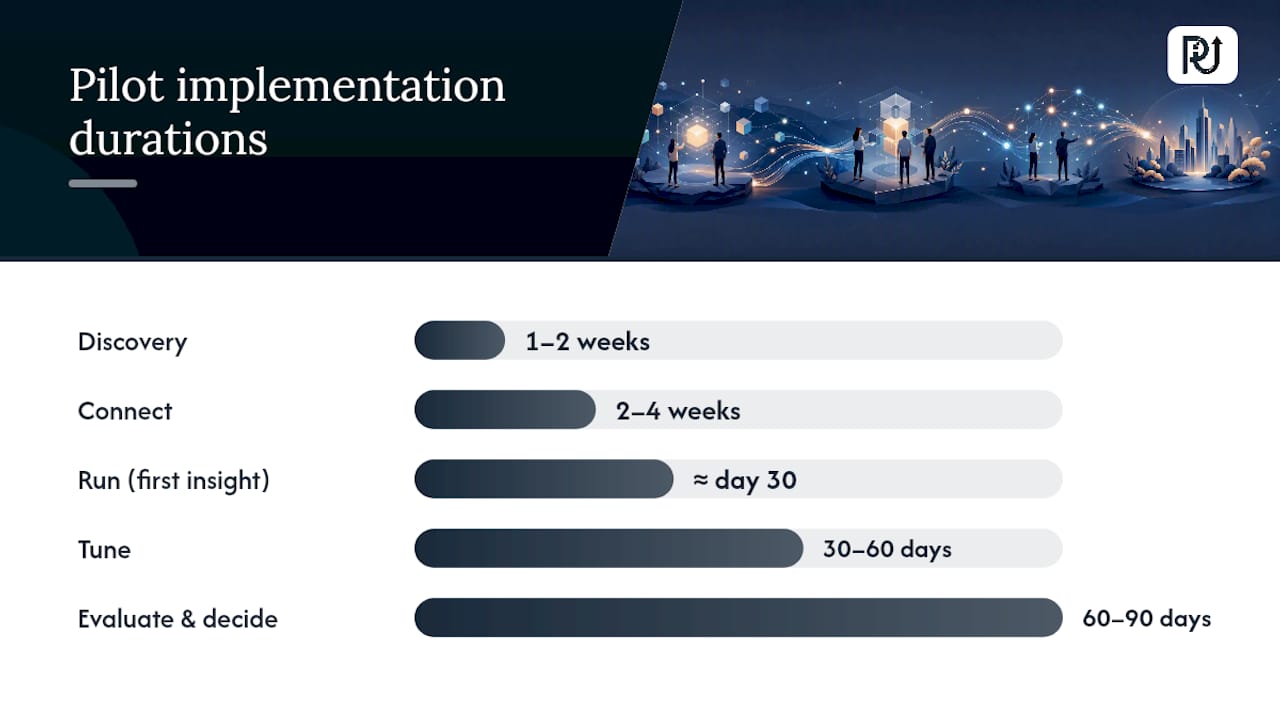
- Discovery (weeks 1 to 2). Map the target process end to end, identify data sources, and confirm the baseline metrics you’ll measure against.
- Connect (weeks 2 to 4). Integrate with the relevant systems, whether that’s a document intake queue, an ERP export, or a transaction log feed.
- Run and first insight (around day 30). The pilot goes live on real transactions. This is typically when the first usable signal appears, whether that’s flagged exceptions, throughput numbers, or early accuracy scores.
- Tune (days 30 to 60). Rules and models get refined against real edge cases the initial design didn’t anticipate.
- Evaluate and decide (days 60 to 90). Accuracy and performance typically reach a stable, predictable level by this point, giving you a solid basis to decide whether to scale.
Statistic Callout: Adoption research consistently finds that systems treated as pure administrative rollouts, without a named frontline owner, suffer materially lower adoption than those built with frontline input from day one, per Zippia’s productivity and adoption research.
Governance needs five roles filled, even on a small pilot: an executive sponsor who protects budget and priority, a process owner who understands the current workflow, a frontline champion who uses the system daily, an IT steward who owns integration and data security, and an integrator lead accountable for delivery. Skipping the frontline champion role is the single most common reason pilots technically succeed but organizationally fail. A well-scoped pilot, detailed further in POW IT UP’s AI automation services overview, gives you the evidence needed to make the scale decision on data instead of hope.
Why Does Frontline Buy-In Determine Success or Failure?
Frontline buy-in decides whether a technically sound system actually gets used. You can build a flawless automation and still watch staff route around it if they weren’t consulted, weren’t trained, or don’t trust the output.
The pattern shows up repeatedly: systems designed top down, with no input from the people doing the work daily, generate workaround behavior almost immediately. Someone finds it faster to keep using the old spreadsheet, or double checks every output because they don’t trust the new tool, which erases most of the efficiency gain you were chasing. Adoption research on this exact failure mode is unambiguous about the cause, tracing it directly to buy-in gaps, according to Zippia’s adoption findings.
The fix isn’t complicated, though it does require discipline. Name a frontline champion before the pilot starts, not after. Give that person real input into how the tool handles edge cases they encounter daily. Run short feedback loops, weekly at minimum during the pilot, where frontline users flag what’s wrong before it becomes a habit of avoidance.

Communication matters as much as design. Frame the pilot internally around what gets easier for the team, not just what gets faster for the business. That framing alone changes how quickly a new system gets trusted.
What Security and Privacy Risks Should You Plan For?
Digital efficiency solutions touch sensitive data by design, whether that’s customer records flowing through a document intelligence agent or transaction logs feeding a process intelligence dashboard. Treating security as an afterthought during a pilot is how small exposures become large liabilities.
Start with data access scope. Any automation or AI agent should have access to exactly the data it needs to perform its function, nothing broader. Overly permissive access is the most common security gap in fast-moving pilots, where speed to launch gets prioritized over careful scoping. Read-only, agentless integration approaches, common in cloud efficiency platforms, reduce this exposure by design because they never write back into source systems, per PointFive’s product architecture.
Data residency and retention policy need answers before go-live, not after. Where does document data live once it’s processed? How long is it retained, and who can access historical logs? These questions matter more in regulated industries like healthcare, insurance, and financial services, where a vague answer from a vendor should be treated as a red flag, not a minor gap to fix later.
Model governance is the piece leaders most often skip. Any AI agent making decisions on real transactions needs a named owner, a feedback loop from the people affected by its outputs, and a defined cadence for retraining or updating its rules as conditions change. Without that ownership structure, accuracy tends to drift quietly until someone notices a pattern of errors that’s been accumulating for weeks.
What Do Successful Deployments Actually Look Like?
Successful digital efficiency deployments tend to share one trait: they started narrow. A single high-volume process, proven out, then expanded, rather than an ambitious multi-department rollout from day one.
In financial services, workflow automation applied to support ticket routing and case handling has proven effective at cutting resolution time while improving consistency across agents, a pattern documented in Altiam CX’s financial services workflow optimization. The common thread across these deployments is narrow scope first: one queue, one process, measured rigorously, before expanding to adjacent workflows.
In manufacturing and logistics, process intelligence paired with frontline execution tools, things like digital huddles and embedded problem-solving routines, turns raw OEE data into immediate corrective action rather than a report nobody reads until the next quarterly review, according to insight from Redzone’s frontline execution research. That combination matters because dashboards alone rarely change behavior. Pairing the data with a routine for acting on it does.
Field service and installation operations have used performance analytics to spot which technicians, routes, or job types create the most rework, redirecting training and scheduling based on what the data actually shows rather than manager intuition, a use case detailed in Installer. Across every industry pattern, the deployments that stuck were the ones that picked one measurable process and proved the model before asking for a bigger budget.
What Trends Will Shape Digital Efficiency Next?
Autonomous agents are moving from single-task execution toward multi-step reasoning across systems, handling a workflow end to end rather than a single handoff point. That shift changes what “automation” means: less about triggering an action, more about an agent that plans, checks its own work, and escalates only genuine exceptions to a human.
Centralized workspaces that combine notes, tasks, and embedded agents in one interface are reducing the time knowledge workers lose switching between five different tools to complete one task, a category trend visible in platforms like Notion’s AI workspace approach. Expect more efficiency solutions to build agent capability directly into the tools people already use daily, instead of asking them to adopt yet another standalone system.
Cloud and AI infrastructure spend is becoming its own efficiency category, distinct from process automation. As AI workloads scale, the waste hiding in unused compute and unmonitored model costs is becoming large enough that dedicated “efficiency OS” platforms are emerging just to hunt it down, a trend reflected in PointFive’s positioning for cloud and AI teams.
The organizations that adapt fastest to these shifts will be the ones that already built a pilot-first habit: proving a narrow use case, measuring it honestly, and only then deciding where the next investment goes.
POWITUP’s Perspective: Why Architecture Beats Point Solutions
Most vendors sell a tool. POWITUP builds the architecture around it, because a single integration that isn’t maintained becomes tomorrow’s technical debt. The organizations getting durable efficiency gains treat POWITUP less like a software subscription and more like technical architects: people who design AI agents to fit the specific shape of a workflow, not the other way around.
Quick wins matter, but only when they sit on a foundation built to last. A pilot proves the concept. What comes after, the continuous tuning, the governance, the maintainable integration layer, is where the real efficiency gets locked in permanently rather than decaying after the initial excitement fades.
— Syed Naveed Abbas
How Can POWITUP Help You Run Your Pilot?
The pilots this article describes involve custom-architected automation matched to the actual bottleneck. If your problem is document-heavy, DocuPOW reads and validates documents with the contextual judgment a static template can’t offer. If your problem is client or portfolio visibility, monitoring tools can help track account health and flag risks early.
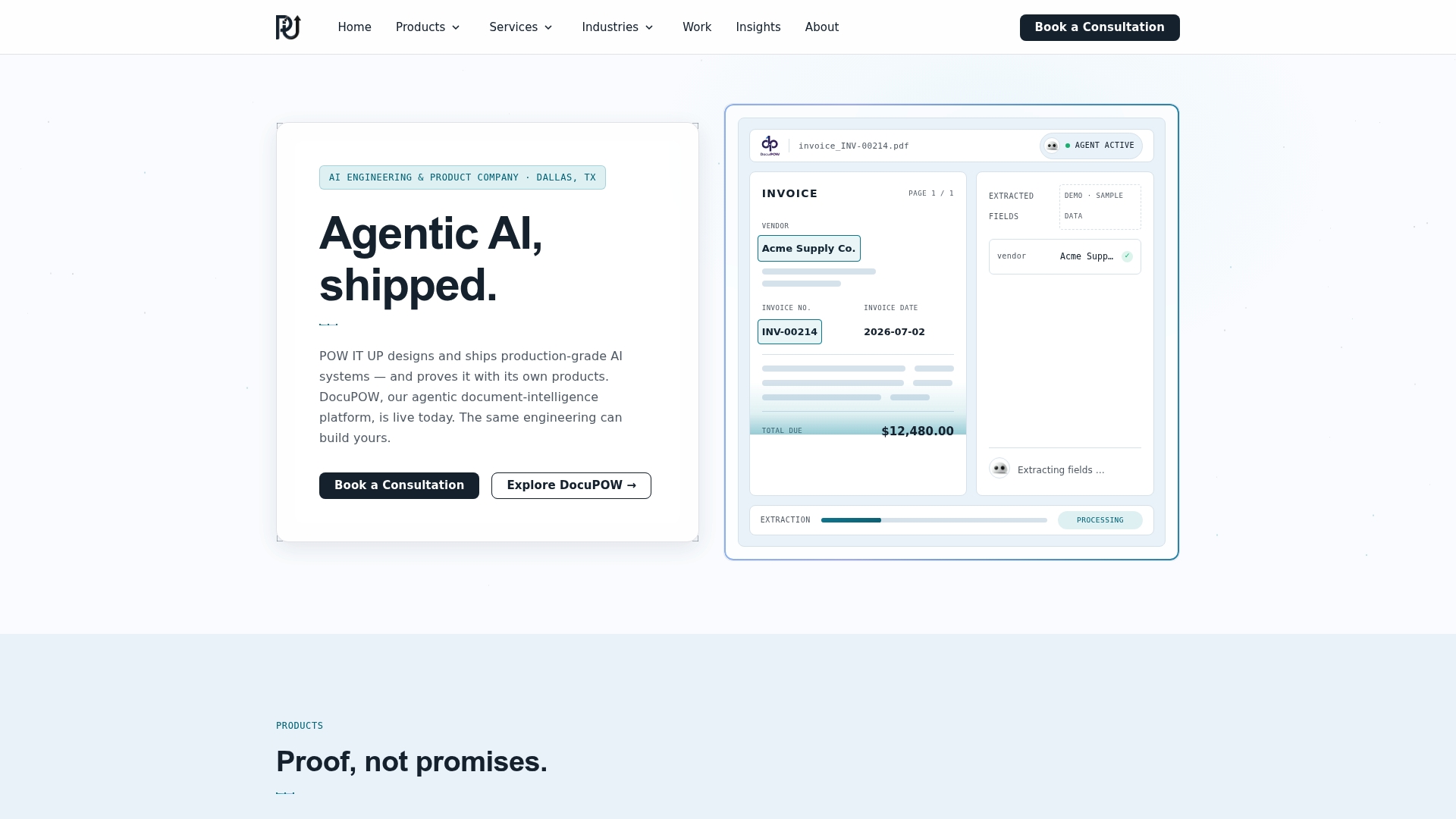
A typical engagement starts with discovery and connect phases scoped to one process, with KPIs agreed on before anything goes live. Outcomes get measured in cycle time, throughput, and error rate, the same numbers you’d want any integrator to report against. That’s what separates an architected pilot from a tool trial that fizzles out after month two.
If you’re weighing where to start, request a pilot scope through POWITUP’s AI integration services and get a concrete plan for your highest-friction process before committing to anything larger.
Sources
- PCMag: Best productivity apps (2026)
- Zippia: Productivity statistics and adoption insights
- Pulse Technology: Efficiency solutions and automated document processing
FAQ
What Is the Difference Between Automation and AI Agents?
Automation executes fixed, rule-based steps the same way every time, while AI agents make contextual decisions on unstructured or ambiguous input, like reading a nonstandard invoice or triaging a support ticket by intent.
How Long Does a Digital Efficiency Pilot Take?
Most pilots run on a 30 to 90 day cycle: initial usable insight appears around the 30 day mark, with accuracy and rules maturing through day 60 to 90.
What KPIs Should I Track During a Pilot?
Track cycle time reduction, throughput uplift, error rate change, time reclaimed for staff, and payback period, measured against a clear baseline set before the pilot starts.
Why Do Efficiency Tools Fail to Get Adopted?
Adoption fails most often when tools are rolled out without a named frontline champion or input from the people doing the work daily, which drives workaround behavior instead of real use.
Can POWITUP Help With a Specific Process Like Document Review?
Yes. DocuPOW is built specifically for reading and validating documents, making it a direct fit for organizations whose bottleneck is manual document handling.