
Solution accelerators fast-track AI initiatives by replacing months of discovery and infrastructure work with prebuilt notebooks, tested architectures, and deployment scripts your team can adapt instead of writing from scratch. Databricks reports customers reaching proof of concept in as little as two weeks using this approach, though that timeline assumes clean data access and an engaged stakeholder sponsor. The catch: speed only holds up long term if the accelerator also ships operational templates for monitoring, security, and access control, not just AI logic.
TL;DR:
- Solution accelerators can enable teams to move from idea to proof of concept in as little as two weeks, assuming data availability and stakeholder engagement.
- Effective accelerators include notebooks, sample data, pre-trained models, deployment scripts, and security templates; missing any reduces their value.
- The real challenge lies in Day-2 operations, like monitoring, security, and drift detection, which often require more time than the initial AI deployment.
- Customizing accelerators should be done carefully, maintaining modularity and version control to avoid fragile, one-off solutions that break on updates.
- Successful pilot projects focus on narrow, measurable use cases like document retrieval or classification, with clear success metrics and a defined timeline.
Table of Contents
- What Business Value Do Solution Accelerators for AI Actually Deliver?
- What Components Should a Solution Accelerator Include?
- How Do Accelerators Shorten AI Project Timelines?
- Should You Customize an Accelerator or Use It As-Is?
- Which Day-2 Operations Matter Most After Deployment?
- What Are Good First Use Cases to Pilot with an Accelerator?
- How Should Leaders Evaluate and Adopt a Solution Accelerator?
- An Engineering Perspective on Applying Accelerators in Real Deployments
- Get Help Adapting a Solution Accelerator to Your Systems
- Where to Explore Accelerator Code and Architecture Firsthand
- Sources
- FAQ
What Business Value Do Solution Accelerators for AI Actually Deliver?
The bottleneck in most AI projects isn’t the model. It’s everything around the model: figuring out what to build, wiring up data sources, and testing enough variations to trust the output. Solution accelerators attack each of those phases directly.
- Less discovery work: business-specific templates (contract review, claims triage, inventory forecasting) give teams a working starting point instead of a blank whiteboard.
- Faster development: prebuilt notebooks, pre-trained models, and ready-made connectors mean engineers configure rather than construct.
- Lower cost-to-PoC: fewer engineering hours translate directly into a smaller invoice for the proof-of-concept phase.
- Better solution quality: vetted architecture patterns catch integration mistakes before they reach production, not after.
That last point matters more than it sounds. A team building a retrieval pipeline from zero will hit the same authentication bugs and chunking errors that hundreds of teams before them already solved. An accelerator skips the rediscovery.
What Components Should a Solution Accelerator Include?
Not every package labeled “accelerator” earns the name. Before you commit engineering time to one, check that it includes these five pieces.
- Runnable notebooks and sample pipelines that execute out of the box, not pseudocode you have to translate.
- Sample data and ingestion patterns showing how to load, clean, and structure data similar to yours.
- Pre-trained models and fine-tuning scripts so your team adapts existing weights instead of training from scratch.
- Deployment scripts, typically infrastructure-as-code or Kubernetes manifests, that move a notebook into a running service.
- Security templates and connectors, covering authentication, role-based access, and links into common enterprise systems.
Microsoft’s Azure accelerator repositories bundle most of these into a single package, pairing reusable architecture and deployment scripts with sample connectors for copilots and retrieval systems. If a vendor can’t show you all five components, ask what’s missing and who builds it.
How Do Accelerators Shorten AI Project Timelines?
Every accelerator asset maps to a specific project phase it compresses. Discovery workshops that used to take two to three weeks shrink to a single working session, because the team is now refining an existing template rather than inventing requirements from scratch. Infrastructure setup, normally a slow back-and-forth with cloud and security teams, gets replaced by deployment scripts that are already security-reviewed.
- Reusable evaluation harnesses let teams test three or four models against real data in days, not weeks of manual benchmarking.
- Integration adapters for common systems like CRMs or document stores eliminate weeks of custom connector engineering.
- Pre-tested RBAC and logging code removes an entire review cycle with security teams.
Statistic Callout: Databricks states some customers move from idea to proof of concept in as little as two weeks. That figure assumes your data is already accessible, your cloud environment is provisioned, and someone senior is actively unblocking decisions. Skip any of those three, and the timeline stretches fast.
Should You Customize an Accelerator or Use It As-Is?
Treat every accelerator as a template, never as finished software. The strongest guidance from practitioners is to build on accelerators as flexible foundations rather than treat them as rigid, unmodifiable boxes. Teams that try to force their business logic to fit a stock configuration end up with fragile, one-off patches that break on the next update.
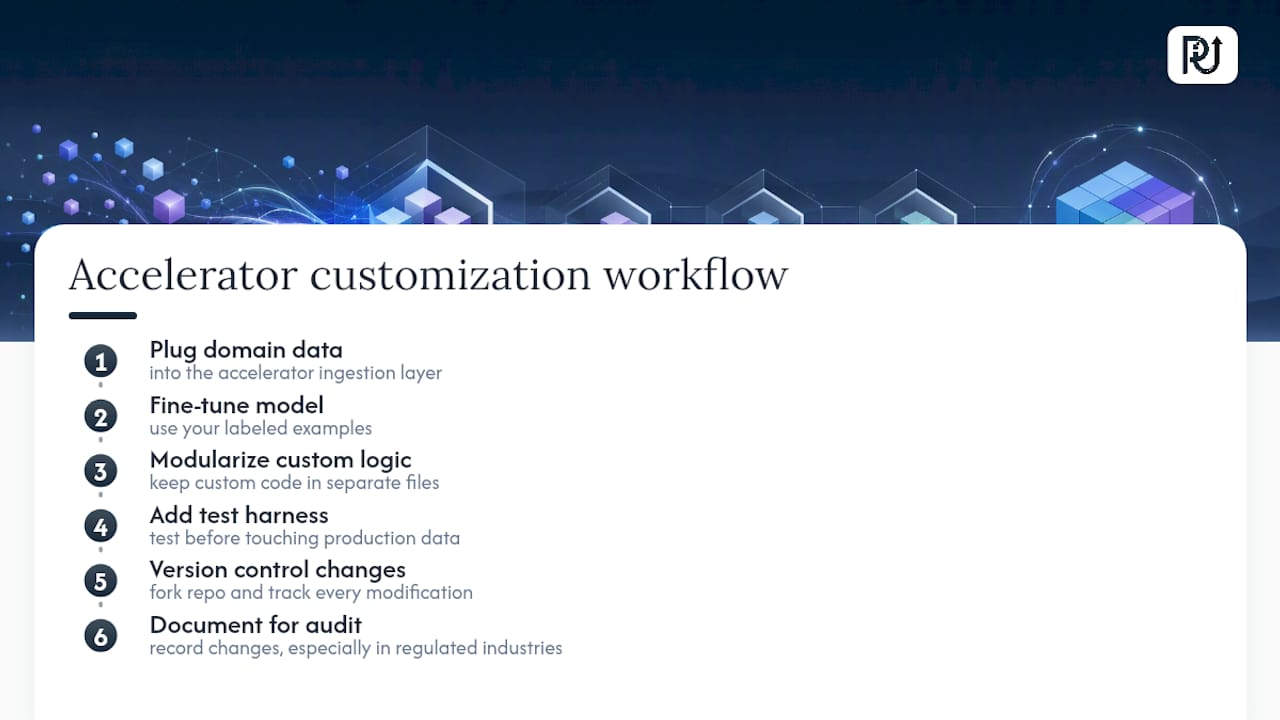
The safer path: plug your domain data into the ingestion layer the accelerator already defines, fine-tune the included model against your own labeled examples, and keep every modification in version control from day one. Build a modular structure where your custom logic sits in clearly separated files, not scattered edits inside the vendor’s original notebooks. Add a test harness before you touch production data, and document every change for audit purposes, especially in regulated industries like insurance or healthcare.
Pro Tip: Fork the accelerator repository before you change a single line. That gives you a clean diff against the original and a fast rollback if a customization introduces a bug six weeks later.
Which Day-2 Operations Matter Most After Deployment?
Here’s what most teams underestimate: getting a model into production is the easy half. Keeping it running reliably is where projects quietly stall. Practitioners consistently point out that Day-2 operational templates covering monitoring, logging, and security often consume more development time than the original AI logic.
- Observability signals for latency, token usage, and output confidence, wired in from the start rather than bolted on later.
- Role-based access control and privacy-preserving retrieval for any system touching sensitive documents.
- Automated drift detection so a model’s accuracy decline gets flagged before customers notice.
- Runbooks and alerting that turn a 2 a.m. incident into a 15-minute fix instead of an all-hands scramble.
Accelerators that ship these templates alongside the model save you the months most teams spend building operational maturity after the fact.
What Are Good First Use Cases to Pilot with an Accelerator?
Pick a use case narrow enough to finish in weeks, not quarters. Three patterns consistently work as first pilots.
- Contract and policy retrieval. A RAG-based system indexes internal documents into a searchable, secure index. The Chat with Your Data accelerator demonstrates this pattern directly, grounding answers in your own documents while preserving access controls through cloud-native RBAC.
- Document intelligence. Automated extraction and validation for invoices, claims, or applications, with a human review step for anything below a confidence threshold.
- Contact center copilots. Real-time agent assistance plus post-call summarization and sentiment tagging.
Track four metrics from day one: time-to-PoC, model accuracy (F1 score for extraction tasks), automation rate (percentage of cases handled without human touch), and cost-per-case. If a pilot can’t move those numbers within six weeks, the use case was probably too broad.
How Should Leaders Evaluate and Adopt a Solution Accelerator?
Before signing off on any accelerator, confirm the basics are in place internally and ask the vendor the right questions.
Internal pre-requisites:
- Clean, accessible data with an owner who can grant permissions quickly.
- A provisioned cloud environment and cleared security review.
- Executive sponsorship, someone who can unblock decisions in days, not weeks.
Vendor questions worth asking:
- What Day-2 support comes standard, and what costs extra?
- Can we see real code, not just a demo video?
- What are the license and usage terms if we modify the code?
- How modular is the architecture if our use case shifts later?
A minimal pilot plan needs a defined scope, a hard timeline, the four success metrics above, and a named escalation path if something breaks mid-pilot. Skip any of these and you’re piloting blind.
An Engineering Perspective on Applying Accelerators in Real Deployments
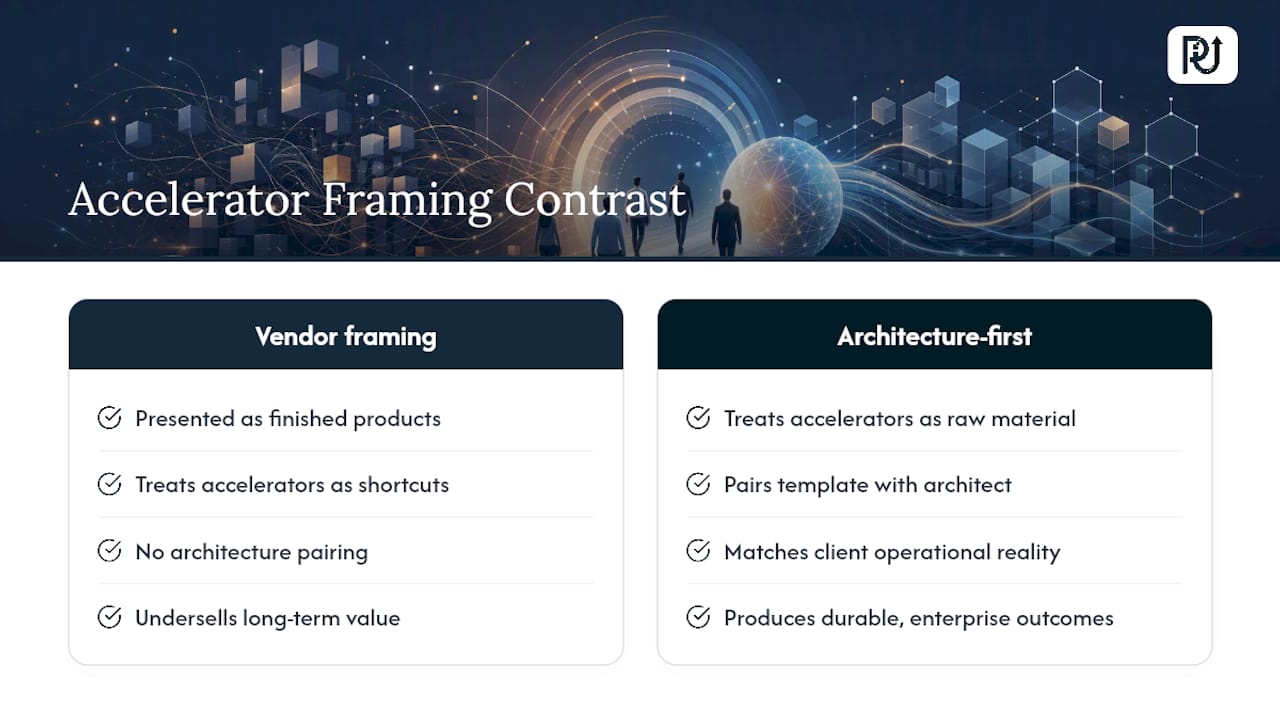
Most vendors sell accelerators as finished products. That framing undersells what actually creates value: architecture-first adaptation. POW IT UP treats every accelerator as raw material for a maintainable digital workforce, not a shortcut to skip engineering rigor entirely.
The teams that get durable results are the ones who pair a vendor’s template with someone who understands both the underlying architecture and the client’s operational reality; that combination is where enterprise-grade outcomes actually come from, not from the template alone.
— Syed Naveed Abbas
Get Help Adapting a Solution Accelerator to Your Systems
Reading through accelerator documentation is one thing. Adapting it to your actual data, your compliance requirements, and your legacy systems without breaking something in production is another. Custom digital workforce providers build and operate systems around this kind of foundation, handling the architecture decisions that separate a working demo from a system operations teams can trust.
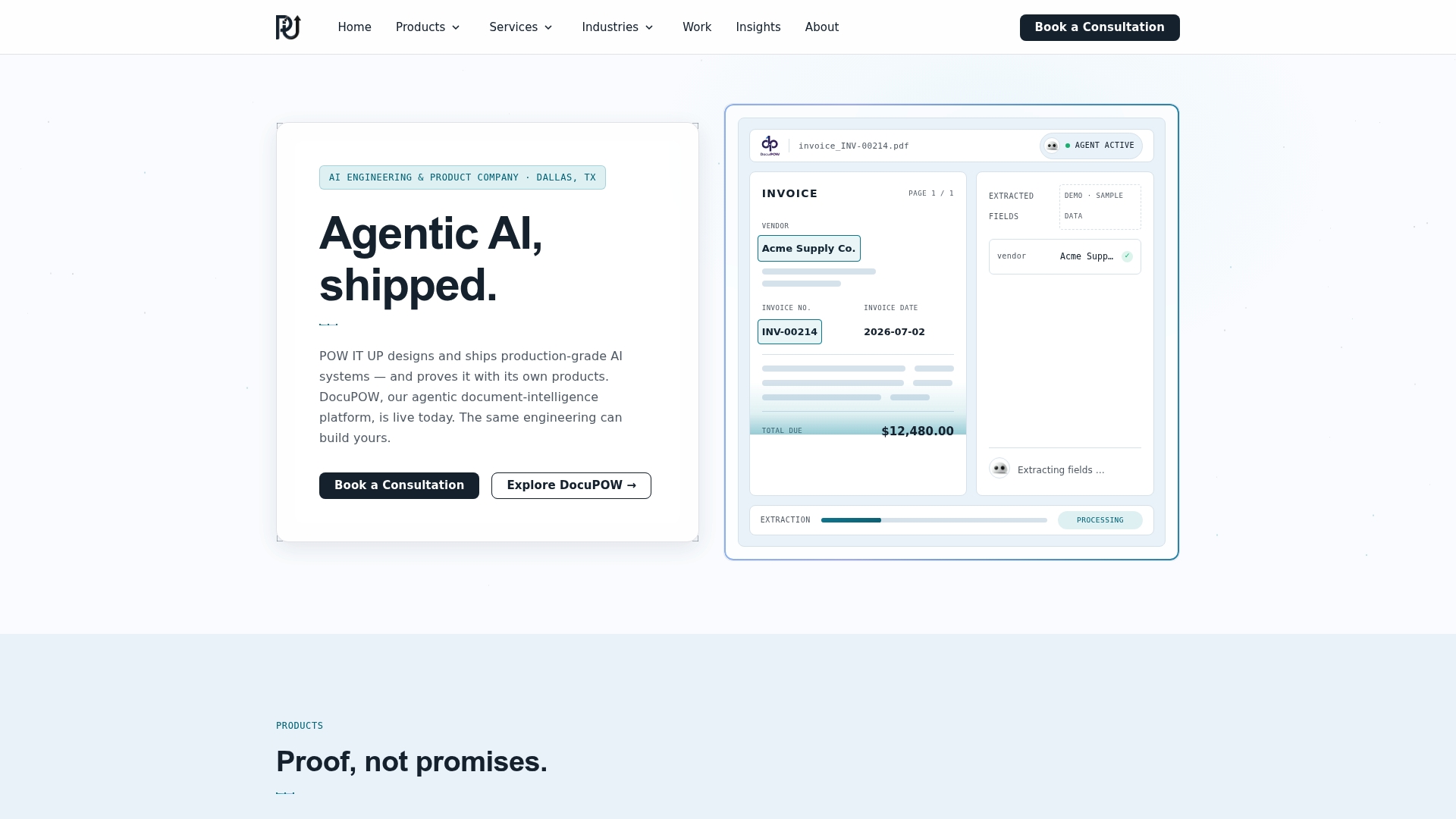
Instead of leaving your engineers to reverse-engineer someone else’s notebook, POW IT UP’s AI integration services start from proven accelerator patterns and adapt them to your data, your security posture, and your existing infrastructure. That means the Day-2 work, monitoring, RBAC, drift detection, gets built in from the start instead of scrambled together after a rough production incident. If you’re weighing whether to build this in-house or bring in an outside team, POW IT UP’s automation services are a good next place to look, and a quick conversation about your specific use case costs you nothing but twenty minutes.
Where to Explore Accelerator Code and Architecture Firsthand
For engineers who want to look under the hood before committing to anything:
Databricks Solution Accelerators offers free, ready-to-run notebooks across dozens of industries. Microsoft’s Azure accelerator repository shows production deployment scripts and RAG architecture. For hands-on partner insight into agent design, Ai Agent covers practical implementation patterns worth comparing against your own.
Sources
FAQ
What Is an AI Solution Accelerator System?
It’s a packaged set of prebuilt code, notebooks, sample data, pre-trained models, and deployment scripts that let a team build a working AI proof of concept without starting from a blank architecture.
What Is the 30% Rule in AI Projects?
There’s no single agreed-upon definition of a “30% rule” in AI development; if you encountered this in a specific context, it likely refers to a rough estimate that a portion of project time typically goes to data preparation and infrastructure rather than model logic, which is exactly the phase accelerators are designed to shorten.
How Fast Can a Team Actually Reach a Working Prototype?
Databricks reports customers reaching proof of concept in as little as two weeks using its accelerators, though that timeline assumes accessible data, a provisioned cloud environment, and active stakeholder sponsorship.
What Kind of AI Roles Command the Highest Salaries Right Now?
Roles that combine deep technical skill with the ability to architect and deploy enterprise systems, rather than just prototype models, tend to command premium compensation, since that end-to-end capability is what actually gets AI initiatives into production.
Which Jobs Are Considered Most Resistant to AI Automation?
Roles built on physical dexterity in unpredictable environments, complex interpersonal judgment, and hands-on trades tend to resist automation longest, since accelerators and AI systems handle structured, data-driven tasks far more reliably than unstructured physical or relational work.