

Automated customer journeys are AI-driven, end-to-end workflows where autonomous agents and an orchestration layer handle onboarding, billing, claims, and document validation without a human touching every step. The right fit is high-volume, rule-governed, repetitive work; the wrong fit is anything requiring constant judgment calls. Done well, this lets a company process more transactions without hiring proportionally more people.
TL;DR:
Automation is most effective for high-volume, rule-based tasks like onboarding, order confirmations, and claims processing, delivering up to 80% automation rates.
Building multiple purpose-specific agents and orchestrating them with checkpointing and policy enforcement prevents failures and agent drift in live environments.
Operations should start with narrow, measurable pilots on simple, high-frequency processes before expanding to more complex workflows, ensuring ROI and compliance.
Risks include data privacy issues and agent drift, which require strict role-based access controls, stage checkpoints, and audit logs to ensure trustworthy automation.
A policy-first, governance-driven approach, integrated from the start, is essential to avoid errors, reduce costs, and maintain compliance in automated customer journeys.
Table of Contents
-
Why Operational Leaders Should Care About Automated Customer Journeys
-
How POW IT UP Builds Automated Customer Journeys That Hold Up
Why Operational Leaders Should Care About Automated Customer Journeys
The pitch is simple: more throughput, fewer errors, faster cash. But the numbers behind that pitch are what actually justify a budget line.
Logistics and freight operations using AI-driven document validation report automation rates often in the 75-80% range for high-volume paperwork, cutting AR/AP exceptions that used to eat a whole team’s week. That kind of gain shows up fastest in a specific set of processes:
-
Onboarding: document intake, verification, and account setup collapsed into a single agent-driven flow
-
Supplier order confirmations: matching purchase orders against inbound emails and PDFs automatically
-
Proof-of-delivery and billing: triggering invoices the moment delivery is confirmed, not days later
-
Claims and reconciliations: routing straightforward cases through automatically, flagging exceptions for review
The clearest production example comes from Lemvigh‑Müller, which used three coordinated AI agents to handle email intake, PDF extraction, and purchase order matching. The company processes a large volume of purchase orders annually, and the coordinated agent setup cut manual review dramatically while keeping updates synchronized across systems. That’s not a lab result. That’s a live SAP-integrated deployment doing the unglamorous work nobody wants to staff for.
How Do You Architect an Automated Customer Journey?
Most failed automation projects share one root cause: someone tried to build a single, do-everything AI agent instead of a coordinated team of narrow ones. The architecture that actually survives contact with production has four layers.
Agent decomposition comes first. Break the journey into discrete jobs, typically intake, extraction, reconciliation, and notification, each handled by a purpose-built agent rather than one generalist model trying to do it all. This mirrors what worked at Lemvigh‑Müller: separate agents for reading email, pulling data from PDFs, and matching records against the order database.
Orchestration ties those agents together. This layer manages the sequence (often modeled as a directed graph), handles retries when a step fails, and, critically, supports stage-level recovery. Platforms built for this kind of work rely on persistent checkpoints and distributed traces so a hiccup in step three doesn’t force the whole job to restart from step one.
Policy and governance sit alongside the agents, not bolted on afterward. A policy decision point (PDP) and policy enforcement point (PEP) check every action against rules, role-based access, and step-up authentication before it executes, which is what actually prevents agent drift in a live environment.
Observability closes the loop with OpenTelemetry-style traces and audit logs so every decision is retraceable.
-
Intake agent reads and classifies incoming requests
-
Extraction agent pulls structured data from documents
-
Reconciliation agent matches records against source systems
-
Notification agent triggers downstream actions and alerts
Pro Tip: Build the policy layer before you scale agent count. Adding governance after you already have ten agents running in production is far more expensive than designing it in from agent one.
What Do Automated Customer Journeys Look Like in Practice?
Abstract architecture is easier to trust once you see it applied to real transactional work. Here’s how the layers above play out across four common enterprise scenarios.
-
Supplier order confirmations. An inbox agent scans incoming vendor emails, an extractor pulls line items and pricing from attached PDFs, and a matcher agent checks the data against the purchase order in the ERP. This is the exact pattern behind the Lemvigh‑Müller deployment, and it works because each agent has one job and a clear success criterion.
-
Proof-of-delivery to invoice. A logistics or e-commerce operation captures delivery confirmation, validates it against the shipment record, then automatically triggers invoicing. No delay between delivery and billing means faster cash collection.
-
Client onboarding. Document intake, identity and KYC checks, account creation, and a notification back to the customer all chain together, with a human reviewer only pulled in when a document fails automated verification.
-
Claims processing. Evidence ingestion and rules-based triage handle the routine 80%, while genuinely ambiguous claims escalate to a human reviewer through a configured human-in-the-loop checkpoint.
Journey orchestration platforms in the customer engagement space have shown that analyzing interaction paths and routing based on next-best-action reduces repeat contacts. The same logic applies here: watch where cases stall, and route around the friction automatically.
Is Your Operation Ready for This, and What’s the ROI?
Not every process is a good candidate, and pretending otherwise is how automation budgets get wasted. Five signals point to readiness:
-
High transaction volume, ideally hundreds or thousands per month
-
Repeatable steps governed by clear, documentable rules
-
Available system connectors (ERP, CRM, TMS APIs) rather than pure manual data entry
-
Clean, structured, or semi-structured input data
-
A defined escalation path for the exceptions that don’t fit the rules
The ROI model doesn’t need to be complicated. Three inputs matter most: labor hours saved per transaction (measured against a current FTE equivalent), the error rate reduction on the automated task, and any improvement in days sales outstanding when the process touches billing or collections. Freight and logistics operators automating document validation have reported error and exception reductions large enough to reshape AR/AP staffing models entirely.
When picking a pilot, resist the urge to start with your most complex journey. Pick the one that’s high-frequency, narrow in scope, and easy to measure, because a clean win on a small process builds the case for the bigger one.
What Does a Phased Rollout Look Like?
A 90 to 180 day rollout generally moves through four phases, and skipping the governance checkpoints between them is the most common way projects stall.
-
Discovery (weeks 1 to 3). Scope the target process precisely, capture baseline metrics (current throughput, error rate, cycle time), and map every stakeholder who touches the workflow today.
-
Design (weeks 3 to 6). Decompose the process into agents, write the policy manifest defining what each agent can and cannot do, design failover paths, and set the human-in-the-loop confidence thresholds that determine when a case escalates.
-
Pilot (weeks 6 to 12). Run the automation against a limited set of accounts or inboxes with test data, monitor closely, and hold the pilot to a defined acceptance service level agreement before expanding.
-
Scale (months 3 to 6). Move to versioned policy manifests, reuse governance rules across new processes, keep full auditability intact, and set a retraining schedule so agents don’t drift as inputs change over time.
Throughout all four phases, three operational controls stay constant: confidence thresholds that route uncertain cases to humans, an exception queue that doesn’t silently drop hard cases, and audit logs that satisfy compliance review without extra manual documentation.
Pro Tip: Treat the pilot’s acceptance SLA as a real gate, not a formality. If the pilot doesn’t hit it, fix the design before scaling, don’t scale and hope the numbers improve on their own.

Teams building this kind of rollout internally often find purpose-built onboarding automation guidance useful for structuring the design phase specifically.
What Risks Come With Automated Customer Journeys?
Agent drift is the risk nobody budgets for. An agent trained or configured against one version of a process can quietly start making wrong calls as inputs shift, unless a policy enforcement point checks its actions inline rather than after the fact.
Data privacy compounds that risk fast. Any agent touching PII or financial data needs least-privilege access by design, not as an afterthought bolted on before an audit. Enterprise guidance on agent orchestration is consistent on this point: policy gates at every action, not just at the start or end of a workflow, are what actually stop bad decisions from compounding across a chain of agents.
-
Enforce role-based and attribute-based access control before any agent action executes
-
Keep immutable checkpoints so every decision has a retraceable trail for compliance review
-
Configure human-in-the-loop thresholds specifically for low-confidence, high-stakes decisions
-
Require distributed traces across every agent hop, not just at the workflow’s start and finish
Human oversight isn’t a failure mode to design around, it’s the trust mechanism that makes the rest of the system usable. Routing decisions below a set confidence threshold to a human reviewer keeps people focused on genuinely ambiguous cases instead of rubber-stamping routine transactions, which is a waste of the exact expertise you’re trying to free up.
A Governance-First Take on Automated Customer Journeys
The conventional automation pitch focuses on speed. That’s the wrong emphasis. Speed without a policy layer just means you can produce wrong answers faster, and in transactional operations touching billing, claims, or customer accounts, a fast wrong answer is more expensive than a slow right one.
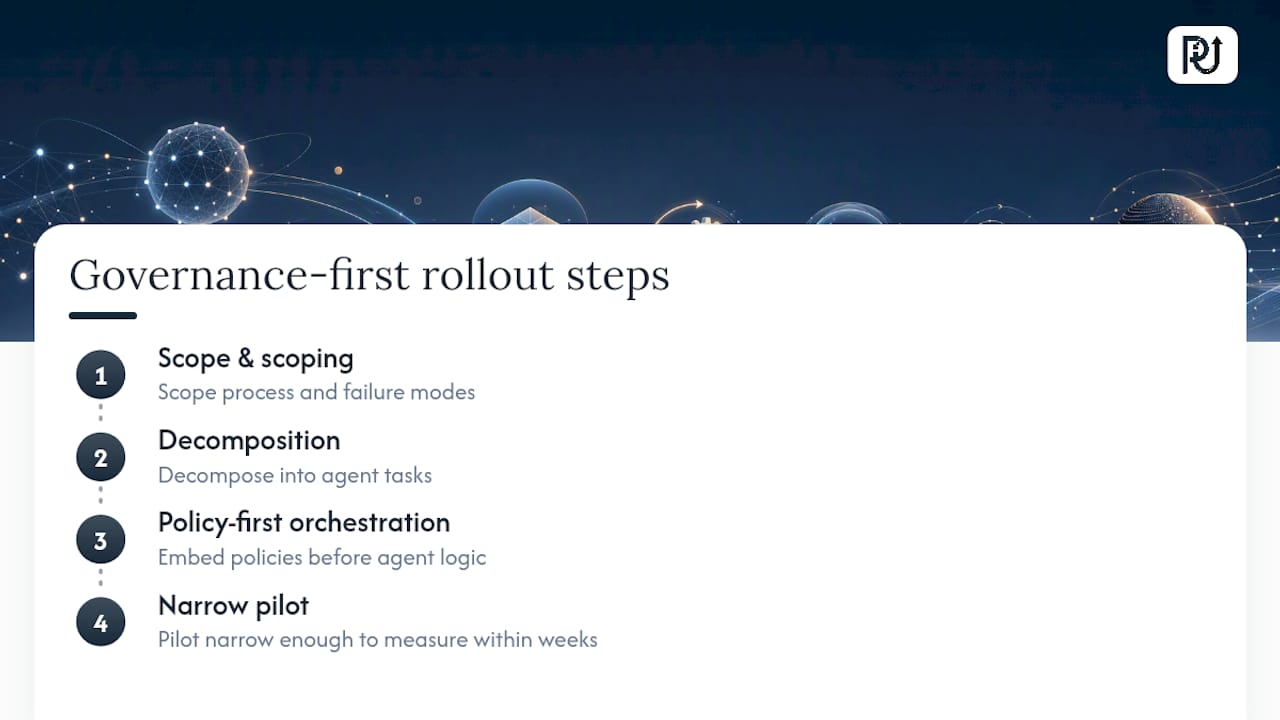
POW IT UP LLC operates as a technical architecture firm for exactly this reason: designing and deploying digital workforces built from context-aware AI agents, not stitching together scripts that break the moment an input format changes. The firm’s approach to discovery starts with scoping the process and its failure modes before writing a line of agent logic, then moves to decomposition, policy-first orchestration, and a pilot narrow enough to measure honestly within weeks rather than quarters.
What gets underweighted in most automation conversations is that the hard part was never the AI model. It’s the integration discipline: connecting reliably to existing ERP and CRM systems, writing extraction and reconciliation rules that hold up against messy real-world documents, and building the governance layer that lets a compliance team actually trust what the agents did. Professional service firms exploring this shift often find automation frameworks built around end-to-end customer journeys can be a useful parallel for thinking about where friction actually lives in their own operations.
— Syed Naveed Abbas
How POW IT UP Builds Automated Customer Journeys That Hold Up
Most automation vendors sell you a workflow tool and leave the governance layer as your problem. POW IT UP builds it in from day one, treating every agent-driven journey as production software with policy enforcement, stage-level recovery, and full audit trails, not a script that quietly breaks in six months.
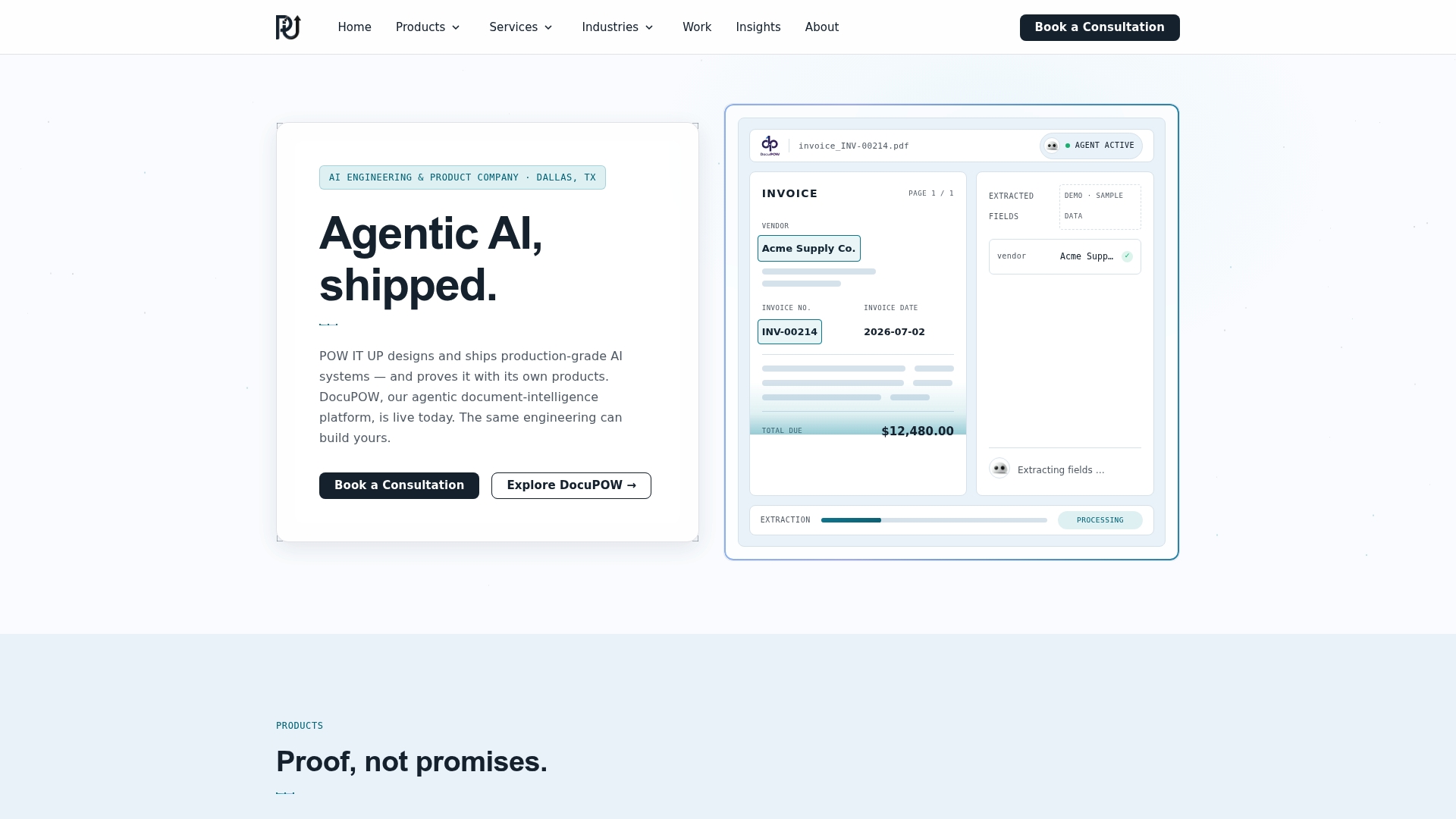
The firm’s engagements typically start with a discovery pass on your highest-volume, most rule-governed process, followed by agent decomposition, a policy manifest defining exactly what each agent can touch, and a pilot scoped narrowly enough to prove ROI within weeks. That’s the same disciplined pattern behind production deployments like Lemvigh‑Müller’s order confirmation system, applied to your onboarding, billing, claims, or document validation workflow.
If you’re weighing whether your operation has the volume and repeatability to justify this investment, the next step is a readiness conversation, not a sales pitch. Explore POW IT UP’s AI integration services to see how a discovery engagement is scoped and what a realistic pilot timeline looks like for your specific process.
Sources
FAQ
What Are Automated Customer Journeys?
They are AI-driven operational workflows where autonomous agents handle onboarding, billing, claims, or document validation end-to-end, coordinated by an orchestration layer with built-in policy enforcement rather than marketing sequences.
How Long Does an Automated Customer Journey Pilot Take?
A well-scoped pilot typically runs 6 to 12 weeks within a broader 90 to 180 day rollout, provided the process is high-frequency and the acceptance criteria are defined upfront.
What Is a Policy Enforcement Point in Agent Orchestration?
A policy enforcement point (PEP) checks every agent action against defined rules and access controls before it executes, working alongside a policy decision point to prevent agent drift and unauthorized actions.
Which Processes Benefit Most From Automation?
High-volume, rule-governed, repetitive processes benefit most, including supplier order confirmations, proof-of-delivery to invoice flows, client onboarding, and claims triage.
Does POW IT UP Handle Both the AI Agents and the Governance Layer?
Yes. POW IT UP designs agent decomposition and policy-first orchestration together, building audit-ready automation rather than treating governance as a separate add-on.
How Do You Measure ROI on an Automated Customer Journey?
Track labor hours saved per transaction against a current FTE equivalent, the error rate reduction on the automated task, and any improvement in days sales outstanding for processes touching billing or collections.