
You scale operations without adding headcount by finding the steps that eat the most hours, removing or automating them, and sending people only the exceptions that need judgment. That means mapping the work, fixing one constraint at a time, and tracking quality next to speed. The same approach works whether the pressure is rising parcel volume, a backlog of documents or a support queue that grows faster than your team.
This guide covers what scaling without hiring really means, how to find the work that limits you, which changes raise output, how to handle parcel volume specifically, and how to roll it out without losing your team or your customers.
TL;DR
- Scaling means output grows faster than cost and staffing. Growth that needs a proportional number of new hires is just growth.
- Start by mapping the process and measuring queues, waiting time, rework and manual effort. Automate only after you know where the constraint is.
- The biggest gains come from closing the gap between detecting a problem and acting on it, especially in exception handling.
- For parcels, standardize shipping data, automate controls, and use monitoring agents so people handle only the exceptions.
- Pair every speed metric with a quality metric, so you know productivity is real.
Table of Contents
- What scaling without headcount growth actually means
- Find the work that limits your capacity
- Changes that raise output without adding people
- Handling rising parcel volume without adding headcount
- A worked example: from backlog to exceptions
- Measure scale without sacrificing quality
- Risks to plan for
- Roll it out with your team, customers and compliance in view
- Our perspective
- Where we can help
- FAQ
- Sources
What scaling without headcount growth actually means
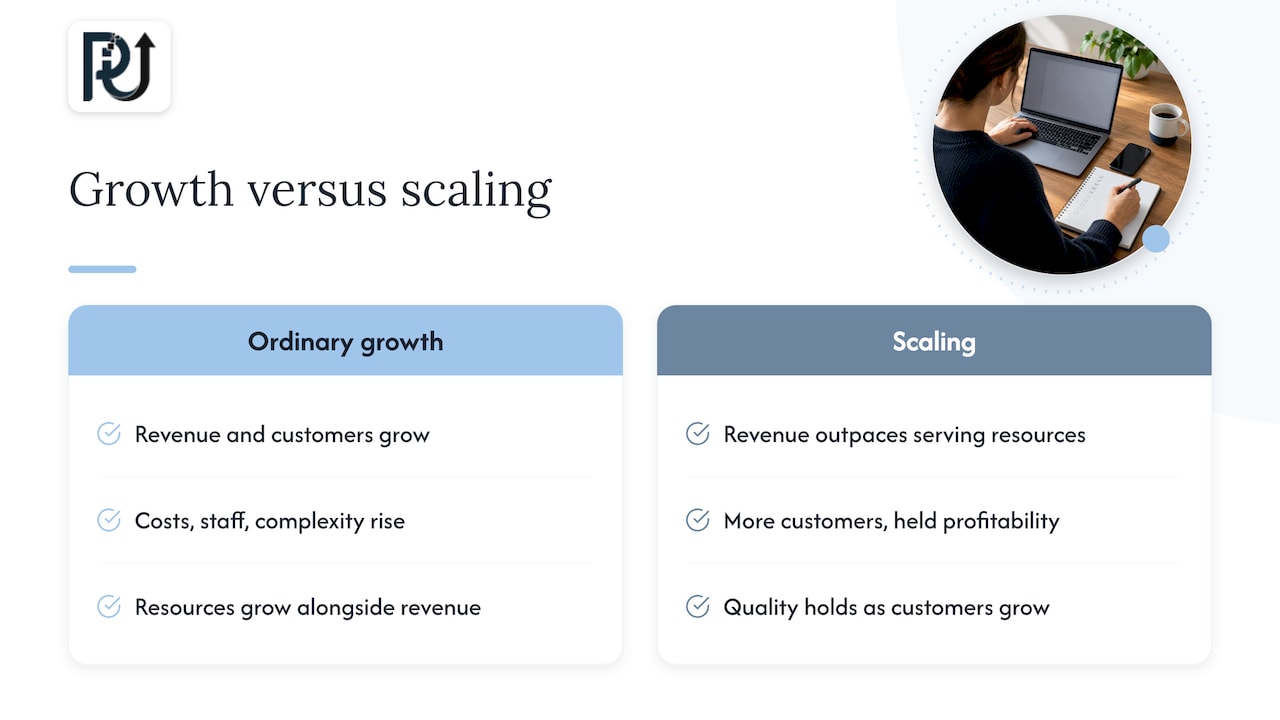
Ordinary growth adds revenue and customers along with cost, staff and complexity. Scaling, as Sage describes it, increases revenue faster than the resources needed to serve it, so you can take on more customers while holding profitability and quality.
For an operations leader the practical test is simple. If volume rises 30% next quarter, does your payroll have to rise 30%? If the honest answer is yes, the process, not the team, is the limit.
This is not a promise that no one is ever hired. It means hiring becomes a deliberate choice instead of the default response to every spike. Leaner teams are also judged differently now: revenue per employee and similar ratios carry more weight in many boards’ eyes than raw headcount.
Find the work that limits your capacity
Most teams guess where the bottleneck is. They are often wrong, because the loudest complaint is rarely the slowest step. A short audit replaces guesses with evidence.
Map the process before you touch it
TechTarget’s process optimization guide recommends mapping the existing process first, then gathering feedback from the people who do the work. You are looking for steps that take the most time, create bottlenecks or communication breakdowns, add no value, or could be reworked or removed.
For each step, write down:
- Who owns it and what tool they use.
- What comes in and what goes out.
- The decision rule, if there is one.
- How long items wait before someone touches them.
- How often it goes wrong and what kind of exception it is.
- How much of it is manual typing, copying, checking or chasing.
Use timestamps, ticket histories, approval logs and customer response times instead of memory. Your systems already hold most of this data.
Look for queues, not just slow steps
A bottleneck usually shows up as a queue: a pile of items waiting, with an oldest item that keeps getting older. Count what is waiting at each stage and how old the oldest item is. Separate rework loops (work sent back) from true throughput, and separate waits you control from waits on customers, carriers or vendors.
One caution: once you fix a constraint, the constraint moves. Remap after every change. A team that speeds up intake may simply create a bigger pile at review.
Common time leaks
In most service and operations businesses the same patterns appear:
- Re-keying data from documents, emails or PDFs into another system.
- Status chasing: asking where something is instead of being told.
- Approvals that wait on one person for routine cases.
- Reports that people read and then act on manually, a day late.
- Task assignment done by hand each morning.
If these sound familiar, our posts on how AI automates recurring deliverables and automating employee task assignment show what the fixes look like in practice.
Changes that raise output without adding people
TechTarget lists the main levers of process optimization: making tasks conditional, integrating tasks, adapting data permissions and automating manual work. It also notes that AI tools can help surface bottlenecks and improvement opportunities. Think of them in three layers, in order.
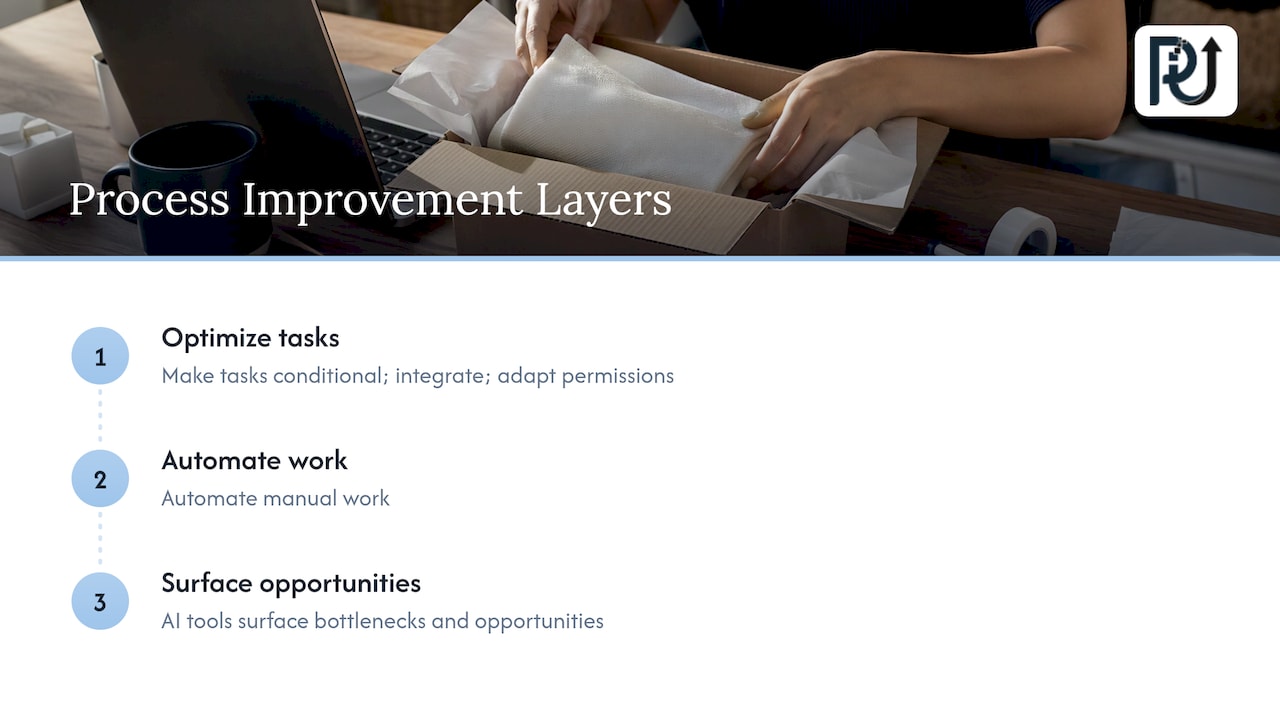
1. Remove and simplify
Before automating anything, delete steps that add no value and make routine cases skip approvals they do not need. Automating a bad process only makes the mistakes faster.
2. Automate the rule-based work
If a step follows a clear rule, software should do it. Typical candidates are data entry, document intake, routing, reminders, reconciliations and routine status updates. Our AI automation service is built around this kind of work, and our post on saving 100+ hours a month walks through where the hours usually come from.
3. Use agents for detection and action
The largest gains come when a system does not just report a problem but acts on it. McKinsey’s work on AI in logistics operations reports that successful organizations make trade-offs more visible, move analysis closer to operational decisions and connect decisions directly to execution through agentic capabilities. The point is to close the gap between detection and action, especially in exception management, instead of producing another report for someone to interpret.
That is the difference between a dashboard and a digital workforce. A dashboard tells a person that 200 items are late. An agent checks each one, resolves the routine ones and hands the person a short list of the cases that need judgment.
Handling rising parcel volume without adding headcount
Parcel volume is a clean example because the pressure is visible and the work is repetitive. According to Logistics Management’s report on ShipMatrix estimates, the U.S. domestic parcel market reached a record 23.9 billion shipments in 2025, with $196 billion in revenue, and ShipMatrix forecasts 26.8 billion shipments by 2028. Whatever your own numbers, the trend means more packages per employee, not fewer.
Standardize and centralize shipping data
Pitney Bowes’ shipping white paper recommends standardizing inputs, centralizing data visibility, automating operational controls and optimizing shipping choices. When shipping data is consistent and in one place, reporting can run itself, manual work drops, and parcel-level recommendations can compare USPS, UPS and FedEx as rates change.
In practice, messy data is where most teams lose hours: addresses typed three ways, order files in different formats, carrier invoices that do not match what was quoted. Fix intake first.
Let agents watch shipments
McKinsey describes track-and-trace agents that continuously monitor shipments and step in when they detect route deviations, temperature excursions, late deliveries or potential theft. This reduces the manual follow-up and exception handling that normally scales with volume. A person no longer checks every tracking page. They review the flagged few.
Prepare for peaks before they arrive
Saddle Creek’s peak-season guidance recommends demand forecasting, early carrier coordination, warehouse slotting, cross-training, tested WMS, OMS and WES integrations, carrier diversification, rate shopping, packaging right-sizing and daily performance dashboards. It reports that one apparel brand used carrier diversification, rate shopping and carton-density optimization to reach approximately 15% parcel-cost savings. Several of these items are decisions software can make or support: rate shopping, forecasting and dashboards need no extra hands once they are connected.
For a broader view of how fulfillment decisions affect growth, this overview of ecommerce fulfillment for business growth is a good companion.
Physical capacity counts too
Automation is not only software. Miebach reports that a redesigned Bogotá facility with a new parcel sorter can absorb growth without adding headcount and raised throughput capacity by almost 50%. If your constraint is the floor and not the screen, equipment and layout belong on the same map as your digital workflow.
A worked example: from backlog to exceptions
Here is a simplified illustration, not a client result. A distributor receives supplier documents, confirms shipments and updates customers by email. Three people spend most of their day on it.
| Step | Before | After automation |
|---|---|---|
| Document intake | Staff read and key in each file | Documents are read and validated automatically; mismatches are flagged |
| Shipment status | Staff check carrier pages | A monitoring agent watches every shipment |
| Customer updates | Written by hand | Routine updates sent automatically; delays routed to a person |
| Exceptions | Found late, by complaint | Surfaced early with context |
The three people are still there. What changes is that they handle the 10% to 15% of cases that need judgment, so volume can grow without the team doing the same typing at twice the speed. Our product DocuPOW is designed for the document step of this kind of workflow: reading and validating documents so people review exceptions instead of every page.
Measure scale without sacrificing quality
Cutting hours is easy if you do not care what suffers. Track speed and quality as pairs. Support-scale guidance from Supports.live suggests combining first-response time with CSAT, backlog with reopened-ticket rate, and resolution speed with first-contact resolution, SLA compliance, escalation rate and backlog age. A faster response paired with lower CSAT or more reopened cases means you traded quality for the look of productivity.
A useful starting scorecard for most operations:
- Volume per employee: units, tickets, parcels or documents handled per person.
- Cycle time: from request to completion, and the age of the oldest open item.
- Error and rework rate: how much work comes back.
- Exception rate: the share of items needing human judgment, ideally stable or falling.
- Customer measure: CSAT, complaints or on-time delivery.
- Cost per unit: the number that shows whether you are actually scaling.
Review it monthly. If volume per employee climbs while rework and complaints stay flat, you are scaling. If both rise together, you are only stretching people.
Risks to plan for
Scaling without hiring has real failure modes, and naming them early is how you avoid them.
- Automating a broken process. Fix or remove the step first, then automate it.
- Single points of failure. If one person or one system holds all the knowledge, document the logic and keep an owner for every automated workflow.
- Hidden exceptions. Rules that cover 90% of cases still need a clear path for the rest, with a named person who handles them.
- Moving constraints. Each fix shifts the bottleneck, so plan for a second and third round.
- Data and compliance exposure. Workflows touching financial, health or personal data need review by your compliance or legal lead before launch, so access rules, audit trails and retention are set up from the start.
- Team trust. If people hear “automation” as “layoffs,” they will hide the real process from you.
Roll it out with your team, customers and compliance in view
- Pick one workflow. Choose a high-volume, rule-heavy process with a clear owner and a measurable baseline.
- Involve the people who do the work. They know the exceptions your logs do not show, and they will own the result.
- Define the exception path. Decide who sees what the system cannot resolve, and how fast.
- Run in parallel first. Let the automated flow and the manual one run side by side until the numbers match.
- Set access and audit rules. For regulated work, involve compliance before go-live, not after.
- Redeploy, do not just cut. Move freed hours to customer-facing, analytical or growth work. That is where the payoff compounds.
- Remap and repeat. Measure again and take the next constraint.
Our operating model for intelligent scaling and our 2026 playbook on scaling without hiring go deeper on sequencing.
Our perspective
Most companies treat scale as a hiring problem because headcount is the lever they can see. We think it is an architecture problem. When a team’s day is made of re-keying, chasing and checking, adding people multiplies the waste along with the output.
The approach we build for is what we call a digital workforce: context-aware AI agents that take on high-volume transactional work, look for the time leaks in the process, and hand people only the exceptions. We design these systems to be maintainable and owned by the client, with transparent processes and engineering accountability, instead of a pile of brittle scripts nobody can explain.
Our view is that the right order is always the same: map the process, remove what is pointless, automate what follows rules, and put agents where detection must turn into action. Done that way, processing volume can grow without a matching rise in headcount, and the people you already have do more valuable work.
Syed Naveed Abbas
Where we can help
If your volume is rising faster than your team can follow, we build the systems described above. We design custom AI agents that monitor, decide and act inside your existing tools, and AI integration that connects them to your data. Our AI automation work starts with the process audit, so you know where the hours are going before anything is built.
Published pricing is not listed for these services, so the next step is a conversation about your workflow. You can start at powitup.com.
FAQ
What is the difference between growth and scaling?
Growth adds revenue along with proportional cost and staffing. Scaling raises revenue faster than the resources needed to produce it, so margins and service quality hold up as volume increases.
Where should I start if I cannot hire?
Map one high-volume process and record each step’s owner, waiting time, error rate and manual effort. Fix the biggest queue first, then remap, because the constraint will move to another step.
How do I manage rising parcel volume with the same team?
Standardize and centralize your shipping data, automate reporting and controls, and use monitoring so staff see only flagged exceptions. Prepare for peaks with forecasting, early carrier coordination and rate shopping, as described in the peak-season guidance above.
How do I know automation is not hurting quality?
Pair each speed metric with a quality one, such as response time with CSAT or backlog with reopened cases. If speed improves while quality measures hold, the gain is real.
Will automation replace my team?
The aim is to remove repetitive work so people handle exceptions, customers and decisions. Involve your team early, define who owns each automated workflow, and move freed hours to higher-value work.
Sources
- How to Scale a Business as it Grows, Sage
- How to improve and optimize a business process, TechTarget
- Creating value from AI in logistics operations, McKinsey
- U.S. domestic parcel market hits record 23.9B shipments, Logistics Management
- Using AI to boost efficiency in shipping and mailing, Pitney Bowes
- High Volume, High Expectations, Saddle Creek
- Facility design to increase capacity, Miebach
- Ecommerce fulfillment for business growth