
Intelligent automation means software that reads, decides and acts on your routine work, with people stepping in where judgment or accountability is needed. For a growing company, the payoff is simple: volume rises, and your team does not have to grow at the same rate. The catch is that it only works if you pick the right processes, build for context instead of brittle rules, and keep a human in control of the decisions that carry risk. This guide shows how to do that.
TL;DR
- Intelligent automation combines AI with workflow automation so systems can handle documents, exceptions and decisions, not just fixed, rule-based steps.
- Adoption is already mainstream: 78% of businesses using AI report better productivity, and AI users are more likely to add staff than cut it.
- Start with one high-volume process that has clear inputs, decision points and outputs. Do not start with the tool.
- Trust and governance decide success. Build human-in-the-loop checkpoints and audit trails from day one, especially in healthcare and fintech.
- The biggest hurdle is organizational. Plan training and clear roles alongside the build.
Table of Contents
- What intelligent automation actually is
- Why growing companies are moving now
- Where to start: finding your time leaks
- Examples that fit growing companies
- Governance is what makes it scale
- The part most leaders underestimate: people
- A 90-day path from idea to first process in production
- Our perspective: build workforces, not scripts
- How POW IT UP can help
- FAQ
- Sources
What intelligent automation actually is
Traditional automation follows a script: if field A equals X, do Y. It works until an invoice arrives in a new format, a customer writes an unusual request, or a PDF is scanned crooked. Then it breaks, and someone on your team fixes it by hand.
Intelligent automation adds AI to that foundation. AWS describes it as using artificial intelligence and robotic process automation together to build more complex software automation. In practice that means three layers working together:
- Capture and understanding. The system reads documents, emails and data feeds, and extracts what matters.
- Decision support. It classifies, validates, scores or routes the work using context, not only fixed rules.
- Action and handoff. It updates your systems, completes the routine cases, and sends exceptions to the right person with the reasoning attached.
The newer wave is agentic: AI agents that carry a multi-step task through to completion across several tools. The principle is the same, and so is the discipline. Industry guidance from Summit Partners points to moving past brittle rule-based scripts toward context-aware workflows, with safety guardrails such as human verification so the system stays under governance.
Why growing companies are moving now
Growth exposes every manual process. The intake form that one coordinator handled at 20 clients a month becomes a bottleneck at 80. Hiring to fill the gap works, but it adds cost faster than it adds capacity.
The numbers suggest most peers have already started:
- In the Intuit QuickBooks AI Impact Report, 77-78% of US small and midsize businesses report regular AI use. Among users, 78% report improved productivity, up from 46% in July 2024.
- The same survey data shows 17% of AI-using businesses increased headcount, while 4% decreased it. Automation, so far, looks more like a scaling tool than a replacement for people.
- In the middle market, 51% of firms with $10M to $1B in revenue are already implementing AI and automation, according to 2026 KeyBank survey data reported by ABF Journal.
Treat these as survey results, not guarantees. They tell you the competitive baseline is moving. They do not tell you your own return, which depends on which process you automate and how well you do it.
Where to start: finding your time leaks
Most leaders ask, “What can we automate?” A better question, as the Summit Partners guidance frames it, is where you need to move faster or reduce operational risk. That points you at processes that matter instead of ones that are merely easy.
Score your candidate processes
List ten to fifteen recurring processes and rate each on four criteria:
| Criterion | What to look for | Why it matters |
|---|---|---|
| Volume | Done dozens or hundreds of times a week | Savings compound with repetition |
| Structure of inputs | Documents, forms, emails, data feeds | The system needs something to read |
| Cost of error | Delays, rework, compliance exposure | Shows where speed and accuracy pay back |
| Decision complexity | Mostly routine with defined exceptions | Routine cases go straight through; exceptions go to people |
The best first candidates score high on volume and error cost and moderate on complexity. Document-heavy work is a classic fit: intake, invoice and statement processing, onboarding packets, claims paperwork, loan files.
Map inputs, decision points and outputs
Before anyone builds anything, write down for the chosen process:
- Inputs: what arrives, in which formats, from whom.
- Decision points: where someone currently judges, approves or escalates, and by what criteria.
- Outputs: what must exist at the end, in which system, and who relies on it.
This one page is the most valuable artifact of the project. It exposes unwritten rules, shows where a human checkpoint belongs, and gives you a baseline to measure against. If you want a broader view of tooling categories before you decide, see our overview of service business automation tools, and our explainer on back-office automation.
Examples that fit growing companies
The right use case depends on your industry, but the pattern repeats.
- Fintech and lending: reading and validating application documents, checking them against requirements, and routing exceptions. Our guide to AI automation in loan processing walks through the steps.
- Accounting and professional services: pulling data from client documents, reconciling it, and flagging anomalies for a reviewer. Pairing this with a sound accounting foundation matters too; this walkthrough on accounting system setup that scales covers the groundwork that automation builds on.
- Healthcare practices: administrative work such as intake, scheduling support and documentation, with clinical and coverage decisions kept firmly with licensed professionals (more on that below).
- Agencies and consulting firms: status reporting, client health monitoring, onboarding, and billing preparation.
- Logistics and e-commerce: order and shipment documents, exception handling, and customer inquiry triage.
For worked examples of return in service firms, see our piece on service business ROI from automation.
Governance is what makes it scale
Automation that nobody trusts does not get used. A survey reported by KESQ found that roughly three quarters of small business owners hesitate to let AI handle even basic tasks without oversight. That hesitation is reasonable, and the answer is design, not persuasion.
A workable governance baseline for a growing company:
- Human-in-the-loop checkpoints at every decision with financial, legal or customer-safety consequences.
- Audit trails that record what the system read, what it decided, and who approved it.
- Clear ownership. One named person is accountable for each automated process.
- A written policy on data privacy, bias and intellectual property, informed by frameworks such as NIST’s AI Risk Management Framework, which emphasizes transparency, explainability and incident disclosure.
- Exception review. Track the cases the system escalates. A rising exception rate is an early warning that inputs or rules have drifted.
We go deeper on this in our article on AI workflow optimization and governance.
Extra care in healthcare and fintech
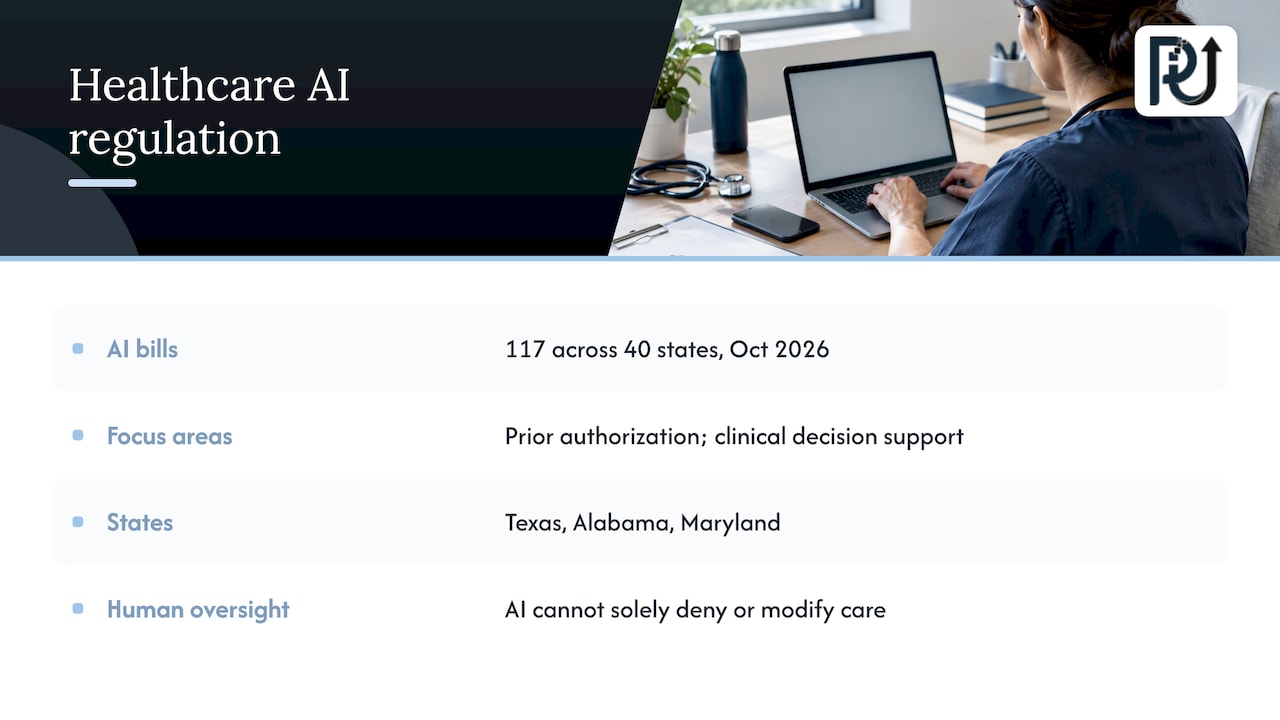
If your automation touches protected health information, HIPAA applies, and state rules are growing. According to the AI Laws by State tracker, 117 bills across 40 states regulate AI in healthcare as of October 2026, focusing on areas like prior authorization and clinical decision support. Several states, including Texas, Alabama and Maryland, have enacted laws requiring human oversight of utilization review and barring AI as the sole basis for denying or modifying care. A law firm review from Mintz notes that states are leading here amid the absence of comprehensive federal legislation.
If you run a practice, health plan or vendor in this space, have your compliance counsel or healthcare attorney confirm which state rules apply to your workflows before you automate any determination step. Keep a documented, human-written rationale for every AI-influenced medical necessity decision. In fintech, bring your compliance officer in at the process-mapping stage, not at launch.
The part most leaders underestimate: people
The ABF Journal reporting notes that the main barrier for middle-market firms is internal readiness to manage AI-human collaboration, not the technology itself. In our experience of how these projects go, the pattern is familiar: the system works, and adoption stalls because staff worry about their jobs or do not know what they are now responsible for.
What helps:
- Say plainly what changes. Show which tasks go away and which new ones, such as exception review and quality checks, appear.
- Invest in upskilling. The people who know the process best become the reviewers and trainers of the system.
- Define collaboration protocols. Who approves what, who handles exceptions, who can pause the system.
- Build a culture of change. Our note on promoting a digital transformation culture covers this.
The headcount data is encouraging here: AI-using businesses in the Intuit data were more likely to add staff than cut it. Use that honestly, but do not promise your team an outcome you cannot guarantee.
A 90-day path from idea to first process in production
| Phase | Weeks | What happens |
|---|---|---|
| Discover | 1-3 | Score processes, map inputs, decisions and outputs, set baseline metrics |
| Design | 3-5 | Define the agent’s scope, human checkpoints, data access, and success measures |
| Build and test | 5-9 | Develop against real documents and edge cases, review exceptions with the team |
| Pilot | 9-12 | Run in parallel with the manual process, compare results, tune |
| Scale | 12+ | Move to production, then replicate the pattern in the next process |
These are planning ranges, not a promise. Complex integrations with legacy or core systems take longer, and a thoughtful pilot is worth the time it takes.
Metrics worth tracking
- Cycle time per transaction, before and after.
- Percentage of cases completed without human touch, and the exception rate.
- Error and rework rate.
- Volume handled per full-time employee.
- Hours your team spends on higher-value work instead.
Our perspective: build workforces, not scripts
We approach this as engineers who are accountable for what we ship. Basic integrations that move data from A to B have their place, but they are not what lets a company absorb twice the volume. What does is a digital workforce: context-aware agents that handle high-volume transactional work, surface the operational time leaks no one has measured, and escalate what needs a person.
Three convictions shape how we build:
- Context over rules. Rules-only automation is brittle. Agents that understand the document, the client and the situation hold up when reality deviates from the spec.
- Ownership stays with you. Systems should be maintainable and understood by the client, with transparent processes and no black box you cannot run without us.
- Proof beats promises. That is why we put working products in front of buyers, such as our DocuPOW demo for document reading and validation, instead of asking anyone to trust a slide deck.
If you automate one thing this quarter, make it a process you can measure, and make sure a human can always see why the system did what it did.
— Syed Naveed Abbas
How POW IT UP can help
We design, build and deploy custom AI agents and automation for fintech, healthcare, service businesses, agencies, logistics, insurance, construction and e-commerce companies. If your bottleneck is paperwork, DocuPOW reads and validates documents, and you can see it in a live demo. If you need something tailored to your operations, explore our AI agents development and AI automation services, or look at how we handle AI integration with the systems you already run. Pricing is scoped to the engagement, so the quickest way to get a clear answer is to talk to us through powitup.com.
FAQ
What is the difference between intelligent automation and regular automation?
Regular automation executes fixed rules and fails when inputs change. Intelligent automation adds AI, so the system can read unstructured documents, interpret context and handle variation. It still needs guardrails and human review for high-stakes decisions.
Will intelligent automation replace my employees?
In the Intuit survey data, AI-using businesses were more likely to increase headcount (17%) than decrease it (4%). That suggests it often supports growth rather than cutting staff. Outcomes depend on your plan, and the best results come when you retrain people into review and oversight roles.
Which process should a growing company automate first?
Pick a high-volume process with structured inputs, a measurable cost of error, and defined exceptions, such as document intake or invoice processing. Map its inputs, decision points and outputs first. Prove value there before expanding.
Is intelligent automation safe in regulated industries?
It can be, if designed for it. Healthcare and fintech need audit trails, human decision-makers at key points and compliance review, and several states now restrict AI as the sole basis for adverse healthcare decisions. Confirm your obligations with qualified counsel before automating any determination step.
Sources
- Intuit QuickBooks AI Impact Report
- KeyBank middle market survey, ABF Journal
- 3/4 of small businesses don’t trust AI for basic tasks, KESQ
- Operationalizing AI: A Practical Guide for Growth Companies, Summit Partners
- What is Intelligent Automation? AWS
- Healthcare AI Laws by State, AI Laws by State
- From Innovation to Regulation: Health Care Enforcement Related to AI, Mintz