

Custom AI agent development makes sense when you need automation across multiple systems, deterministic business logic, and a clear audit trail of every decision an agent makes. If that describes your operation, the right next step is a 2 to 4 week readiness assessment or a small fixed-scope pilot, not a full build. If your workload is simpler, an off-the-shelf assistant may get you there faster and cheaper.
TL;DR:
- Custom AI agents are justified only when workflows involve multiple systems, legacy software, compliance concerns, or differentiation from competitors.
- Building a production agent requires designing core components such as a reasoning model, tools, instructions, observability, and data management to ensure reliable performance at scale.
- The development process should follow a phased approach, starting with readiness assessment, then prototyping, integration, and staging before full deployment.
- Single-agent architecture is usually sufficient for most tasks, with multi-agent systems justified only when tasks demand specialized skills the main agent cannot handle.
- Governance efforts like inventorying, red-teaming, and establishing human-in-the-loop thresholds are essential early steps to ensure compliance and trustworthiness.
Table of Contents
- When to choose a custom agent vs off-the-shelf options
- Core architecture and production components you must design
- Development lifecycle: a practical roadmap from scope to production
- Orchestration and runtime choices: patterns and trade-offs
- Guardrails, governance, testing, and risk controls
- Implementation checklist: roles, KPIs, budget signals, and a first-90-day plan
- POW IT UP perspective on delivering custom AI agents
- How to engage POW IT UP: immediate next steps and links
- FAQ
- Sources
When to choose a custom agent vs off-the-shelf options
Not every automation problem needs a custom agent. The signals that point toward custom development are fairly consistent: your workflow spans multiple systems, touches legacy software or proprietary data formats, carries real audit or compliance weight, or forms part of what actually differentiates your business from competitors. A customer support bot answering FAQs rarely needs custom engineering. A system that reads inbound contracts, cross-references them against three internal databases, and flags exceptions for legal review usually does.
The trade-off is straightforward. Off-the-shelf tools get you running in days with lower upfront cost, but you inherit someone else’s assumptions about data handling, escalation, and integration depth. Custom builds take longer and cost more to start, but you control observability, data residency, and exactly how the agent behaves when it hits an edge case.
Before committing either way, run this checklist internally:
- Data access: Can the agent reach the systems it needs without brittle workarounds or manual exports?
- Integration surface: How many systems, APIs, or legacy interfaces does the workflow actually touch?
- Escalation rules: What happens when the agent is unsure, and who reviews that decision?
- Regulatory constraints: Does your industry require specific logging, consent, or data handling standards?
If most answers point to complexity, start a readiness assessment. If the workload is narrow and low-stakes, a managed agent platform or point solution is the faster path, and you can revisit custom development once volume or risk grows. Our custom AI agent development work for small and mid-sized operations usually starts at exactly this decision point.
Core architecture and production components you must design
A production agent is not a clever prompt wrapped in a chat interface. According to OpenAI’s practical guide to building agents, an agent consists of three core components: an LLM for reasoning, tools for taking action in the outside world, and instructions that encode policy and guardrails. Everything else, including memory, observability, and orchestration, exists to support those three parts reliably at scale.
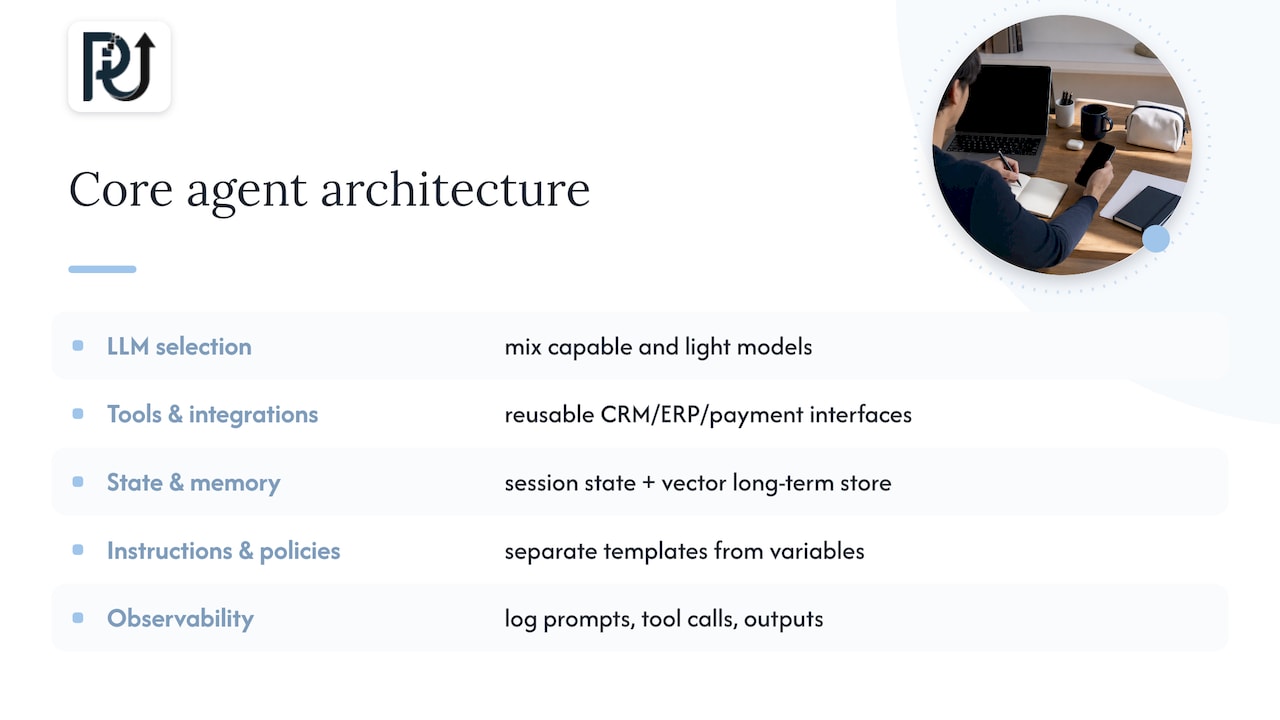
LLM selection is the first real decision. A general-purpose reasoning model handles ambiguous, multi-step tasks well but costs more per call. A smaller, specialized model can handle narrow, repetitive classification or extraction tasks at a fraction of the cost. Most production systems mix both: a capable model for reasoning and routing, lighter models for high-volume subtasks.
Tools and integrations turn an agent from a conversational layer into something that actually does work. This means building reusable interfaces into your CRM, ERP, ticketing system, or payment processor rather than one-off scripts per workflow. OpenAI’s guidance recommends maximizing what a single agent can do with incremental tool additions before reaching for a multi-agent architecture.
State and memory determine whether an agent remembers what matters without dragging irrelevant context into every call. Session state handles the current task; a vector database or similar long-term store handles recall across sessions. Keeping that context compact and labeled matters as much for auditability as for performance.
Instructions and policies should live separately from environment-specific variables. OpenAI’s guide notes that separating policy templates from variables lets you audit and A/B test governance changes without touching the agent’s core logic, which also simplifies red-teaming later.
Observability closes the loop: logging every prompt, tool call, and output with enough provenance to reconstruct why the agent did what it did.
Statistic callout: NIST’s Generative AI Profile identifies inventorying AI systems and tracking data lineage as core governance controls, not optional add-ons. Skipping this step is one of the most common reasons production agents fail compliance review later.
Development lifecycle: a practical roadmap from scope to production
Custom agent projects succeed or fail based on sequencing. Skipping phases to save time almost always costs more later in rework and failed audits.
- Readiness assessment. Map the systems, data sources, stakeholders, and risk tier of the target workflow. The deliverable here is a defined scope and a short list of measurable success KPIs, not code.
- Prototype and pilot. Narrow the outcome to one workflow, build the minimum connectors needed, and validate with a human reviewing every decision. The deliverable is a pilot report plus initial red-team results showing where the agent fails.
- Integration and staging. Harden the connectors built during the pilot, add full observability, close security gaps, and get compliance signoff before anything touches live data at scale.
- Rollout and operate. Move to production with monitoring, incident playbooks, and a clear process for governing model and prompt versions over time.
Timelines vary by complexity, but a narrow pilot typically runs several weeks, while full integration and staging can add a few additional months depending on how many legacy systems are involved. The biggest cost drivers are rarely the model itself: they are integration work, data cleanup, and red-teaming effort.
Pro Tip: Treat the pilot phase as a red-teaming exercise, not a demo. The goal is finding failure modes before customers do, not proving the agent can handle the easy cases.
Orchestration and runtime choices: patterns and trade-offs
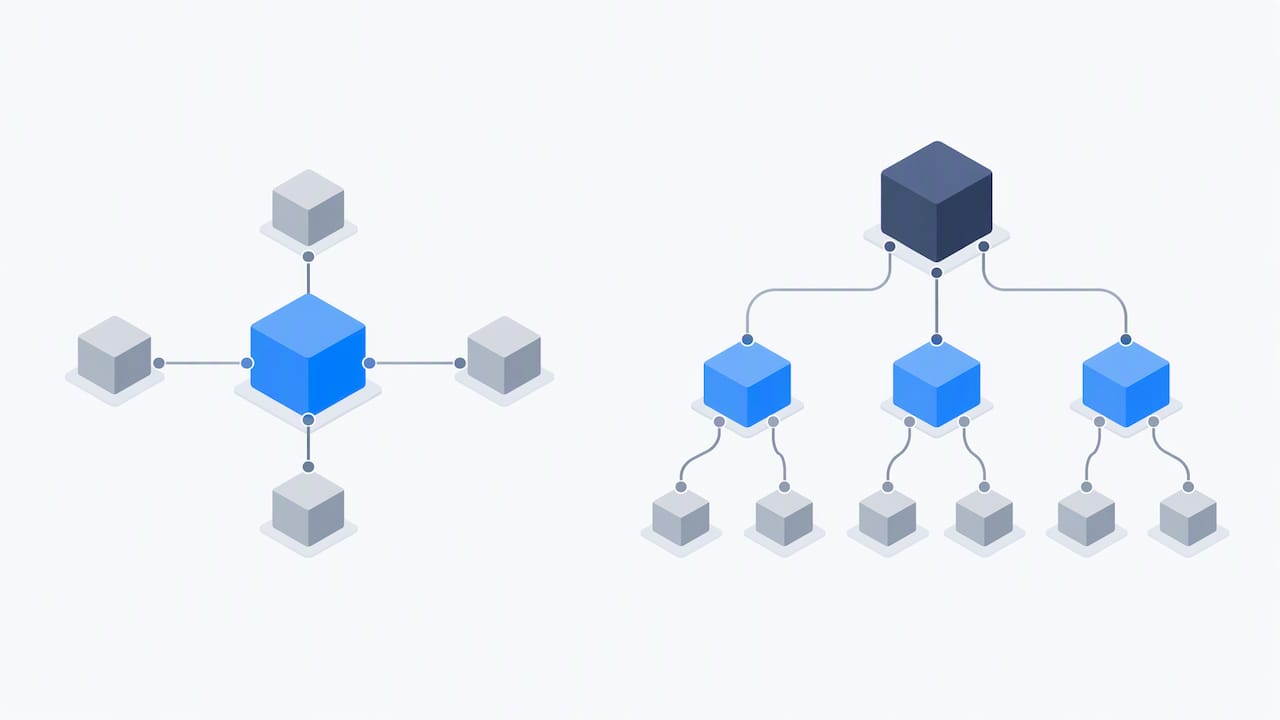
Most teams overbuild their first agent. A single-agent pattern, where one agent handles reasoning, tool calls, and responses, covers the majority of workflows and is far easier to debug and govern than a multi-agent system. Multi-agent patterns, whether a manager agent delegating to specialists or a decentralized set of cooperating agents, earn their complexity only when tasks genuinely require specialized skills that a single agent cannot hold well.
Runtime choice matters just as much as agent count; using an email API designed for AI agents can simplify integration patterns for agent channels and asynchronous interactions, as seen with Sendmux – The Email API for AI Agents, with Inboxes. Managed agent APIs from providers like OpenAI or Google get you to deployment fast with hosted orchestration and session state handled for you. SDK-based or self-managed runtimes trade that convenience for direct control over state, security, and data residency, which matters when compliance requirements won’t tolerate vendor-hosted session data.
A few practical guidelines apply across most projects:
- Start single-agent. Build modular tools from day one so the system can evolve toward multi-agent later without a rewrite.
- Match runtime to compliance needs. Regulated industries often need the control a self-managed runtime provides, even at higher engineering cost.
- Plan observability around the runtime. Managed platforms simplify logging but may limit how deep your tracing can go.
- Consider data residency early. Where session state lives affects both compliance and incident response speed.
Google Cloud’s Gemini Agent Runtime documentation illustrates this well, showing how agent logic, credentials, and deployment concerns get defined explicitly rather than left to defaults. That explicitness is exactly what regulated deployments need.
Guardrails, governance, testing, and risk controls
Governance is not a compliance afterthought bolted on before launch. It should shape the architecture from the first design review. NIST’s AI Risk Management Framework for Generative AI recommends treating red-teaming, system inventories, and acceptable-use policies as mandatory program elements, not optional extras, because they directly address risks like hallucinated outputs and unintended tool usage.
A practical governance checklist looks like this:
- Build a system inventory. Track every agent in production, its risk tier, and its data lineage.
- Red-team before launch. Independent evaluation should actively try to break the agent, not just confirm it works on happy-path cases.
- Set human-in-the-loop thresholds. Define exactly which actions require human approval before execution.
- Control access and secrets. Apply role-based access control and rotate credentials the agent depends on.
- Write incident playbooks. Know in advance how to pause, roll back, or escalate when something goes wrong.
Statistic callout: NIST’s generative AI profile frames red-teaming and acceptable-use policies as core organizational controls for managing risks like hallucinations and unintended tool use, a framing that should shape your testing budget from the start rather than being added after an incident.
Beyond the checklist, track a small set of metrics that actually prove trustworthiness over time: the false action rate, how often the agent escalates versus resolves, and how frequently you re-validate the system after deployment. A low escalation rate sounds good until you realize it might mean the agent is making calls it should be flagging instead.
Implementation checklist: roles, KPIs, budget signals, and a first-90-day plan
Getting a custom agent live requires more than engineering time. It needs the right people in the room and clear markers of success from day one.
- Assign roles early. A sponsor who owns outcomes, a product owner who defines scope, a prompt or policy designer, MLOps support, integration engineers, and a compliance reviewer all need defined responsibilities before the pilot starts.
- Define core KPIs. Track task success rate, mean time to resolve escalations, and cost per completed workflow from the first week of the pilot.
- Size your budget honestly. Integration complexity, data cleaning, and red-teaming effort typically outweigh model costs, so budget estimates built only around API pricing will undershoot.
- Map a 90-day plan. Weeks 1 to 2 for readiness and scoping, weeks 3 to 8 for pilot build and human-in-the-loop validation, weeks 9 to 12 for hardening, staging, and a go or no-go decision on full rollout.
Pro Tip: Set your KPIs before writing a single line of agent logic. Teams that define success metrics after the build tend to grade the agent on whatever it happens to do well.
McKinsey’s research on agentic AI adoption points out that organizations get more value when they scope agent projects around entire process flows rather than isolated tasks, which is worth keeping in mind when you draft that first 90-day plan.
POW IT UP perspective on delivering custom AI agents
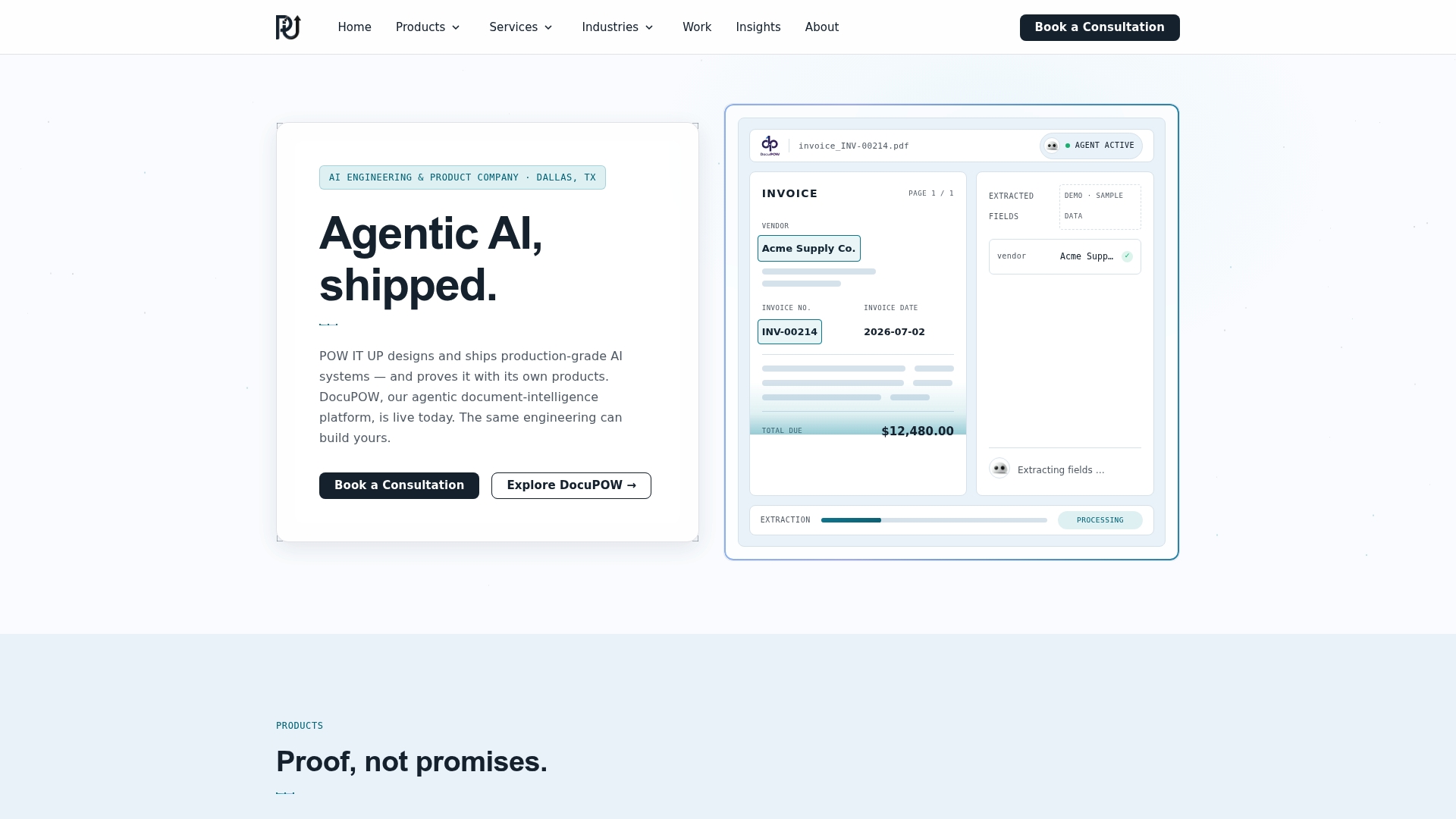
We approach custom agent work as production engineering, not a demo exercise. Our combination of productized tools like DocuPOW for document validation alongside bespoke agent builds means we design around what already works rather than reinventing every component. A readiness assessment with us produces a defined scope, measurable KPIs, and a working demo before any production commitment, which gives you a concrete basis for a build or buy decision rather than a sales pitch.
— Syed Naveed Abbas
How to engage POW IT UP: immediate next steps and links
We build custom AI agent development and productized automation, including DocuPOW, to turn multi-step workflows into measurable, auditable processes.
If the signals in this guide match your operation, the next move is a short readiness assessment rather than a long proposal cycle. Visit our AI Agents Development page to request a demo and scope your first pilot.
FAQ
What makes an AI agent “custom” instead of off-the-shelf?
A custom agent is built around your specific systems, data, and business rules rather than a generic workflow template. It typically requires direct integration work, as outlined in OpenAI’s practical guide, including tool design, state management, and policy-specific instructions that off-the-shelf tools don’t offer.
How long does custom AI agent development usually take?
A narrow pilot typically takes 4 to 8 weeks, with full integration and staging adding another 2 to 3 months depending on how many systems are involved. Timelines expand significantly when legacy system integration or heavy compliance review is required.
Do I need a multi-agent system for my workflow?
Most workflows run fine on a single agent with modular tools, and OpenAI’s guidance recommends starting there before adding orchestration complexity. Multi-agent patterns earn their cost only when evaluation shows a single agent genuinely cannot handle the range of specialized tasks involved.
What does POW IT UP charge for custom agent development?
Pricing for AI Agents Development and related services is scoped per engagement and available on request after a readiness assessment defines the work involved. DocuPOW pricing follows the same request-based process.
What governance steps should I budget for before launch?
Budget for a system inventory, red-teaming, and human-in-the-loop review thresholds, which NIST’s AI Risk Management Framework treats as core controls rather than optional extras. Skipping these steps is a common reason agent projects stall during compliance review.
Sources
- Artificial Intelligence Risk Management Framework: Generative Artificial Intelligence Profile
- A practical guide to building agents | OpenAI